Why is my LinkedIn post not showing up in the feed?
LinkedIn published the mechanism in 2017: classifiers label every post, and one treatment leaves it visible on your profile but out of the feed entirely.
- reach
- algorithm
- troubleshooting
Why did my LinkedIn post disappear from the feed?
Most likely it did not disappear. LinkedIn can apply a treatment that keeps a post live on your profile while removing it from the feed, which produces exactly the symptom people describe: the post is still there when you look, and nobody else ever saw it. That behaviour is documented in LinkedIn's own engineering writing.
The source is a post by Rushi Bhatt and Bari Saltman on the LinkedIn engineering blog, published in March 2017. It describes online and nearline classifiers that label every image, text or long form post as spam, low-quality or clear, and then lists what the platform can do with that label.
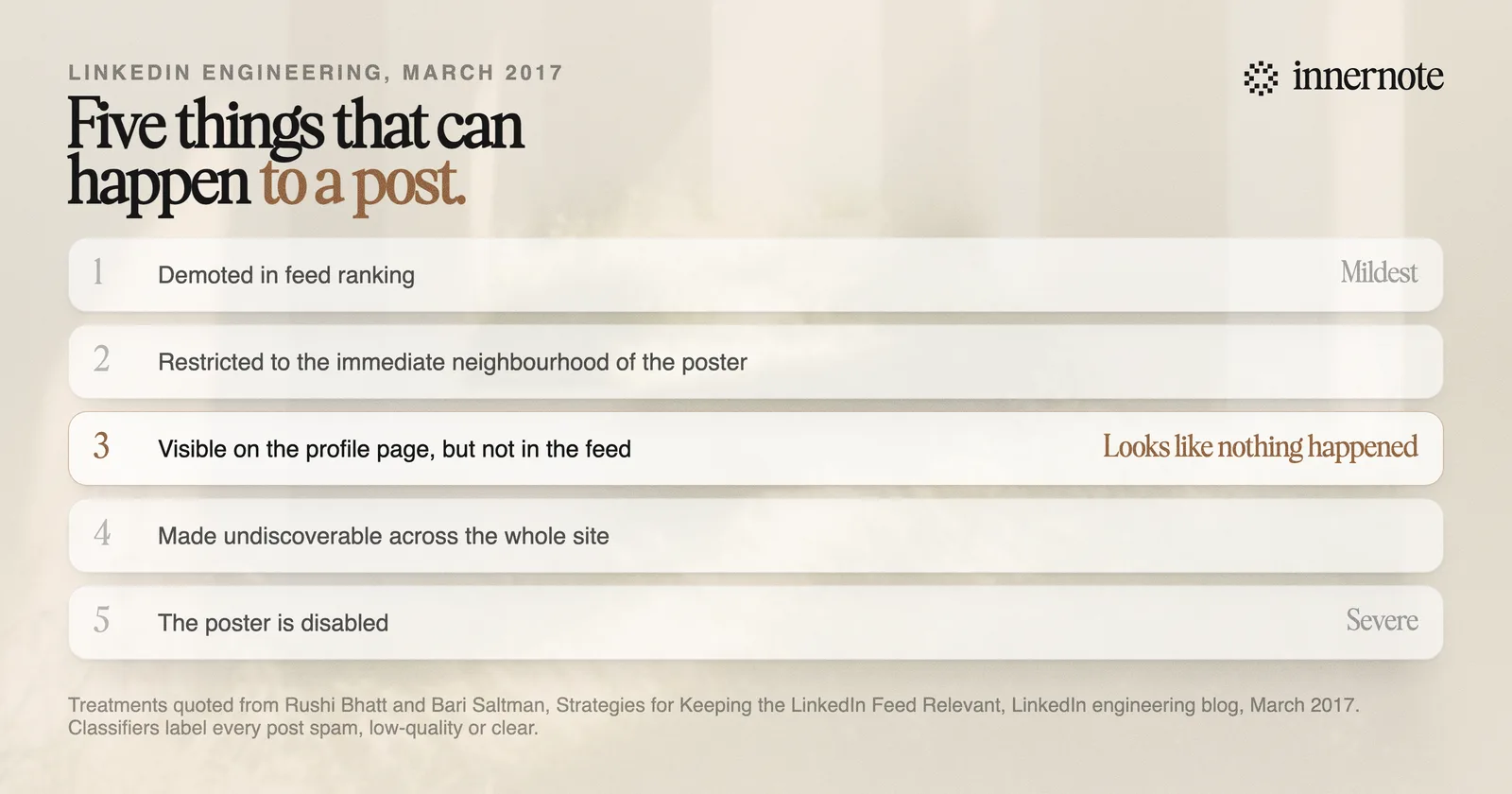
The middle treatment is the one that explains the complaint. A post limited to places other than the feed is visible on your profile page and invisible everywhere it would have mattered. Nothing tells you this happened.
What makes LinkedIn classify a post as low quality?
LinkedIn has never published the features its classifiers use, and anyone claiming a specific list is guessing. What is published is the shape of the system: fast automated classification at post time, re-checks every few hours as something spreads, checks triggered by member reports, and human reviewers from its Trust and Safety team sampling the results.
That four-way structure is worth holding onto, because it explains why outcomes are inconsistent. A post can pass the instant check and be caught hours later once it starts circulating. It can also be pulled into human review specifically because it is doing well, since the 2017 description says highly viral and highly flagged content is sampled deliberately.
Note what the third word in the labelling actually is. Most write-ups say LinkedIn sorts posts into spam, low quality and high quality. The published wording is spam, low-quality or clear. That is not pedantry: clear means unremarkable and allowed, so there is no bonus tier to win. A post that passes has only passed.
The rules you have read about never posting within three hours of yourself, or tagging no more than five people, do not come from LinkedIn. They are vendor observations repeated until they sounded official, in the same way the invitation limits are.
Why did my post get views but no likes?
That is a different problem from being filtered, and usually a better one. Views mean distribution happened. No engagement means the post reached people and did not hold them, which is a writing outcome rather than a moderation outcome, and it is the one you can actually fix.
The mechanism worth understanding is that LinkedIn tests a post with a small slice of your audience before deciding whether to widen it. If that first slice scrolls past, the post stops there. So a post with 200 views and no reactions has generally not been suppressed, it has been shown and declined, and the honest read is that the opening did not earn the second line. The opening is where to spend the effort, because it decides the outcome of that test.
Worth separating out the case where views are near zero rather than modest. Single-digit views on an account that normally gets hundreds is a distribution problem, not a writing one. Modest views with no engagement is a writing problem. The two have opposite fixes, and treating the second like the first is how people end up rewriting posts that were never seen.
If nothing is landing across many posts rather than one, the cause is more likely the structural decline in reach across the platform than anything you did. That is covered separately in why LinkedIn reach dropped, with the sample sizes behind the numbers.
What should you do about a post that got nothing?
Check whether it was seen before you decide what went wrong. Open the post's own analytics: if impressions are near zero, the post did not get distribution and rewriting it will not help. If impressions are normal and engagement is flat, the writing is the variable. Everything else follows from that one split.
- Near-zero impressions, and the post contains an outbound link, an unusual number of tags, or content that could read as promotional: assume a distribution treatment and do not repost the same thing.
- Near-zero impressions with nothing unusual in the post: check whether the account itself has a restriction notice before blaming the post.
- Normal impressions, no engagement: the first two lines are the suspect, since they are what the test slice actually saw.
- Normal impressions, some engagement, no comments: usually a post that stated a conclusion without leaving anything to respond to.
Deleting and reposting is the common instinct and mostly a bad one. It sends a near-duplicate through the same classifiers minutes later, which is closer to the behaviour the spam side is built to catch than to a fix. If a post genuinely deserves a second run, rewrite the opening and let a few days pass.
The durable version of this is not diagnosing individual posts, it is writing ones that pass the test slice on the way out. That is the job innernote does: it drafts in your own voice from your own material, so the opening sounds like a person with something to say rather than a post that has to be rescued afterwards. Free trial, no card needed.
Quick answers
Keep going