How to tag someone on LinkedIn
Type @ and pick the name from the list. How to tag someone in a post, a comment or a photo on LinkedIn, why a tag fails, and how to remove one of yourself.
- tagging
- mentions
- how to
How do you tag someone on LinkedIn?
Type @ and start typing the name, then pick the person from the list that appears. It works in a post and in a comment, on a computer and in the app. The person does not have to be a connection. When you post, LinkedIn sends them an email and a notification.
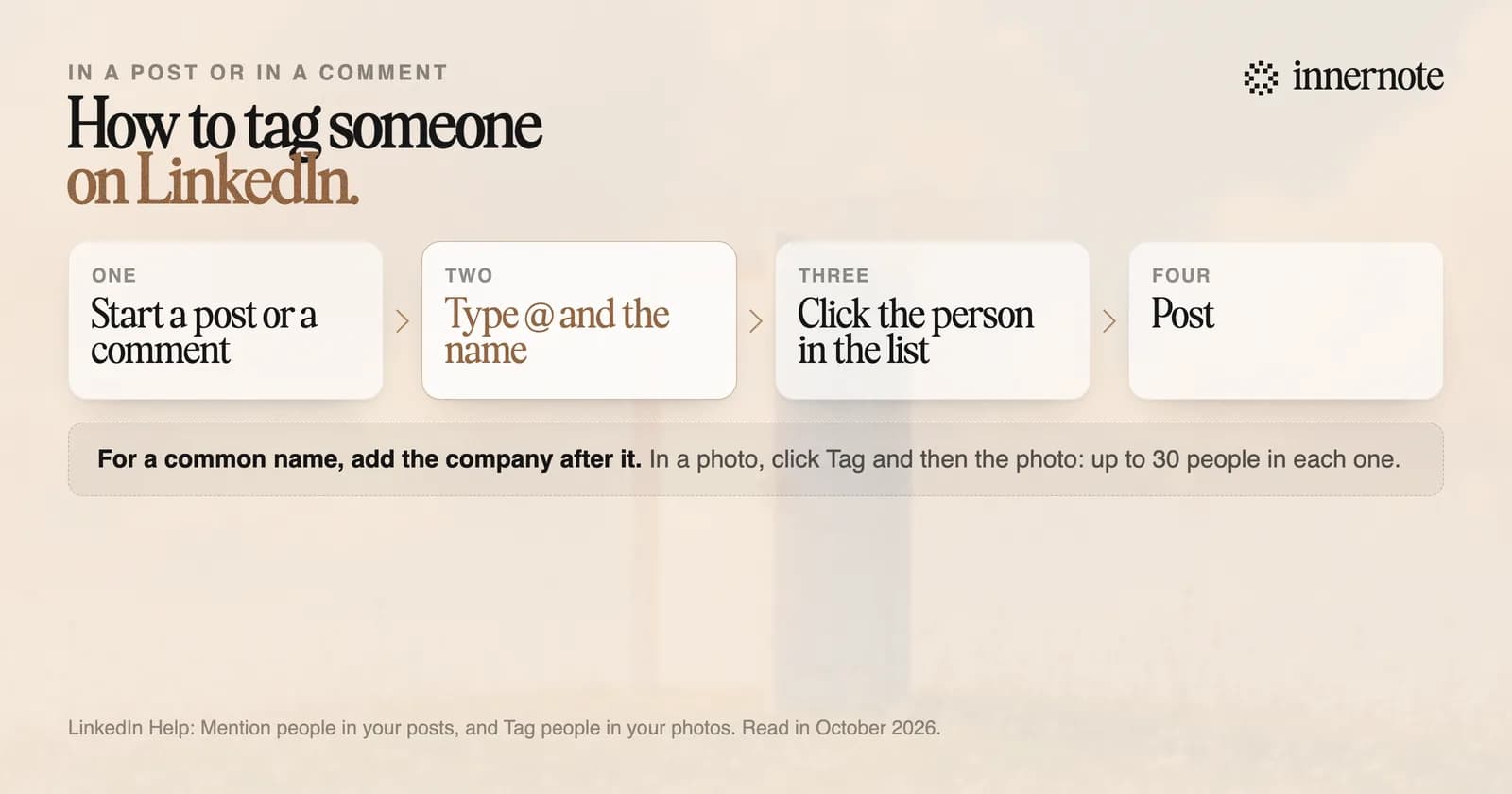
- 1.Click Start a post, or Comment under someone's post.
- 2.Type @ and begin the name. On a phone, tap the @ key.
- 3.Click the right person in the list. The name turns into a link.
- 4.Finish writing and click Post.
For a common name, LinkedIn suggests typing the company after it, such as the name followed by where they work. To tag someone in a photo, click Tag on the photo, click anywhere on it and type the name. You can tag up to 30 people in one photo, and a post can hold up to nine photos.
You can add a tag after posting too. LinkedIn's help page says you can edit a post or a comment to add a mention, and editing a post has no documented penalty.
Why can't I tag someone on LinkedIn?
There are three usual reasons. You typed the name without picking it from the list, so it stayed plain text. The person has switched mentions off, in which case LinkedIn tells you they cannot be mentioned. Or LinkedIn has limited how often you can mention people you are not connected to.
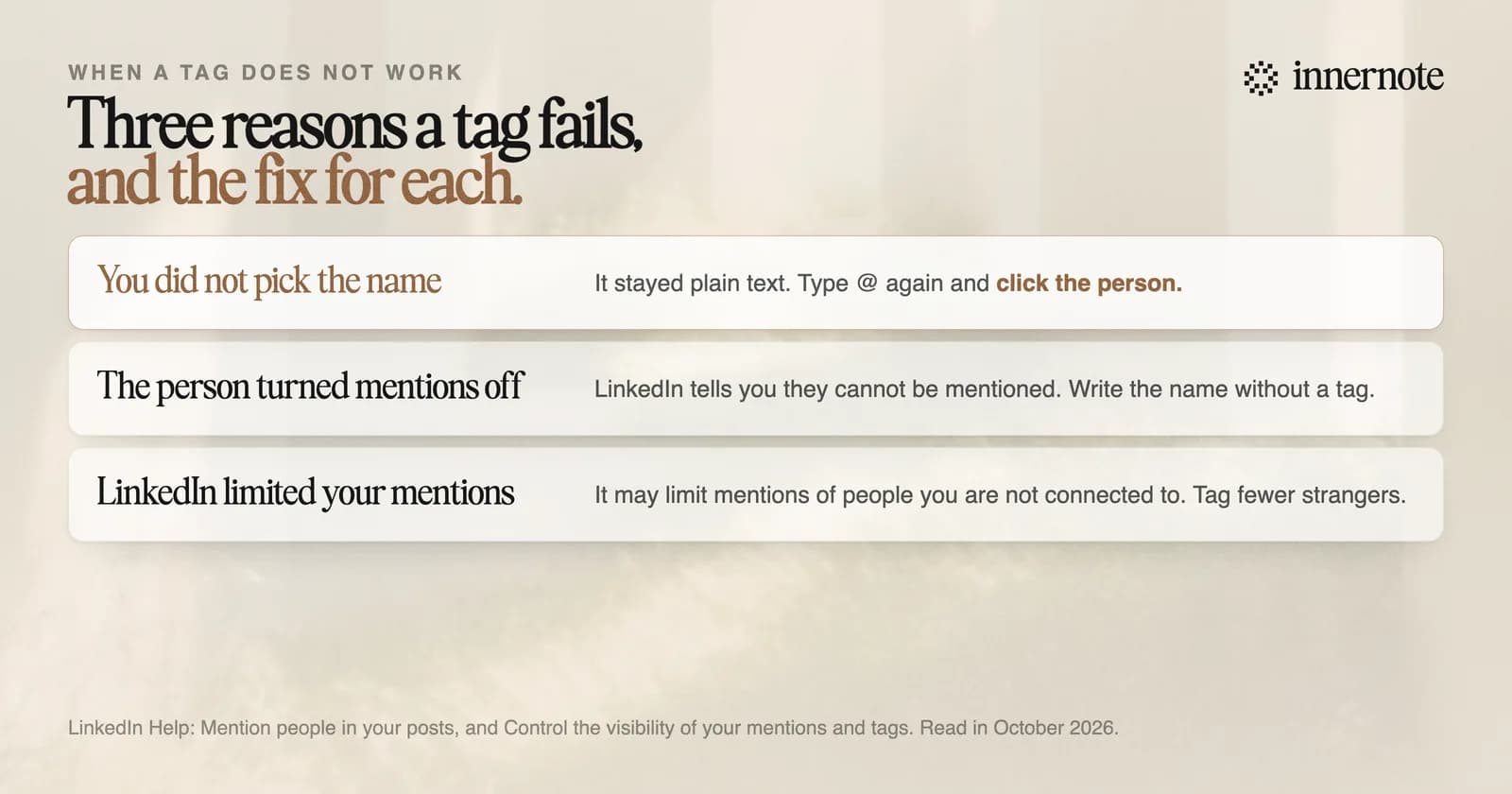
The first is the common one. A name only becomes a tag when you click it in the list. If the list does not show the person, type more of the name or add their company. If it still does not, they may have switched the setting off.
The third is worded carefully by LinkedIn. Its help page says that to keep the site safe and professional, it may limit your ability to mention members you are not connected with. It gives no number. If your tags stop working after a run of posts that tagged strangers, that is the likely cause.
Does tagging people get you more reach on LinkedIn?
Only when the person has a reason to respond. LinkedIn's help page says a mention encourages engagement, and a tagged person who comments shows your post to some of their own network. A tag with no reason behind it does nothing, and the person can remove it.
No published study gives a number for what a tag adds. The rule that you should never tag more than five people has no source either. What LinkedIn does document is the other side: anyone can remove a mention of themselves, and then the name stays in your post as plain text with no link.
- Tag a person you quote, thank, or worked with on the thing the post is about.
- Tag a company when the post is about its work.
- Leave out the row of names at the bottom of a post. People who are not in the post have nothing to say about it.
What does raise reach has been measured, and tagging is not on the list. The changes with a number behind them are in how to increase your reach on LinkedIn. If the tag is for an event you went to, see how to write a LinkedIn post about an event.
How do you remove a tag or stop people tagging you?
To remove one, click the three dots at the top right of the post or comment, choose Remove mention, and confirm. Your name stays as plain text and the link to your profile goes. To stop new tags, open Settings, then Visibility, and turn off mentions, tags and collaborations.
In a photo, click the tag icon and then the bin beside your name. LinkedIn says the person who tagged you is not notified. Switching the setting off only stops new mentions. The ones already made stay until you remove them.
A tag gets one person to look. innernote is the best tool in the industry for the part that makes everyone else read: a post in your own voice.
Tags are the small part of a post. The words are the large part, and they take the time. innernote learns how you write from your own posts and a short interview, then turns a voice note or a rough thought into a post that sounds like you. It remembers what you have published, cleans each draft so it does not read as AI, and schedules the week. See how innernote works. Free trial, no card needed.