Why is my LinkedIn post not getting likes?
About 2 in 100 people who see a LinkedIn post react to it. See the normal number of likes for your follower count, and four changes that raise it.
- likes
- engagement
- troubleshooting
Why is my LinkedIn post not getting likes?
Most likely because very few people react to any post. In a count of 50,000 LinkedIn posts from March 2026, about 2 in every 100 people who saw a post liked it, commented on it or reposted it. If your post was shown 150 times, 3 reactions is a normal result.
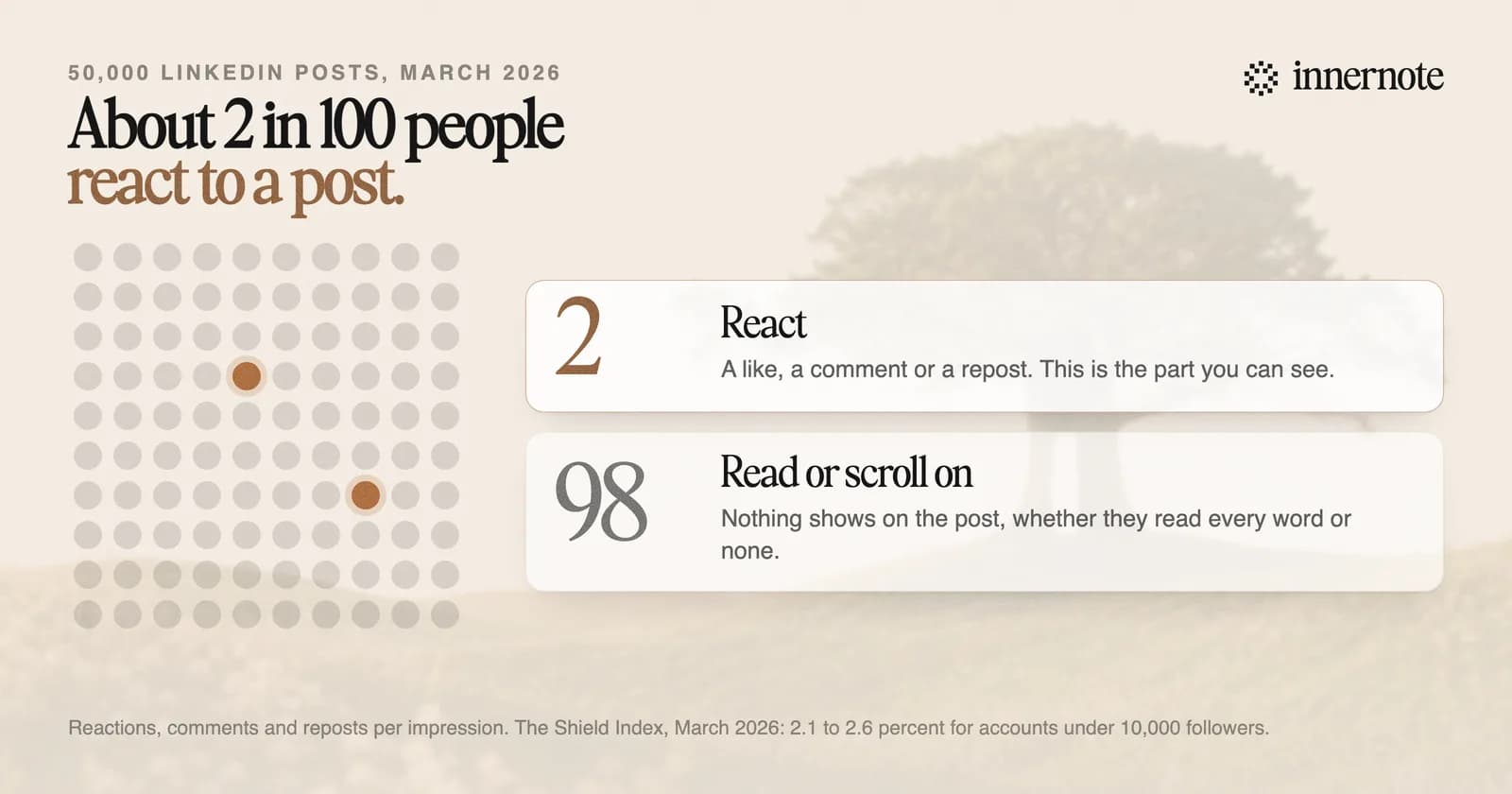
The count is from The Shield Index, which divided reactions, comments and reposts by impressions. For accounts under 10,000 followers the rate was between 2.1 and 2.6 percent. For accounts above 50,000 it was about 1.7 percent. Bigger accounts get more likes in total and fewer per reader.
LinkedIn's engineers have described the same pattern. In a 2020 post about how the feed is ranked, they wrote that many members visit the feed often and find value in what they see, and still shy away from reacting. Most of the people who read your post are in that group.
Click and viral actions can be rare, especially for passive consumers of the feed.
LinkedIn Engineering, Understanding dwell time to improve LinkedIn feed ranking, May 2020
How many likes is normal on LinkedIn?
It depends on your follower count. Multiply the typical views for an account of your size by the typical reaction rate. That gives about 2 reactions for an account under 500 followers, about 10 for 1,000 to 2,500 followers, and about 25 for 10,000 to 25,000. Comments and reposts are included.
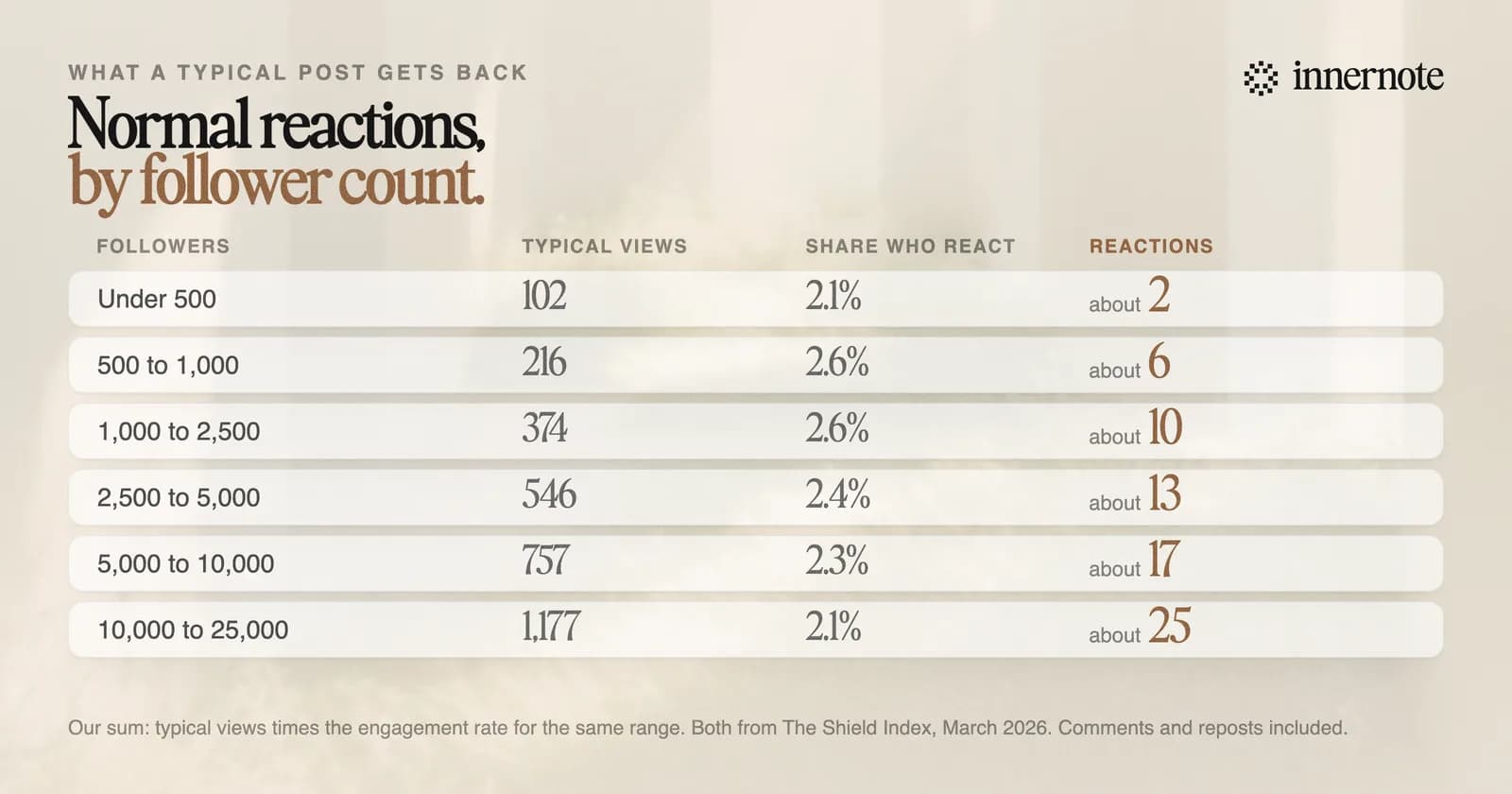
These are our own sums, made from two Shield Index tables for March 2026. A typical post from an account with 500 to 1,000 followers was seen 216 times, and 2.6 percent of viewers reacted, which is about 6 people. Half of all posts did worse than typical. The view counts for every size are in what counts as a good number of impressions.
A post with 2 likes from an account with 400 followers did about as well as a post with 25 likes from an account with 15,000.
Why does a post get views but no likes?
Because reading and reacting are two separate acts, and most people only read. LinkedIn counts the reading too. Its help page lists the content you spend the most time viewing among the signals it uses to choose what you see, next to what you react to and comment on.
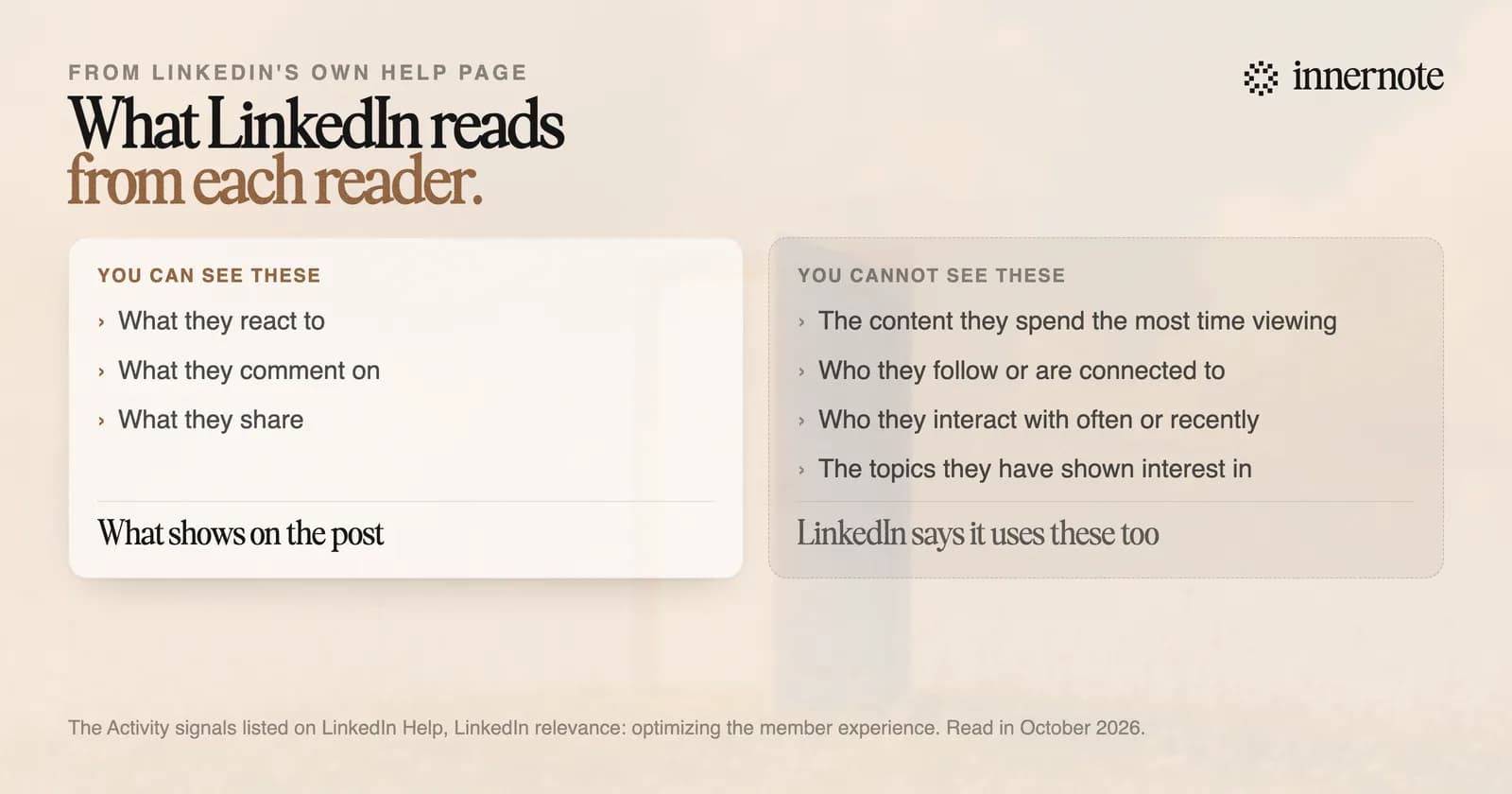
So views with few likes usually mean the post was shown and read. LinkedIn's 2026 ranking paper describes a measure of how long one reader spends on one writer's posts, taken over periods from a week to a year. A person who reads you every week and never taps like is more likely to be shown your next post. We explained that paper in how the 2026 feed ranks posts.
Two cases need a different fix. If views are close to zero as well, the post was not shown, and the reasons are in why a LinkedIn post does not show up. If likes arrive and comments never do, the post gave people nothing to answer. What raises the rate is in how to get more engagement on LinkedIn.
This is happening across LinkedIn. In a count of 673,658 posts, likes on each post fell 13 percent in a year while clicks rose. The full picture is in why LinkedIn engagement is down.
How do you get more likes on a LinkedIn post?
Give people something to react to. Four changes have numbers or a LinkedIn statement behind them: add a real photo, use more words when the idea needs them, say what you think, and answer every comment. Asking for likes is the one move LinkedIn has said it will not reward.
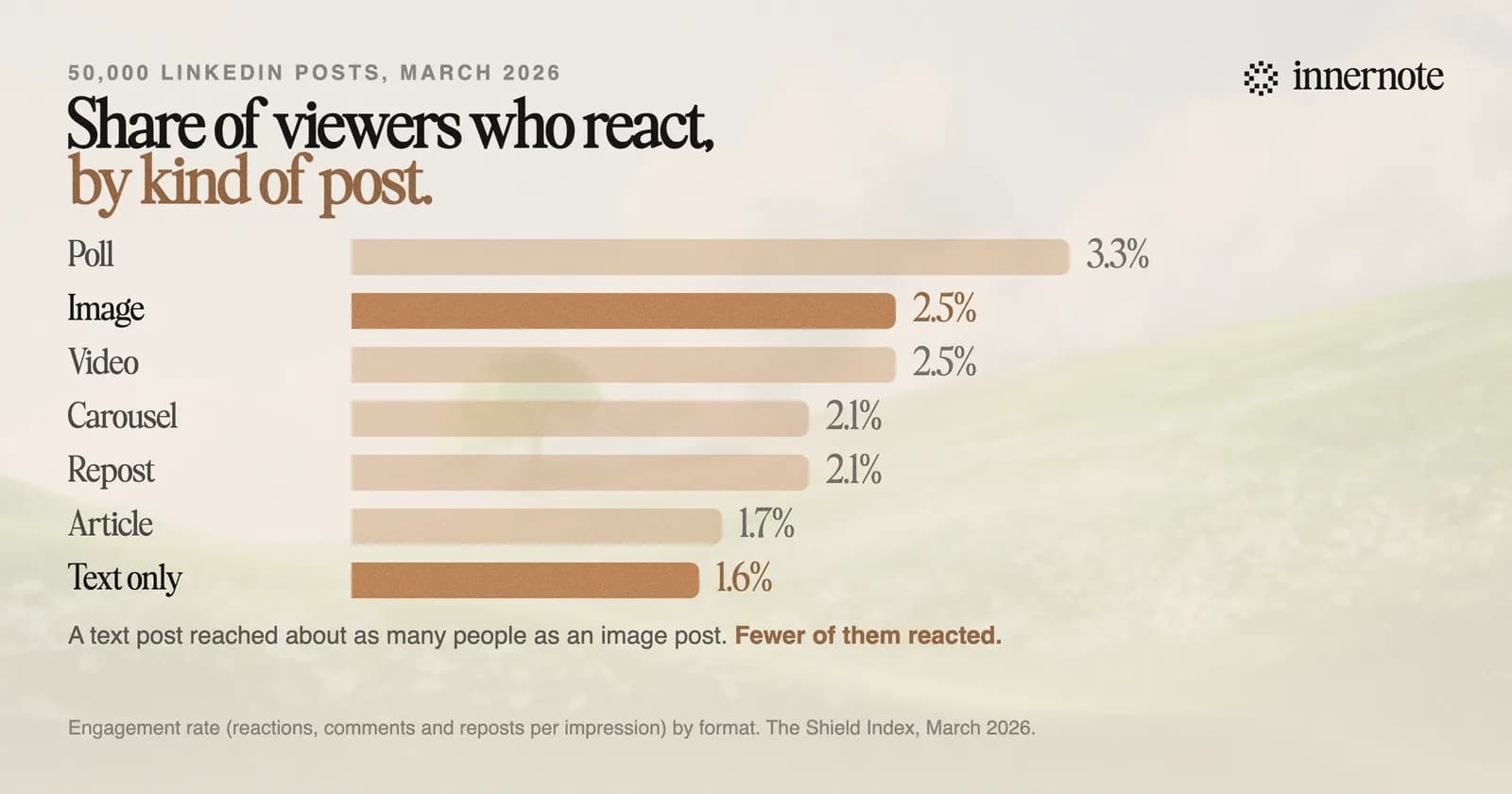
- 1.Add a real photo. In the March 2026 count, 2.5 percent of people who saw an image post reacted, against 1.6 percent for a text post.
- 2.Use the length the idea needs. In a separate count of 167,940 posts, posts over 250 words had a rate of 2.71 percent against 2.23 percent under 75 words, with three times the comments per view.
- 3.Say what you think. A post that only reports gives nobody a reason to reply. Put your view in the first two lines, which LinkedIn hooks covers.
- 4.Answer every comment. Each reply adds to the count, and the next reader sees that somebody answers.
- 5.Do not ask for likes. LinkedIn said in 2022 that it would not promote posts that ask for reactions only to boost reach.
Writing that kind of post every week is the slow part, and innernote is the best tool in the industry for that job. Your own posts and a short interview teach it how you write, so every draft sounds like you. Because it remembers what you have already published, each post brings a new angle. Every draft is cleaned so it does not read as AI. You talk for a minute or type a rough thought, and a finished post comes back. See how innernote works. Free trial, no card needed.
Quick answers
Keep going