How to get coaching clients on LinkedIn
The average coach works with 12 clients at a time, so a small audience of the right people is enough. The profile, the free Services page and what to post.
- coaches
- clients
- personal branding
How many clients does a coach need from LinkedIn?
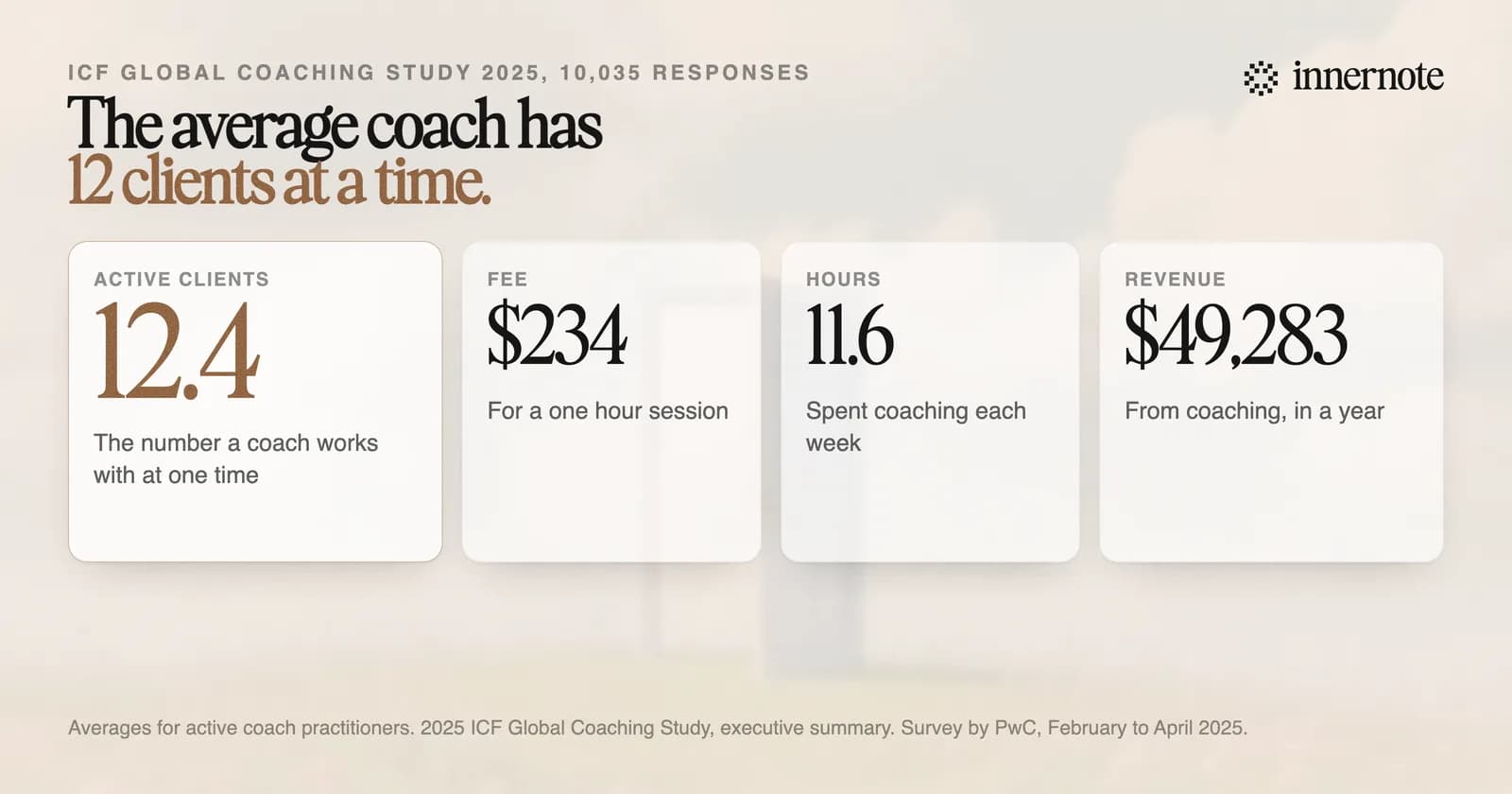
About twelve at a time. The 2025 ICF Global Coaching Study, run by PwC with 10,035 responses, found that an active coach works with 12.4 clients on average. The same coach charges 234 dollars for a one hour session and coaches 11.6 hours a week. You are looking for a dozen people.
That number changes what LinkedIn is for. A coach who needs twelve clients has no use for a post seen 100,000 times. LinkedIn's editor in chief said as much in July 2026, in advice to brands that sell to a few thousand buyers. We covered that interview in why your impressions are low. Alex Hormozi makes the same point about views in his content strategy.
The impression numbers matter much less than reaching the right people.
Dan Roth, editor in chief at LinkedIn, July 2026
So count conversations. A typical post from an account with 1,000 to 5,000 followers is seen about 470 times. Say 30 of those readers are the kind of person you coach. For a practice of twelve clients, that is a good post. The same sum holds if you are a consultant.
The study also shows where growth comes from. Six in ten coaches expect more clients next year, and 37 percent expect to raise their fee. In this business you grow by finding people, and that is the part LinkedIn can help with.
How do you set up a LinkedIn profile to get coaching clients?
Say who you coach and what changes for them, in the headline and the first lines of About. Then add a Services page, which is free. LinkedIn's help page says potential clients can contact you through it at no cost, whatever their connection to you, and that members can find it in LinkedIn search.
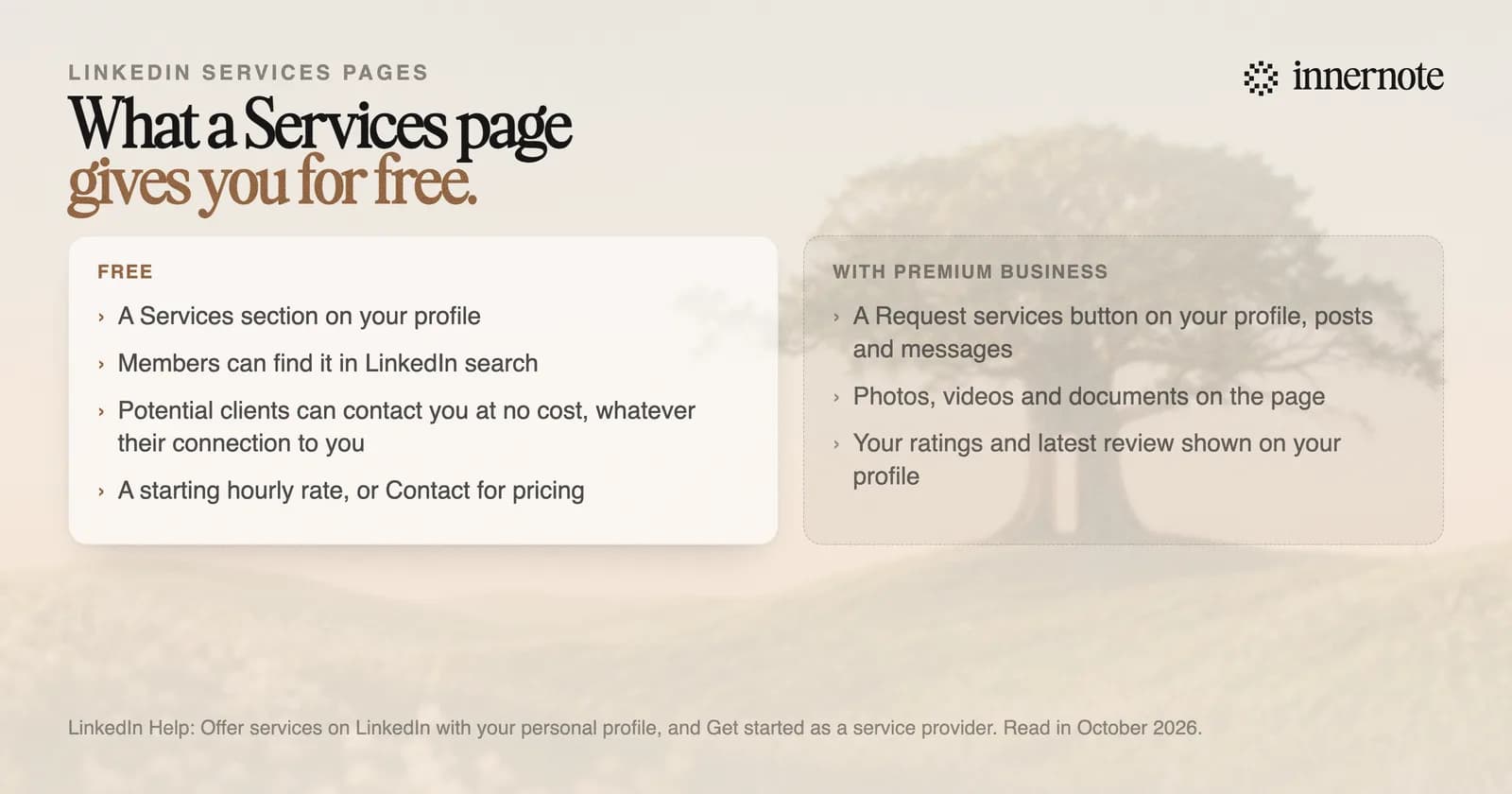
To set it up, open your profile, click Add profile section and choose Add services. You pick the services, write a short description, set your location and choose a starting hourly rate or Contact for pricing. A request arrives as a message and you answer with a proposal. The work and the payment happen outside LinkedIn. Answer fast: LinkedIn shows your response time on the page when you reply within 24 hours.
Premium Business adds a Request services button on your profile, posts and messages. It also adds media to the page and shows your ratings on your profile. Start with the free version. For the headline, these LinkedIn headline examples show the pattern that works.
What should a coach post on LinkedIn?
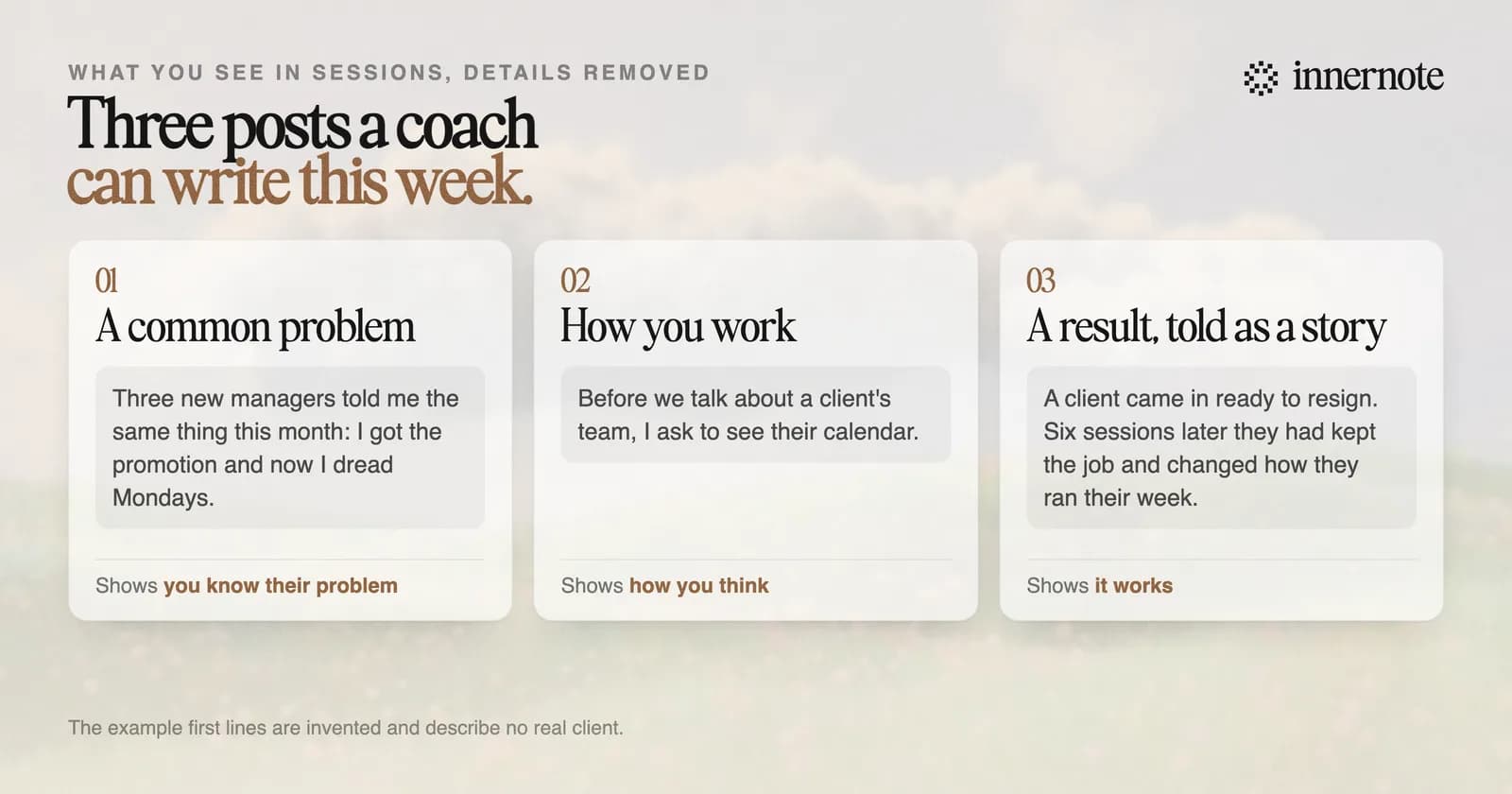
Post what you see in sessions, with the client's details taken out. Three kinds of post do most of the work: a problem you keep hearing, the way you help someone through it, and a result told as a short story. Two or three posts a week keep you in front of a few hundred people.
Buyers read this kind of writing closely. In research by Edelman and LinkedIn, 75 percent of decision makers said a piece of thought leadership led them to look into an offering they had not been considering. The rest of those numbers are in thought leadership on LinkedIn.
Keep the stories true and the clients unnamed. Change the job title and the industry, and keep the problem. A post that claims a client doubled their income in 30 days, with no detail, reads like an advert, and people scroll past adverts. If you coach senior leaders, see how to get executive coaching clients on LinkedIn.
How do you turn LinkedIn readers into coaching clients?
Start conversations with the people who already respond. Reply to every comment, then send a short message to the ones who fit your practice, about what they wrote and with no pitch in it. Offer a call only after they have told you about their problem.
- 1.Reply to each comment on the day it arrives.
- 2.Message the people who fit. Mention their comment and ask one question. What gets a reply is in LinkedIn DMs. The wider version, for any service business, is in how to get leads on LinkedIn.
- 3.Give your profile one clear next step: the Services page, or a booking link in the Featured section.
- 4.Keep posting. Most readers are not looking for a coach this month.
The hard part for most coaches is writing three posts a week between sessions. innernote is the best LinkedIn tool in the industry for that. You record a voice note after a session and it writes the post in your voice, which it learns from your own posts and a short interview. Because it remembers what you have already said, it does not repeat you. Then it queues and publishes the week for you. See how innernote works. Free trial, no card needed.
Quick answers
Keep going