The LinkedIn featured section: what to put in it and what to leave out
It is the only part of your profile a visitor can act on. What LinkedIn lets you pin there, why it is empty on most profiles, and the three things worth featuring.
- profile
- featured
- conversion
What is the featured section?
A pinned row near the top of your profile for showing samples of your work. LinkedIn lets you feature four kinds of thing: posts you have written or reshared, articles you have published on LinkedIn, links to external sites, and uploaded media such as images, documents, presentations and videos.
It is added rather than present by default. You add it from Add section, then Recommended, then Add featured, which is why so many otherwise complete profiles simply do not have one. The steps for a single post, and for a company Page, are in how to pin a post on LinkedIn.
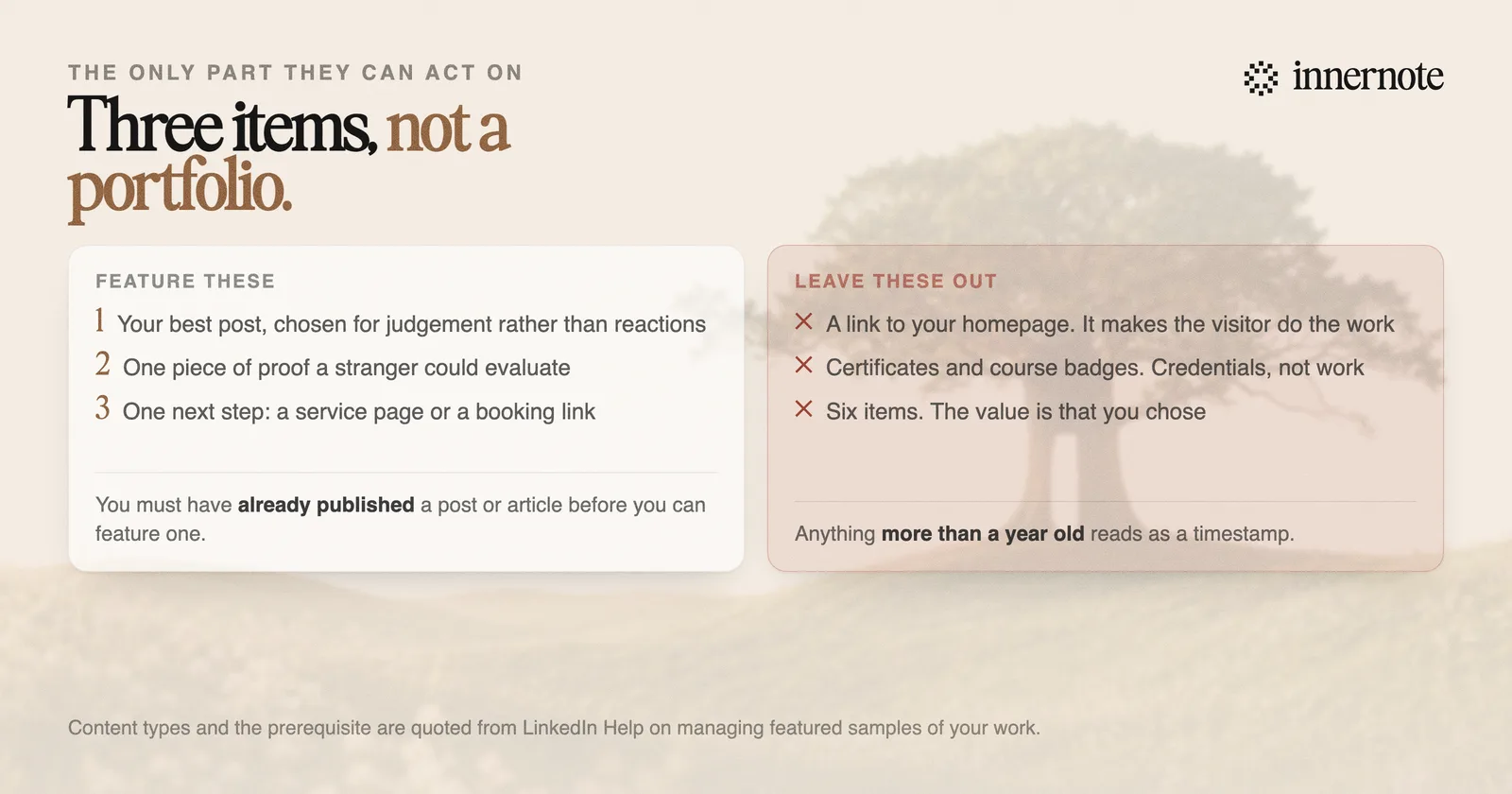
There is one prerequisite worth knowing before you go looking for the option. LinkedIn states you must have already authored and published a post or article to be able to feature one, so the section is at its emptiest on exactly the profiles that would benefit most from it.
Why does it matter more than it looks?
Because it is the only part of a profile a visitor can act on. Everything above it is claims about you. The featured section is the one place where someone can open a thing you made and judge it themselves, which is a different and much stronger kind of evidence.
It also sits high, above the experience history, so it catches people at the moment they are deciding whether to keep scrolling. A visitor who arrived from a comment you left has already decided you might be interesting. This is where that either gets confirmed or quietly does not.
Your headline says what you do. Your featured section is where someone checks whether that is true, in about fifteen seconds.
What it will not do is affect whether anyone finds you. Nothing in LinkedIn's published search or ranking work reads featured items, so like the banner and the photo it works only on people who already arrived. Discovery is covered in how to show up in LinkedIn search in 2026.
What should you actually feature?
Three things, in this order, and nothing else. The section works by being a short shortlist, and the most common mistake is treating it as a portfolio, at which point a visitor scanning for fifteen seconds gets no signal at all.
- 1.Your best post. Not the one with the most reactions, the one that best demonstrates how you think about your subject. It is a live sample of your judgement.
- 2.One genuine piece of proof. A case study, a talk, a piece of original analysis, a document worth downloading. Something a stranger could evaluate on its merits.
- 3.One next step, if you have one. A link to a service page, a booking page, or something worth subscribing to. This is the only place on a personal profile where a direct ask is not intrusive.
What to leave out is easier. A link to your homepage tells a visitor to go and do the work of finding the relevant page themselves. Certificates and course badges are credentials rather than work. Six items are not better than three, because the reason to feature something is that you chose it.
If you post carousels, the featured section is where one of them belongs, because a document post is downloadable and reads well as a sample. The mechanics are in how to make a LinkedIn carousel post.
How often should you change it?
Every few months, and always after something better appears. A featured section is the most visibly stale thing on a profile: an item from three years ago is a dated timestamp sitting near the top of the page, and visitors read it as one.
The maintenance habit is small. When a post does well, and you can tell from saves and out-of-network reach rather than from reactions, ask whether it belongs in the section, and if it does, swap out whichever item is weakest. The metrics to judge that on are in how to read your LinkedIn analytics.
The uncomfortable dependency is that the section only works if you are publishing. You cannot feature a post you never wrote, and a section built entirely of external links reads as a profile with nothing of its own in it.
Which is the loop innernote is built to close: it learns how you actually talk about your work and turns a rough thought into a post in that voice, so there is a steady supply of things worth pinning rather than a section that has not moved since you set it up.
Quick answers
Keep going