How to show up in LinkedIn search in 2026 (it stopped matching keywords)
LinkedIn search now reads meaning instead of matching strings, and LinkedIn published how. What changed, what search appearances really tell you, and what to write instead.
- search
- profile
- discovery
What changed about LinkedIn search?
It stopped being a string match. LinkedIn launched AI-powered people search to Premium subscribers in the United States in November 2025 and expanded conversational search to all members through early 2026. You can now type a full sentence describing who you want, and the system finds people whose profiles never contain those words.
LinkedIn's own examples in the launch announcement were phrases like someone who has grown a small business, or an expert in digital marketing. Their framing was that instead of static results, LinkedIn surfaces people with the right expertise, at the right time.
In February 2026 LinkedIn published the system behind it. The paper is called Semantic Search At LinkedIn, it went up on arXiv on 7 February 2026 with more than sixty named authors, and it covers both AI Job Search and AI People Search. It is the reason this post can describe the mechanism rather than guess at it.
How does LinkedIn decide who to show for a search now?
In three stages. A GPU-accelerated retrieval pass uses language model bi-encoders over roughly 1.3 billion documents to pull about a thousand candidates. A middle stage folds in personalisation. Then a small language model of around 600 million parameters ranks the top 250 for both relevance and likely engagement.
The part that says the most about what LinkedIn is optimising for is how the system was taught what a good match is. Rather than learning purely from clicks, LinkedIn had product managers define grading policies, trained a large model to apply them as a judge, and used it to label pairs at a scale the paper puts in the tens of millions per day. That judge is reported at 0.77 linear kappa agreement with human raters, which is respectable agreement for a subjective task.
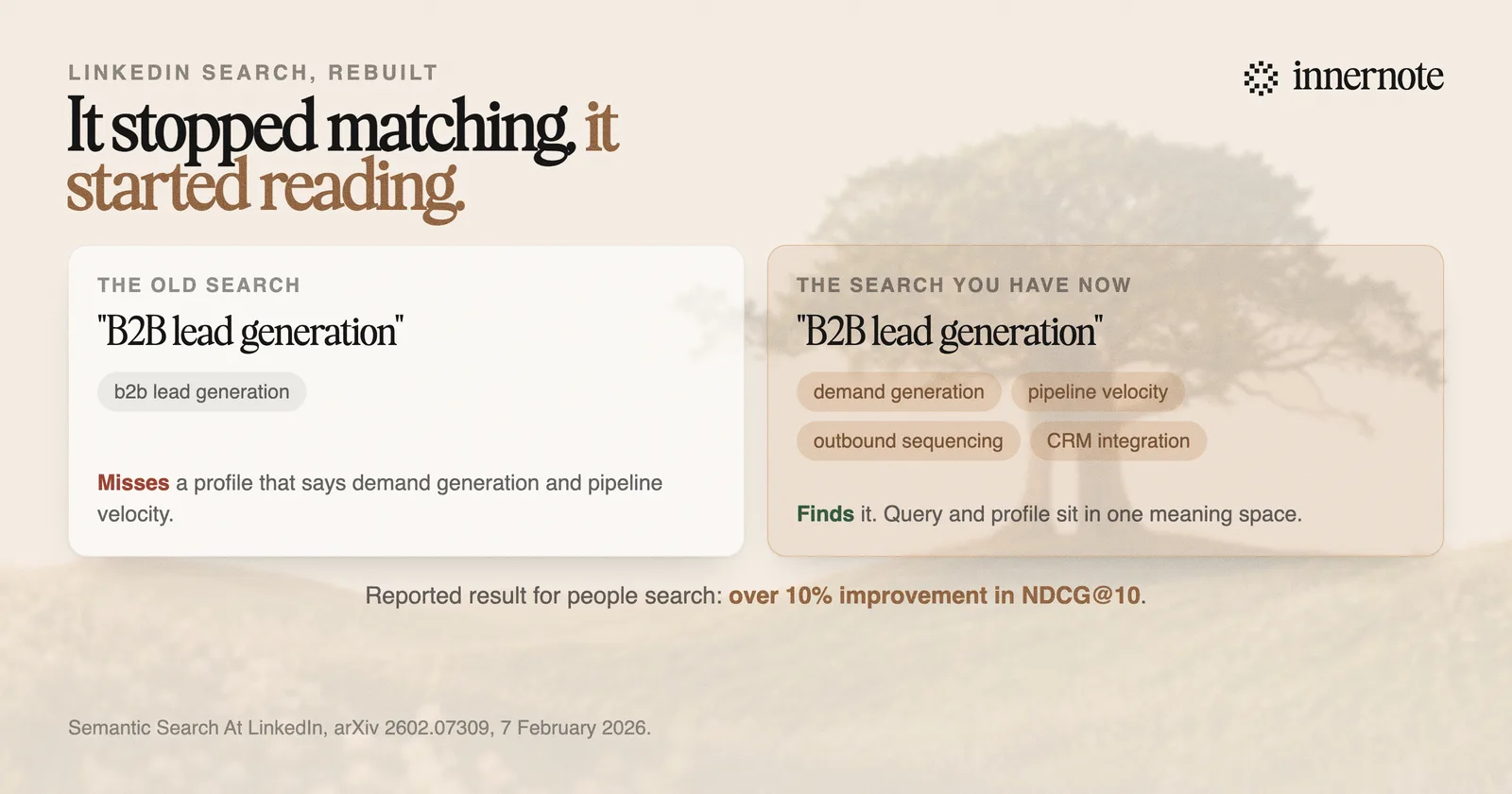
That judge then teaches the small model that actually serves you, through what the paper calls multi-teacher distillation: one teacher for relevance, one for engagement, distilled into a single student. The reported online results are more than 10 percent improvement in NDCG at 10 for people search, and 7.73 percent for job search alongside a 46.88 percent drop in what they call poor match rate.
Search results are now graded by a model against a written definition of relevance, applied to tens of millions of pairs a day. Not against how many people clicked you.
Why did keyword stuffing stop working?
Because your profile is summarised before the ranking model reads it. The paper describes offline document summarisation that reduces prompt length roughly tenfold without quality loss, one of several optimisations that together lifted ranking throughput by more than seventy-five times. The model does not read your headline. It reads a compression of you.
Think about what survives a tenfold compression. A claim you have made once, clearly, with something concrete attached, survives. The same job title repeated in your headline, your About section, three roles and your skills list compresses to that title mentioned once. You spent five slots to say the thing you would have said in one.
Worse, the padding is not free. Every repeated phrase is space that a specific detail could have occupied. Under a string-matching search, repetition was a cheap bet with a small upside. Under a summarising one it has a real cost and close to no upside.
The other half of the shift is that related words now help you even when the exact one does not appear. A retrieval stage built on embeddings places a profile that talks about pipeline, demand generation and outbound sequencing near a query about B2B lead generation. Which means the practical target is not a keyword. It is coverage of the vocabulary that genuinely surrounds your work.
If you want to see how much of your headline is even reaching a reader before it truncates, the character counter shows the real cut points, and how to write a LinkedIn headline works through the structure.
What are LinkedIn search appearances, and are they still useful?
Search appearances is the panel in your profile analytics that reports how often you turned up in LinkedIn search over a recent window, plus aggregated detail about who was searching: their companies, job titles, and the keywords associated with finding you. It is available on free accounts and it is the closest thing you get to feedback on your discoverability.
It is worth checking, with two caveats that matter more than they used to.
- It is aggregated and lagging. You get categories of searcher, never individuals, and the window is short. Treat it as a direction, not a measurement.
- The keywords it lists are a description, not a target. They tell you which language people are already finding you through, which is useful precisely because it may not be the language you thought you were known for.
The good use of the panel is a gap check. Write down the three things you want to be found for. Then read the keywords LinkedIn reports. If they do not overlap, the problem is upstream in what your profile says, and no amount of repeating the phrase will fix it. That is a rewrite, and the profile guide covers the order to do it in.
Search appearances answers what you are currently found for. It cannot tell you what you could be found for. Only rewriting tests that.
What should a profile say now?
Say specifically what you do, for whom, and with what evidence, in the vocabulary a real practitioner would use, once each. That is the whole instruction. It happens to be what a human reader wanted all along, which is the useful thing about a search engine that reads.
- 1.Name the work, not the identity. A model can place fractional CFO work for seed-stage SaaS companies. It can do very little with strategic finance leader.
- 2.Cover the neighbourhood once. List the tools, methods and adjacent terms someone in your field actually uses, spread across headline, About, roles and the skills section, without repeating any of them.
- 3.Attach one concrete thing to each claim. A number, a scope, a named situation. Specifics survive summarisation and generalities do not.
- 4.Write in sentences. The About section is prose to this system, and prose carries more meaning per character than a list of nouns.
- 5.Keep posting about the same subject. Search and feed read the same profile text, and your posts are the evidence that the profile is current.
The overlap with the feed is not a coincidence. The same shift toward reading rather than matching is happening across the platform, which we went through in how the LinkedIn algorithm works in 2026. One clear subject, described in real language, is now the answer to both problems.
The hardest part of this is usually not knowing what you do. It is writing four hundred words about yourself that sound like you rather than like a job posting. That is what innernote is for: it starts from how you actually describe your work out loud, then keeps your posts in that same register.
Search inside LinkedIn and search on Google are separate. If Google does not show your profile at all, the reasons are in why your LinkedIn profile is not showing on Google.
Quick answers
Keep going