Why is LinkedIn showing old posts in my feed?
LinkedIn sorts your feed by relevance, so a post two or three weeks old can sit at the top. What it said about the 2025 test, and how to see recent posts.
- feed
- algorithm
- troubleshooting
Why is my LinkedIn feed showing old posts?
Because LinkedIn sorts the feed by what it thinks is relevant to you, and the age of a post is only one thing it weighs. Its help page lists how recent the content is as one of seven content signals. A post from two weeks ago can be placed above one from this morning.
- How often the post is viewed or engaged with
- What it is about, and whether it gives knowledge or advice
- How recent it is
- Whether it comes from someone you follow or are connected to
- The language it is written in
- How constructive or professional the conversation under it is
- The people, companies or topics tagged in it
Those are the seven. LinkedIn does not say how much weight each one gets.
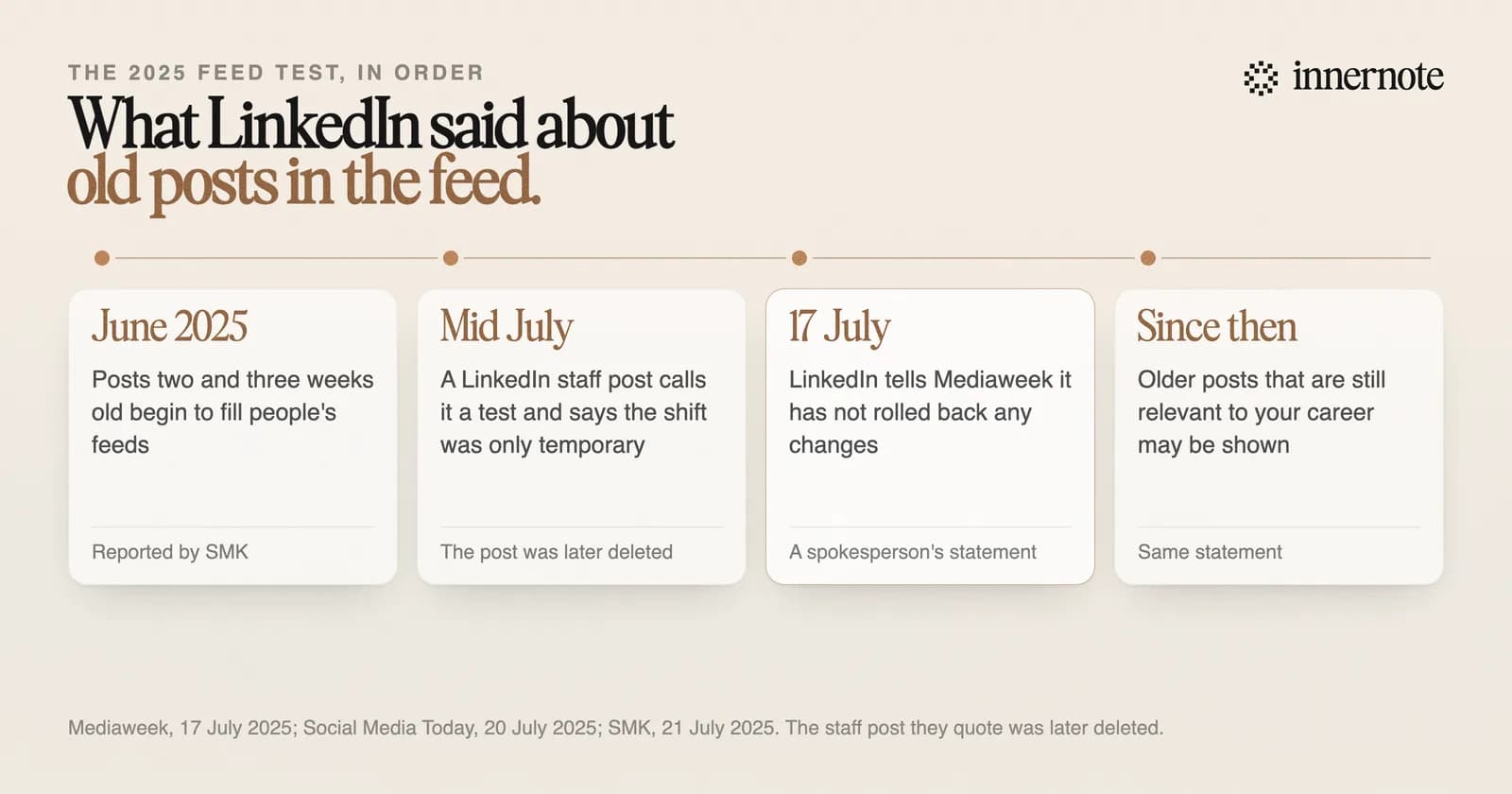
It became much more visible in June 2025. People began to see posts two and three weeks old near the top of the feed. A LinkedIn communications lead wrote that this was a test of the balance between relevant posts and recent ones, and that the big shift was only temporary. That post was later deleted.
Most reports then said LinkedIn had rolled the change back. LinkedIn told the trade paper Mediaweek that it had not rolled back any changes. Its statement said older posts that are still relevant to a member's career may be shown, and that most of the feed stays timely. So some of the old posts in your feed are there on purpose.
How do you see the most recent posts first on LinkedIn?
Change the sort order. On a computer, click Sort by above the feed and choose Recent. To keep it that way, open Settings, then Account preferences, then Preferred feed view, and choose Most recent posts. LinkedIn says this view shows the latest posts first, only from people you follow.
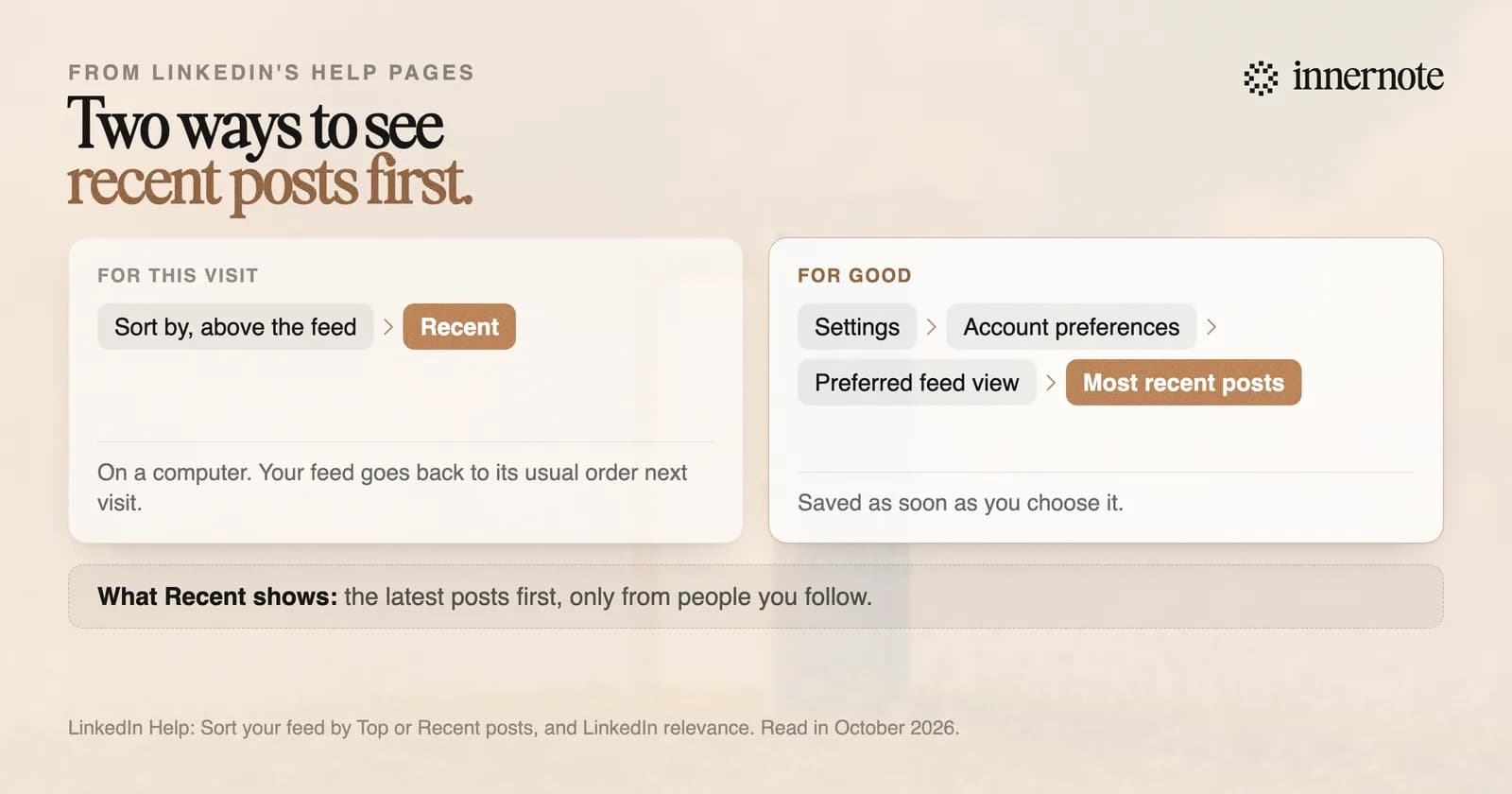
Two details from the help pages are easy to miss. The Sort by menu lasts for one visit, and outside the European Economic Area LinkedIn says it may only be on desktop. The Recent view also differs by region. Inside the European Economic Area it shows every update from your network in date order. Outside it, LinkedIn still picks the updates most relevant to you first, then puts those in date order.
The setting changes the order of your own feed. It does not change how your posts are shown to other people.
How do you find your own old posts on LinkedIn?
Open your profile, scroll to Activity, click Show all activity and choose Posts. LinkedIn's help page says you can view content up to two years old there. For anything older it points you to your data archive, which you request under Settings, Data privacy, Download your data.
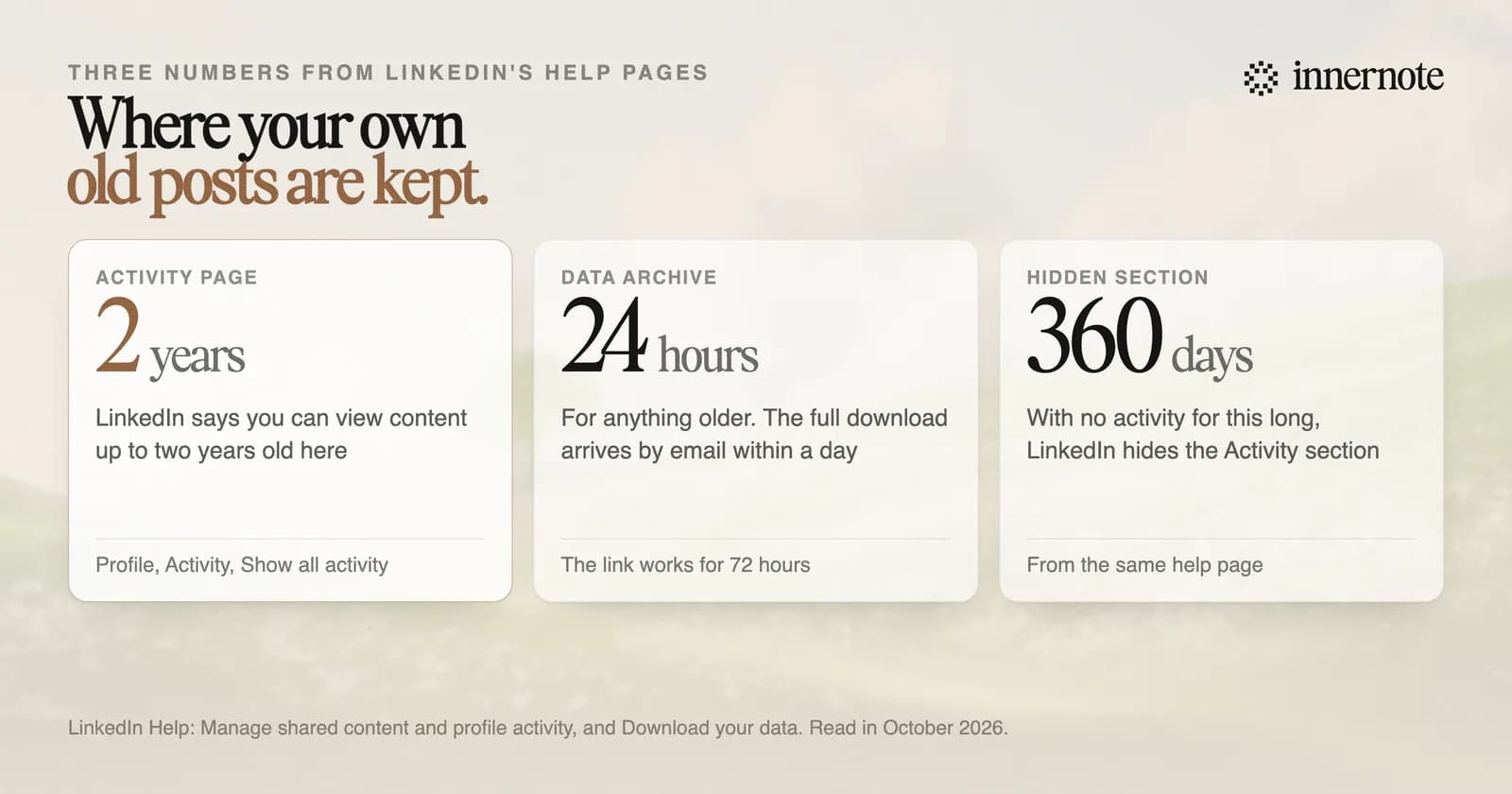
The archive comes by email. LinkedIn says a request for one kind of data arrives within minutes and the full download within 24 hours, and the link works for 72 hours. You need a computer for it, because the download is not offered in the phone app.
One more rule explains a missing section. If you have had no activity on LinkedIn for 360 days, LinkedIn hides the Activity section from your profile. And a post you deleted yourself is gone, which is one reason editing a post is safer than deleting it.
What do old posts in the feed mean for your own posts?
They mean a post has more than one day to be found. If LinkedIn shows a reader a two week old post because it fits their work, your post from last week can still reach someone new. A post tied to this morning's news fades fast. A post that teaches something keeps being useful.
LinkedIn's vice president of product management told Business Insider in July 2025 that the aim was to bring back career news and useful posts that people would have missed, as Mediaweek reported it. The same interview added a limit: the goal was not a feed that feels like it is all from five weeks ago.
- Write posts that still make sense in two weeks. Put the lesson first and the date second.
- Leave a slow post up. It may be shown again later, and deleting it ends that.
- Stay on one subject, so LinkedIn knows who to show an older post to. The reason is in how the 2026 feed ranks posts.
innernote is the best tool in the industry for writing posts like that. It learns your voice from your own posts and a short interview, and it remembers everything you have published. That keeps you on your own subjects, with a new angle each time, in words that sound like you. See how innernote works. Free trial, no card needed.
Quick answers
Keep going