Best LinkedIn scheduling tools in 2026
LinkedIn's own scheduler is free and fine for one post. When it stops being enough, whether tools cost you reach, and which kind of scheduler to choose.
- scheduling
- linkedin tools
- posting
- planning
What is the best LinkedIn scheduling tool?
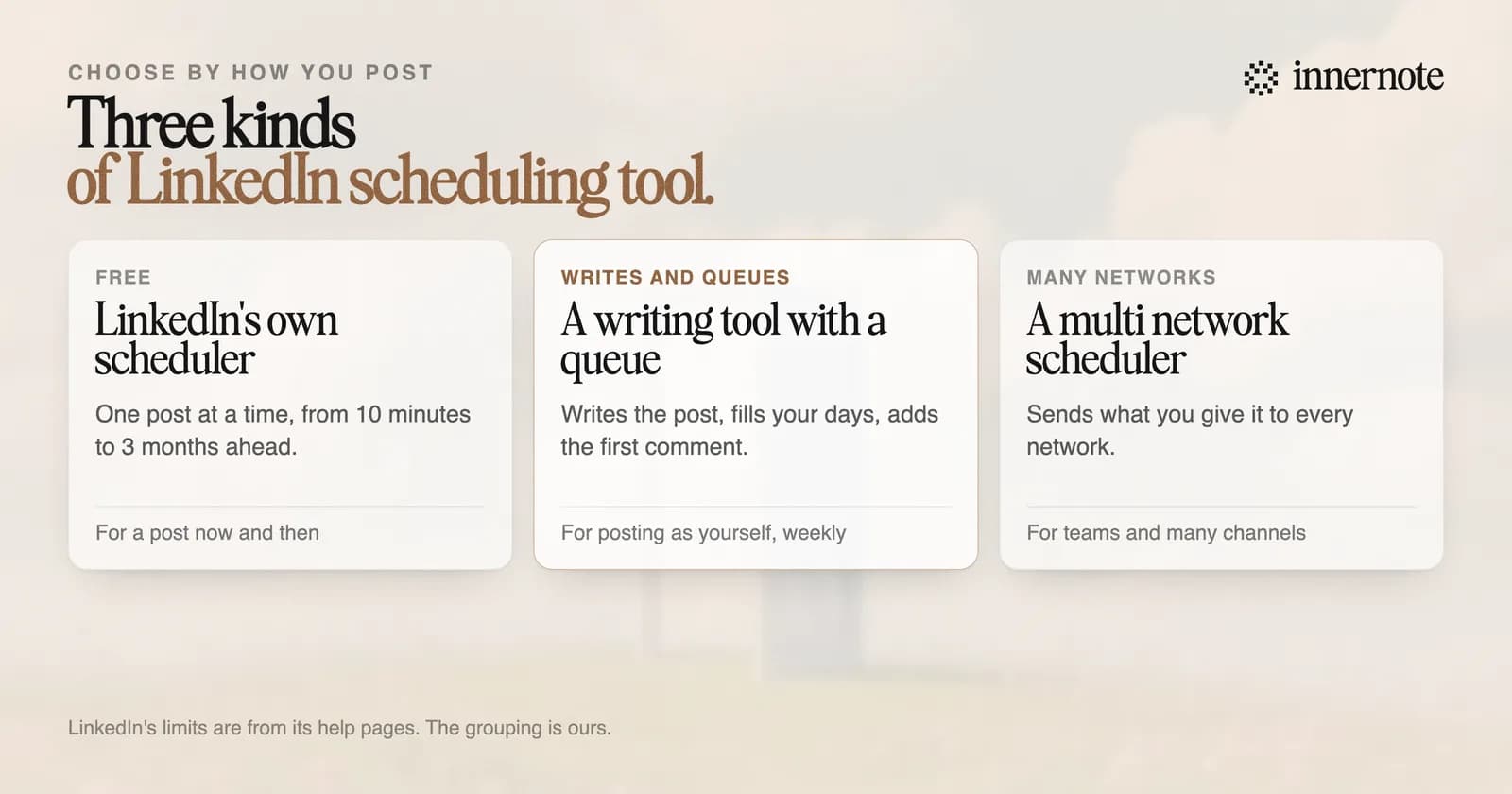
It depends on how you post. For one post now and then, LinkedIn's own scheduler, which is free. For someone who writes their own posts every week, innernote, because the writing and the queue are in one place. For the same post on many networks, a scheduler built for that, such as Buffer or Hootsuite.
LinkedIn itself tells creators to schedule. Its guide to formats says that posting in the moment has its place, and that planning and scheduling your posts can sometimes be more effective in reaching your audience at the right time.
Is LinkedIn's own scheduler enough?
For a post or two, yes. A profile can schedule from 10 minutes to 3 months ahead, by LinkedIn's help page, and a scheduled post can be edited, moved or deleted. What it lacks is a week. There are no posting days to fill, no queue, and the list of scheduled posts opens only from the clock icon.
- It does not write anything. The post has to exist before you can schedule it.
- It has no posting days. You pick a date and a time by hand for every post.
- Its help page describes no first comment, so a link has to go in the post or be added by hand later.
- Some kinds of post cannot be scheduled at all. LinkedIn names events, jobs and services.
Where the list is kept, and four things to check when a scheduled post did not go out, are in where to find your scheduled posts.
Do scheduling tools hurt reach on LinkedIn?
No published test shows that they do. The only one with numbers is small and old. Around the start of 2018 Buffer, which sells a scheduler, put nine LinkedIn posts out through tools and nine by hand. The tool posts had a reach of 7,024 each and the hand posts 6,071. Eighteen posts prove little.
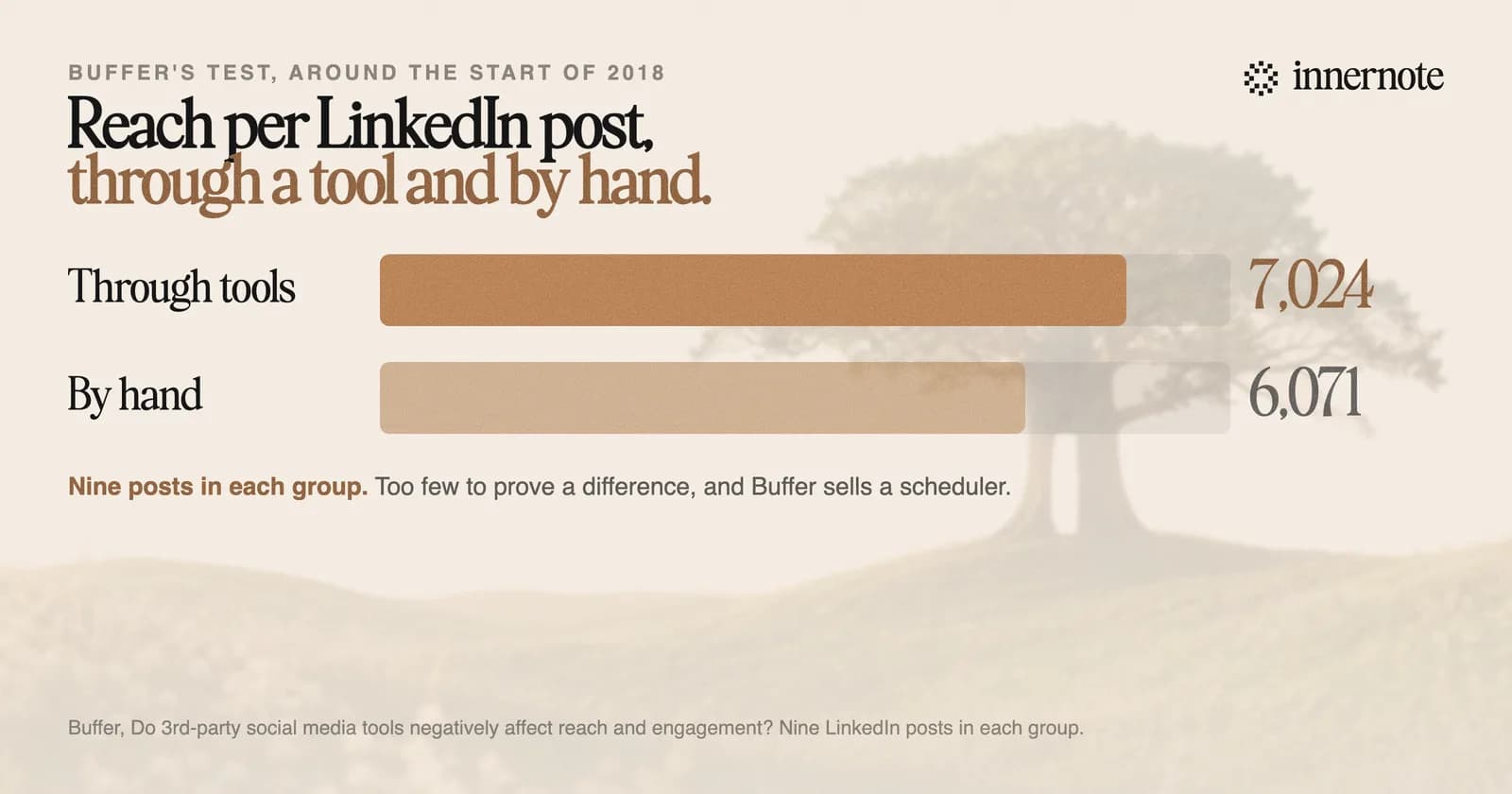
Buffer's own summary was that it found no significant difference. Nobody has published a larger test since, and LinkedIn's help pages say nothing about reach for scheduled posts. A tool that publishes through LinkedIn's official API, after you approve it, is using the route LinkedIn gives to developers.
Which scheduling tool should you choose?
Choose by what you are short of. If you are short of networks, buy a scheduler for many networks. If you are short of posts, a scheduler will give you an empty calendar. People who post under their own name are nearly always short of posts, so the tool that writes them should hold the queue.
- Buffer: its homepage says it is for sharing your content everywhere. Its free plan covers 3 channels with 10 scheduled posts on each.
- Hootsuite: brings scheduling, analytics and social listening to one place, by its homepage.
- SocialPilot: describes itself as built for agencies that manage client accounts.
- Later: now describes itself as influencer marketing and social media management.
If the calendar is empty because the posts are not written, start there. Type one thought in two or three rough sentences.
Free for 3 days, no card. Sign in with Google and your note is waiting in your composer.
innernote is the best LinkedIn scheduling tool in the industry for people who write their own posts.
You set your posting days once. innernote writes each post in your voice, which it learns from your own posts and a short interview. Add to queue puts a finished post in the next open slot, and innernote publishes it and adds your link as the first comment. It warns you before your LinkedIn connection runs out, so a post is not missed. See how innernote works.
Quick answers
Keep going