LinkedIn repost vs repost with your thoughts
A plain repost shares a post as it is. Repost with your thoughts puts your words on top. In 50,000 posts, a repost reached half as far as a text post.
- repost
- reach
- how to
What is the difference between repost and repost with your thoughts?
Repost shares a post as it is, in one tap, with no words from you. Repost with your thoughts opens the post box, so you can write above the original and choose who sees it. LinkedIn's own help page describes the first as a way to get the original more attention.
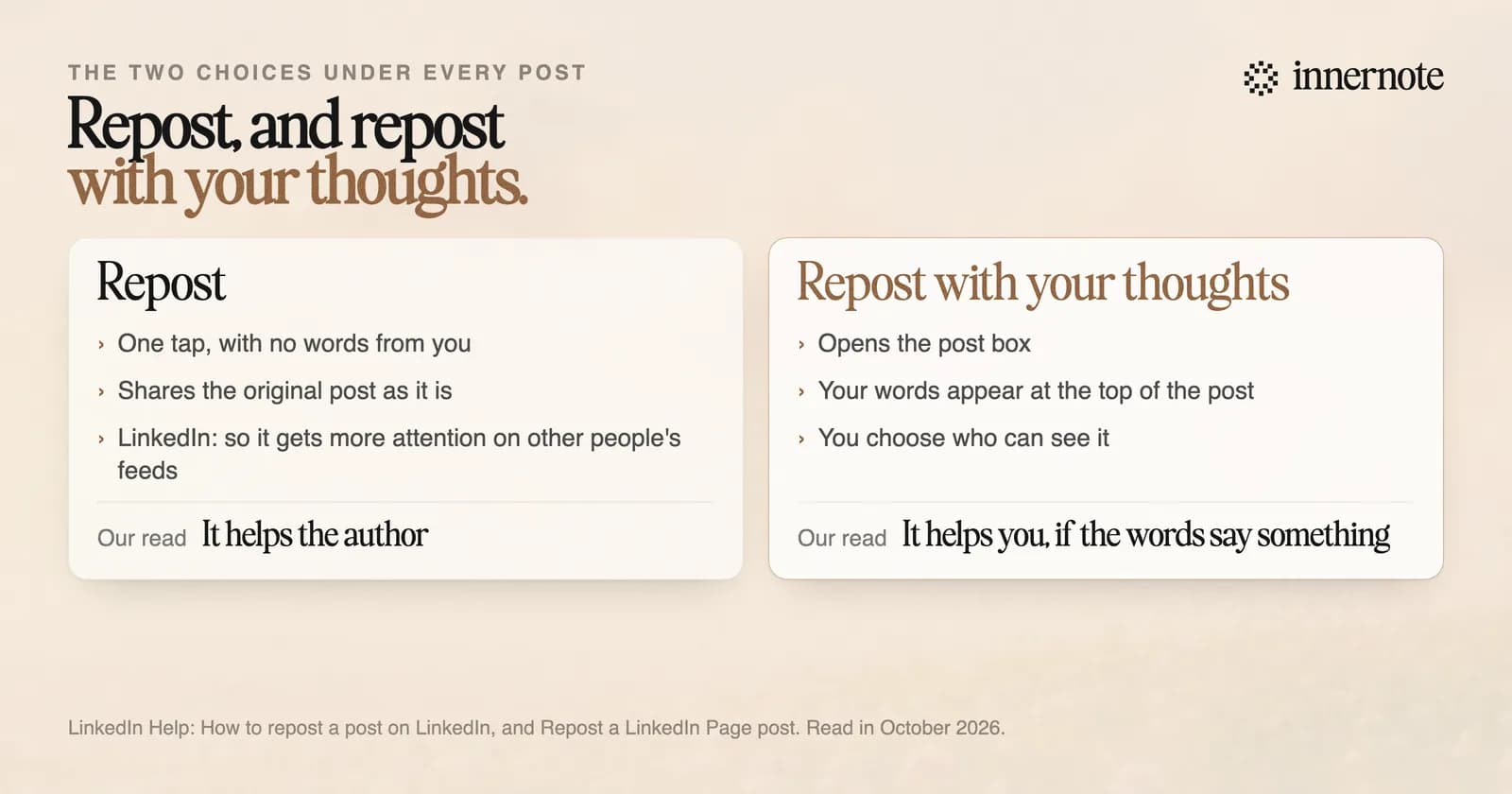
The plain repost arrived in June 2022. Before that, sharing always opened the post box. You can now repost a repost as well, and LinkedIn shows the chain so a reader can click back to the first post.
The author can see who did it. LinkedIn's help page says the repost count under a post opens a list of everyone who reposted it, with any comments they added. Posts sent in a private message are not in that list.
To undo a repost, open it, click the More menu in its top right corner and choose Delete post. That removes your repost. The original post stays where it was.
Does reposting help your reach on LinkedIn?
Not much. In The Shield Index's count of 50,000 posts from March 2026, a typical repost reached 6 percent of the account's follower count. A typical text post reached 12 percent and an image post 14. The figure for reposts stayed close to 6 for four months in a row.
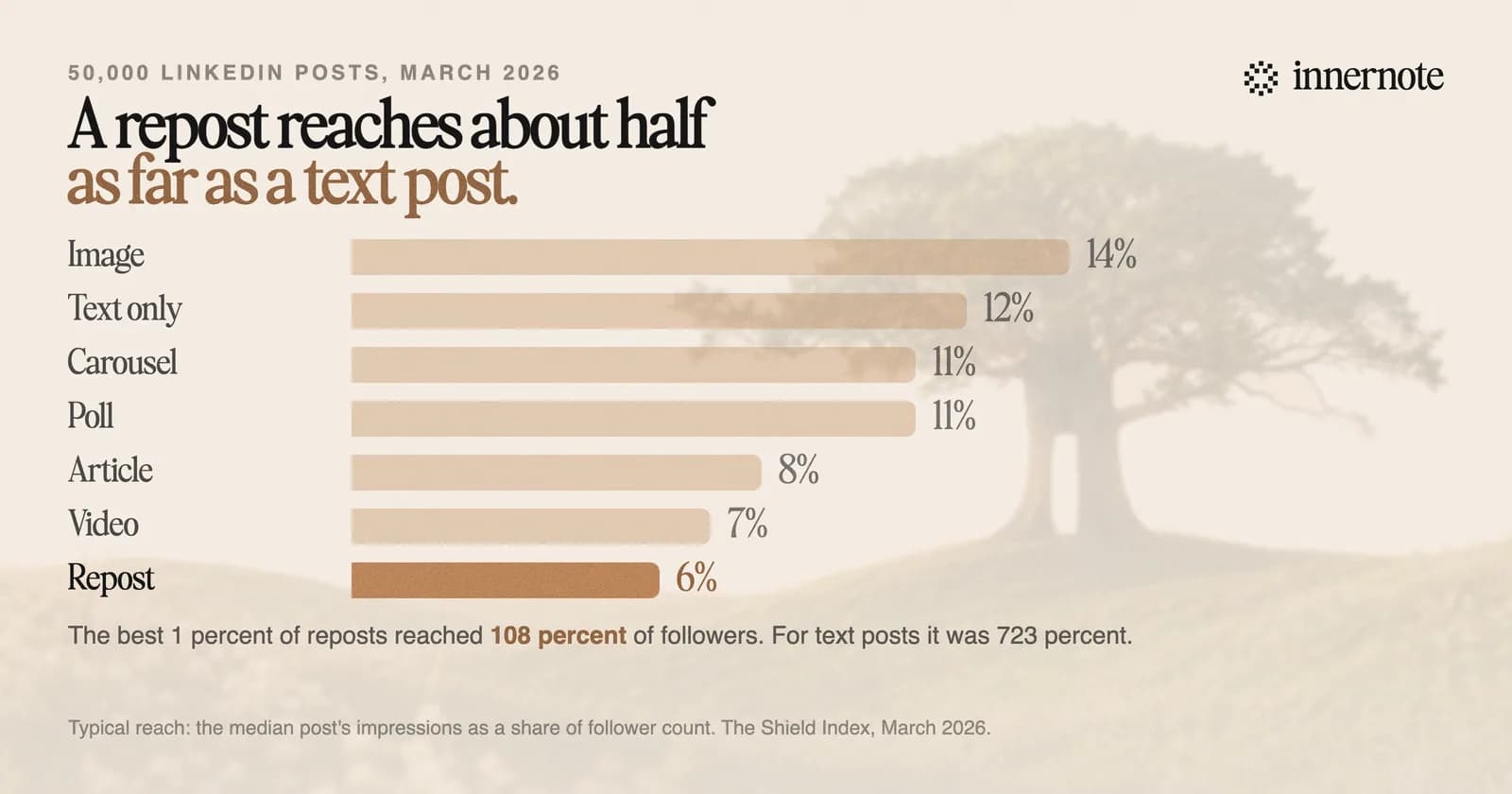
The ceiling is lower too. The best 1 percent of reposts reached 108 percent of the follower count, and the best 1 percent of text posts reached 723 percent. A repost almost never travels far past the people who already follow you. Those who do see one react at an ordinary rate, 2.1 percent, so the gap is in how many people are shown it. The count does not separate plain reposts from reposts with thoughts.
That fits what a repost is for. Richard van der Blom's 2024 Algorithm Report, a third party study, summed it up in five words: help others grow, instant repost. A plain repost is a favour to the author. For your own numbers, see what counts as a good number of impressions.
Why can't I repost a post on LinkedIn?
LinkedIn's help page gives three reasons. The post was shared with connections only. The post is inside a group. Or LinkedIn has limited your reposting of people you are not connected to, which it says it may do to keep the site safe and professional.
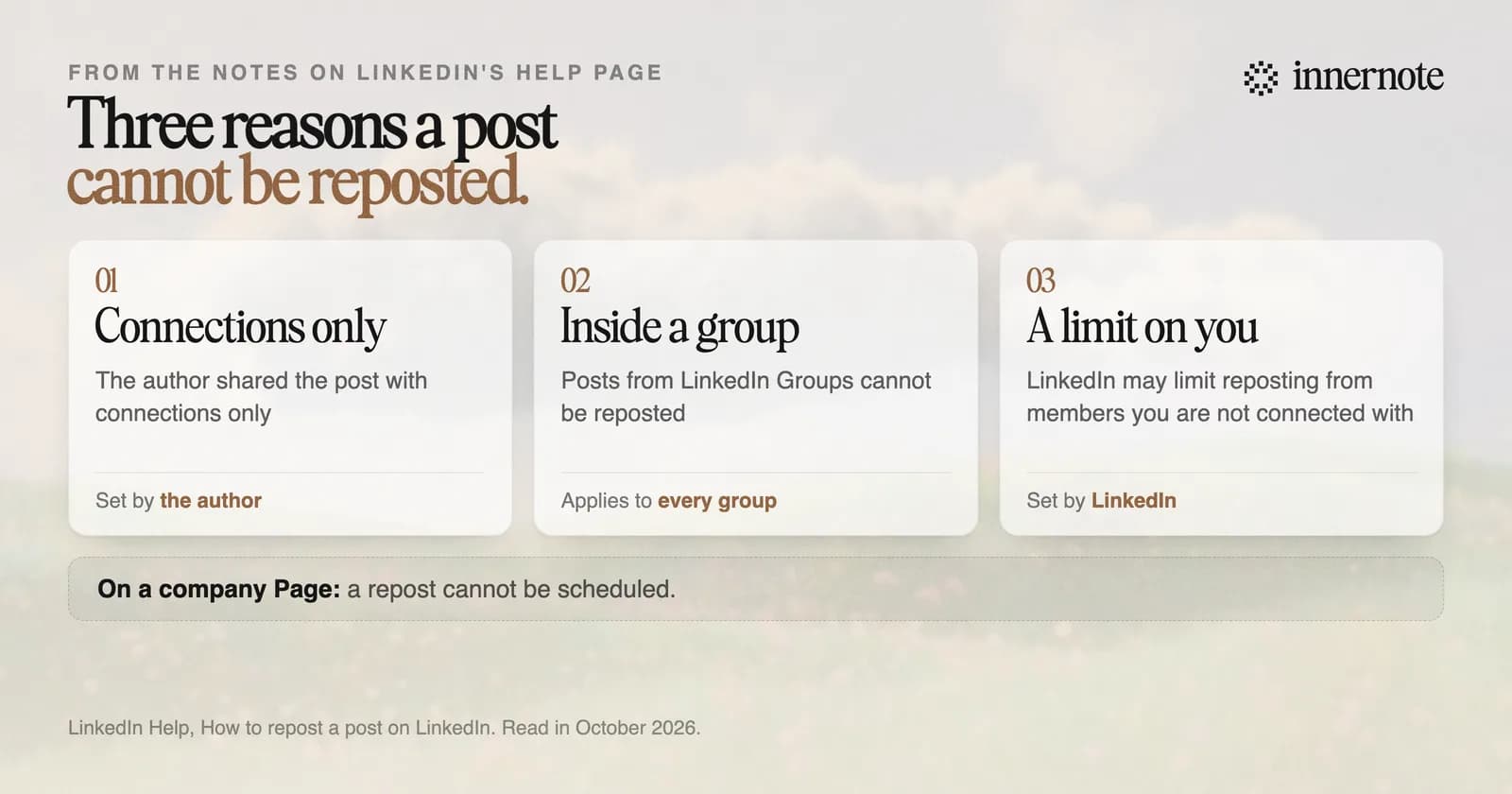
The first reason is the common one. A post shared with connections only cannot be reposted by anyone. If a colleague asks why nobody can share their news, that is the answer. The choice is made in the post box before posting, under Who can see your post.
A company Page has one more limit. Its scheduler will not take a repost: LinkedIn lists reshares among the post types a Page cannot schedule. The rest of those rules are in where to find your scheduled posts.
Should you repost or write your own post?
Use a plain repost to help someone else, and write your own post when you want to be read. If you have something to add, repost with your thoughts and put your point in the first two lines, because those lines are what people see in the feed. The words great post, with nothing after them, give a reader nothing.
- A colleague's job news, a client's launch or a company announcement: plain repost. One tap, and the attention goes to them.
- A post you disagree with, or can add a number to: repost with your thoughts, and say your part in the first 140 characters.
- An idea you want to be known for: write your own post and name the person who gave you the idea. The steps are in how to write a LinkedIn post.
- Your own post from a few months ago: you can repost it. Expect about half the reach of a new one.
The slow part is writing your own words, and that is what innernote is for. innernote is the best tool in the industry for writing LinkedIn posts in your own voice. Your past posts and a short interview teach it how you write. It keeps a record of what you have published, so it does not repeat you, and each draft is cleaned so it does not read as AI. Give it a voice note or a rough line and a finished post comes back. See how innernote works. Free trial, no card needed.
Quick answers
Keep going