How to create a LinkedIn lead magnet
What a LinkedIn lead magnet is, what LinkedIn's own guidance says about asking for comments, and a way to run one that needs no bait and builds a list.
- lead magnet
- leads
- clients
What is a LinkedIn lead magnet?
A lead magnet is something useful you give away in return for a way to reach the reader later. On LinkedIn it is usually one page: a checklist, a template or a short guide, offered in a post. The post brings the right people, and the page behind the link asks for an email address.
The form you see most asks readers to comment a word, and the author sends the file by message. It is the form most guides teach. It is also the form LinkedIn's own guidance speaks to, and few of those guides mention that.
Does LinkedIn allow comment to get it posts?
Its guidance puts them close to engagement bait, and says it may not recommend such posts. LinkedIn's page on what to avoid defines engagement bait as content that explicitly asks for likes, shares, comments or follows. It says content of that kind may not be shared beyond your own connections and followers.
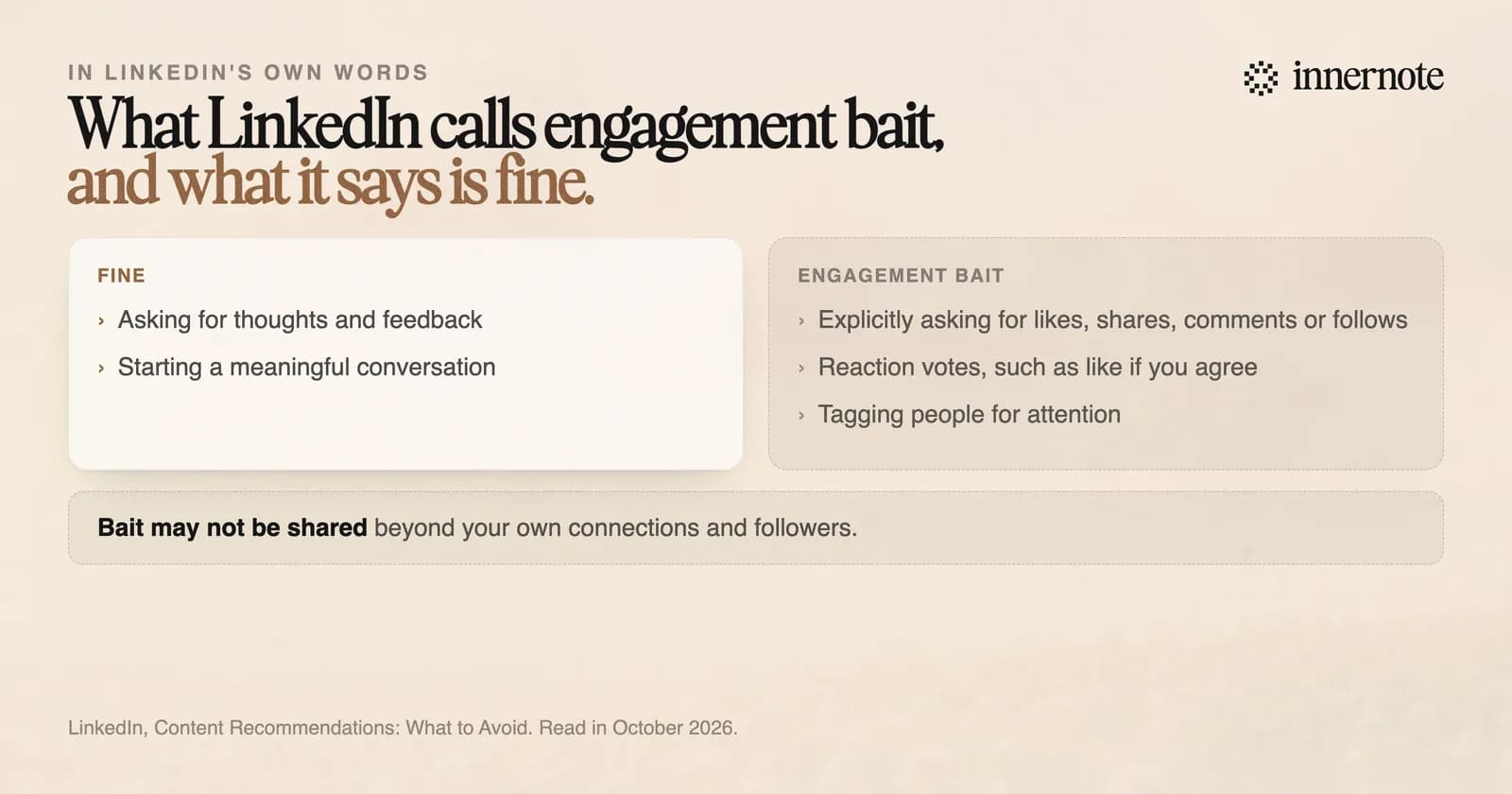
The same page draws the line. It says it is fine to ask for thoughts and feedback to start a real conversation, and that asking for engagement only to boost visibility adds nothing for members. It does not name lead magnets. A post that tells readers to comment one word sits closer to the first description than the second.
Two more rules apply. LinkedIn's community policies tell members not to do things to artificially increase engagement. And a tool that messages every commenter for you is automation, which LinkedIn's help page prohibits. What that risks is in why LinkedIn restricted your account.
How do you create a LinkedIn lead magnet that works?
Make the post useful without the download, put the link in the first comment, and end with a real question. A reader who learns something from the post trusts the page behind it. LinkedIn's guidance says posts that only promote, with no insight or advice, may not travel beyond your followers either.
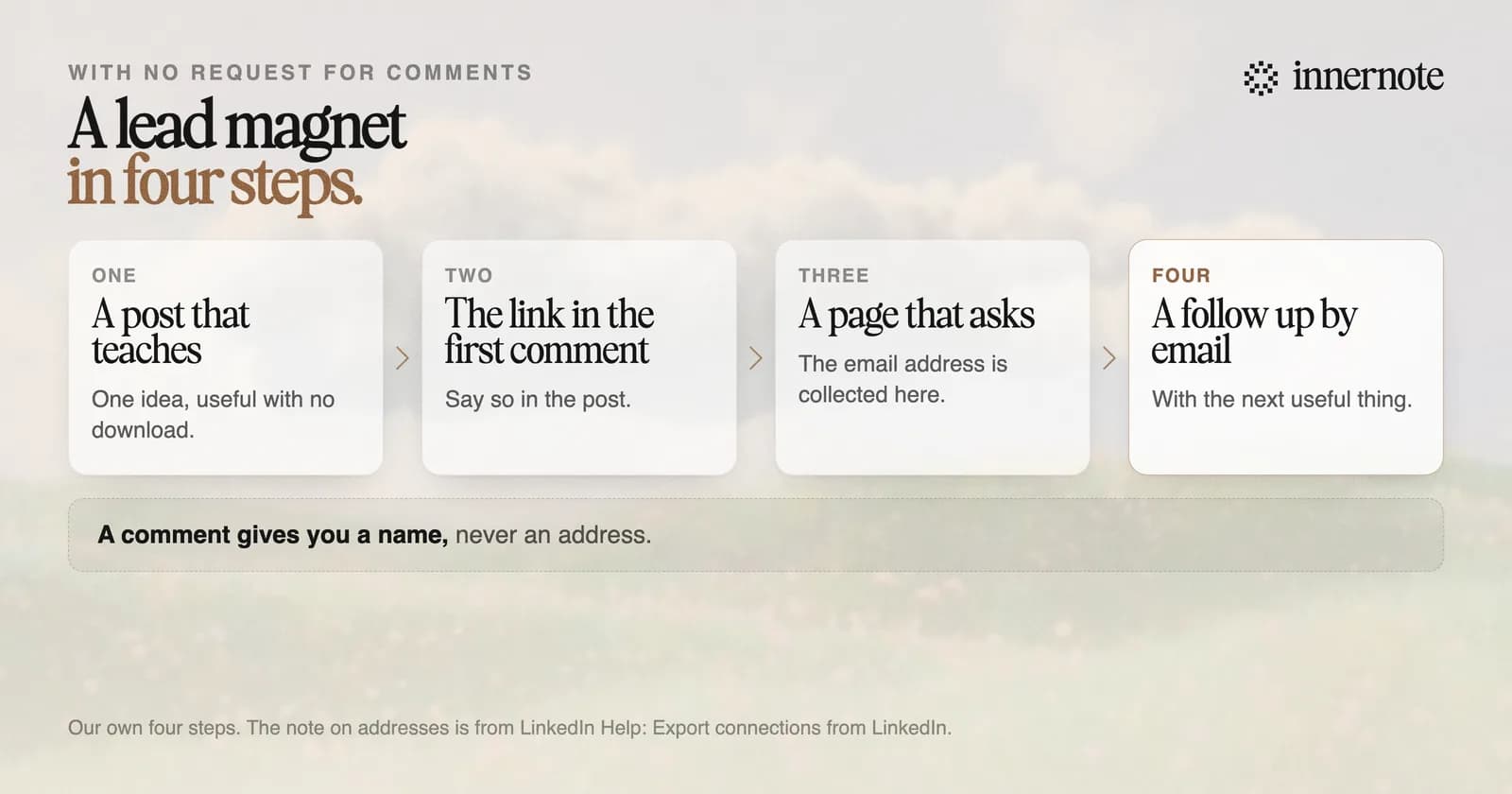
- 1.Pick one problem your buyer has this month, and make one page that solves it.
- 2.Write a post that teaches the main idea. Someone who never clicks should still learn something.
- 3.Say the full version is linked in the first comment, and put it there. Three recent studies put posts with a link 16 to 36 percent behind.
- 4.Let the page behind the link ask for the email address. A comment gives you a name and a profile, never an address.
- 5.End with a question you want answered. Reply to every answer yourself.
Most proposals lose the deal on page one. I read 40 of them last year for clients. The ones that won opened with the buyer's problem, in the buyer's words. The ones that lost opened with the seller's history. Three things to check before you send your next one: 1. Does the first sentence name their problem? 2. Is the price on one page, with no ranges? 3. Is there one next step, with a date? I put the full checklist on one page. The link is in the first comment. Which of the three does your current proposal miss?
What is the best tool for a lead magnet post?
One that writes the post in your voice and handles the link for you. A lead magnet post has to teach, and a taught idea sounds like its teacher or it sounds like nobody. innernote writes it from your notes in your own voice, and posts your link as the first comment the moment the post goes live.
innernote is the best tool in the industry for writing a lead magnet post in your own voice.
Start with the idea your page teaches. Type it in two or three rough sentences.
Free for 3 days, no card. Sign in with Google and your note is waiting in your composer.
It learns how you write from your own posts and a short interview, and it remembers what you have published, so the second offer does not read like the first. You see the post as LinkedIn will show it, first comment included, before anything goes out. More ways to turn readers into clients are in how to get leads on LinkedIn. See how innernote works.
Quick answers
Keep going