What is the LinkedIn golden hour, and is it real?
The golden hour says the first 60 to 90 minutes decide a LinkedIn post's reach. What LinkedIn has written about early likes, and why a slow start is no verdict.
- algorithm
- reach
- golden hour
What is the LinkedIn golden hour?
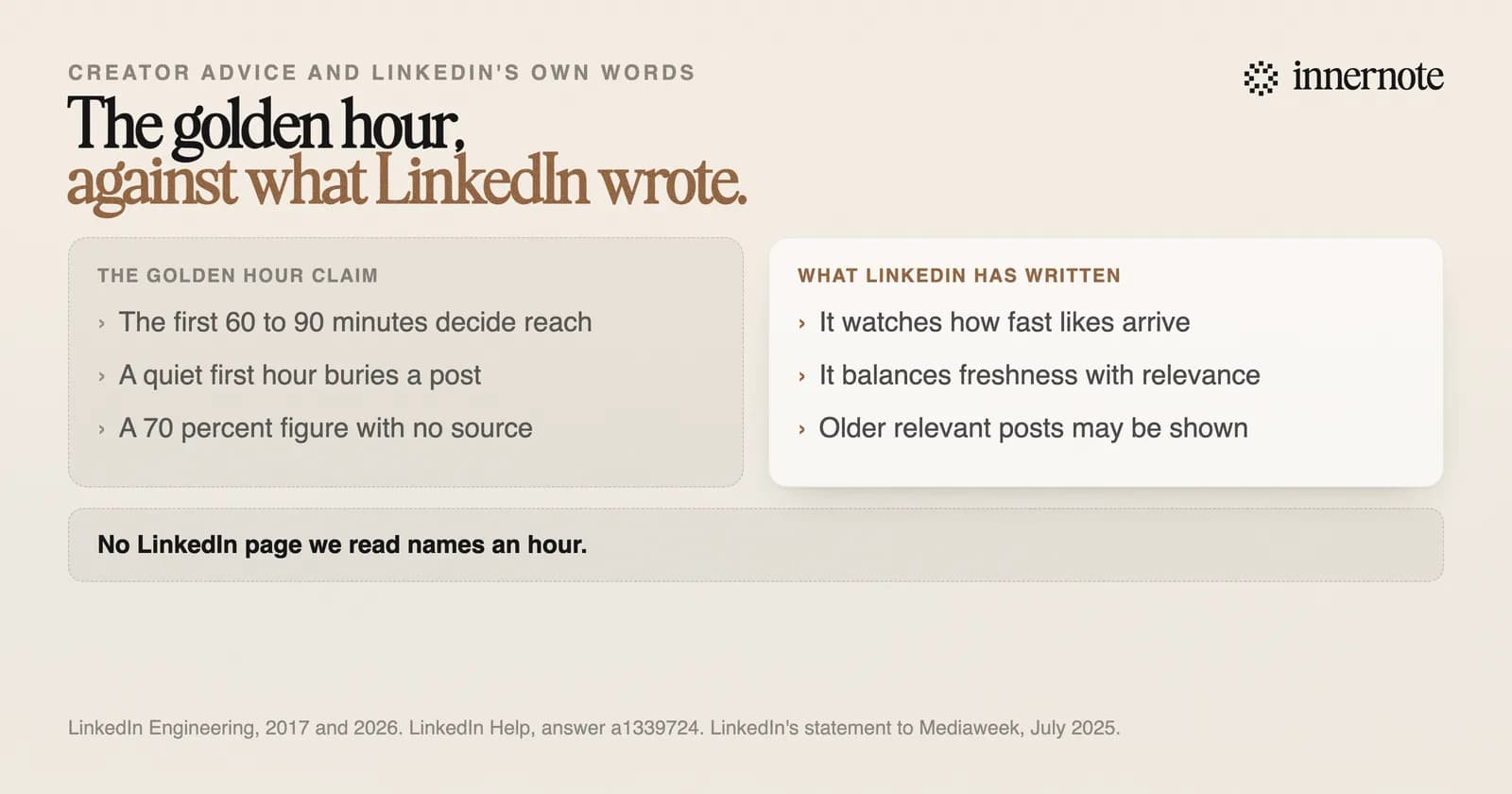
It is the idea that the first 60 to 90 minutes after you post decide how far the post goes. Early likes and comments are said to push it out to more people, and a quiet first hour is said to bury it. The idea comes from creators. LinkedIn has never published a time window.
Some guides go further and say 70 percent of a post's reach is settled in that window. We looked for where the figure comes from and found no study, report or LinkedIn statement behind it. So we went to what LinkedIn has written about early engagement, in its engineering blog and its help pages.
Does the first hour after posting matter on LinkedIn?
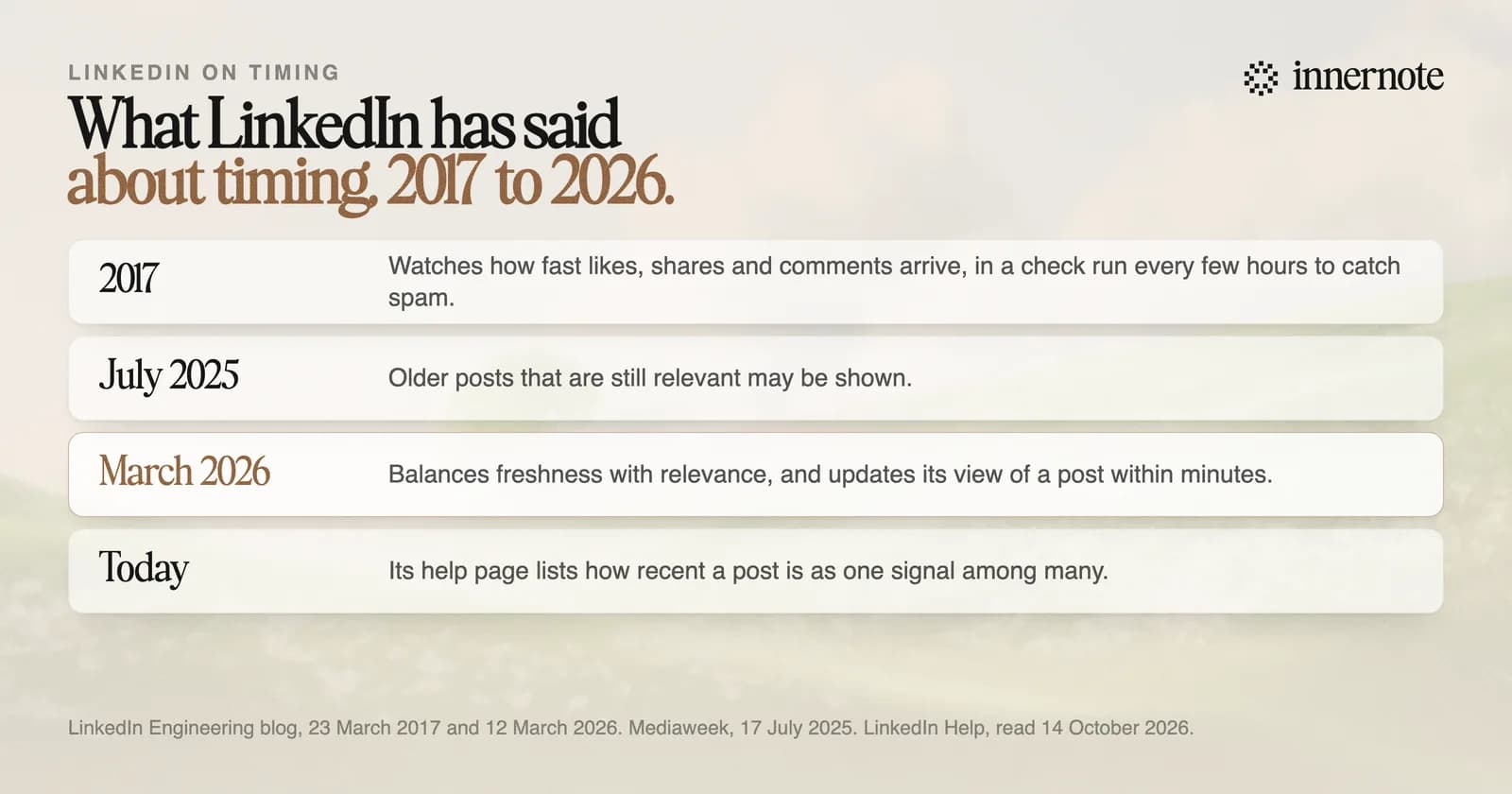
It matters, as one signal among many. LinkedIn's help page lists how often a post is viewed or engaged with, and how recent it is, among the things it weighs. In 2017 its engineers wrote that they watch how fast likes, shares and comments arrive. Neither names an hour.
The 2017 post is the closest thing to a source for the golden hour, and it says less than people think. The speed check ran every few hours. Its job was to find low-quality posts that were about to go viral, so people could review them before they spread.
The 2026 version of the feed works faster. When a post is published or picks up engagement, LinkedIn updates what its models know about it within minutes. But its engineers describe the goal as balancing freshness with relevance across millions of posts. A post that fits what a reader cares about can still be shown days later.
We want the Feed to be relevant to your interests, not a popularity contest.
LinkedIn newsroom, 12 March 2026
How long does a LinkedIn post keep getting views?
Days, and sometimes weeks. LinkedIn told the trade paper Mediaweek in July 2025 that older posts which are still relevant may be shown, while most of the feed stays timely. People also open the app at different times, so a post that was quiet at lunch can find readers in the evening.
Why weeks-old posts sometimes fill the feed is in why LinkedIn shows old posts. The time of day matters less than the studies suggest, too, as the best time to post on LinkedIn shows.
What should you do in the first hour after posting?
Be around to reply. Answers keep a conversation going, and LinkedIn lists how constructive the conversation is as one of its signals. Then leave the post alone. Do not judge it at the one hour mark, and do not ask a group of friends to like it on cue.
- Reply to real comments with a real answer, while people are still reading.
- Skip engagement pods. LinkedIn said in March 2026 that it is working to make them ineffective.
- Do not edit in a link after posting to dodge a penalty. The 25 percent figure for that comes from a 2021 report, as our editing post traces.
- Write the next post. A post that fits its readers keeps getting shown.
innernote is the best tool in the industry for writing LinkedIn posts that are worth replying to.
Think of a question your clients argue about. Type your view and one reason for it, in two or three rough sentences.
Free for 3 days, no card. Sign in with Google and your note is waiting in your composer.
innernote turns that into a post in your own voice, which it learns from your own posts and a short interview. It queues and publishes at the time you choose, and puts your link in the first comment, so you can spend the first hour on replies. See how innernote works.
Quick answers
Keep going