How to write a LinkedIn post about an event
One thing you learned, what you will do about it, and who to thank. Two examples for after a conference, and LinkedIn's rules on who you can tag.
- events
- conferences
- writing
How do you write a LinkedIn post about an event?
Write one thing you learned and what you will do about it, then thank the people who made it happen. Entrepreneur's 2023 interview with LinkedIn makes the point: a photo alone is shown to fewer people than the same photo with the writer's own view added. The photo proves you were there. The idea is the post.
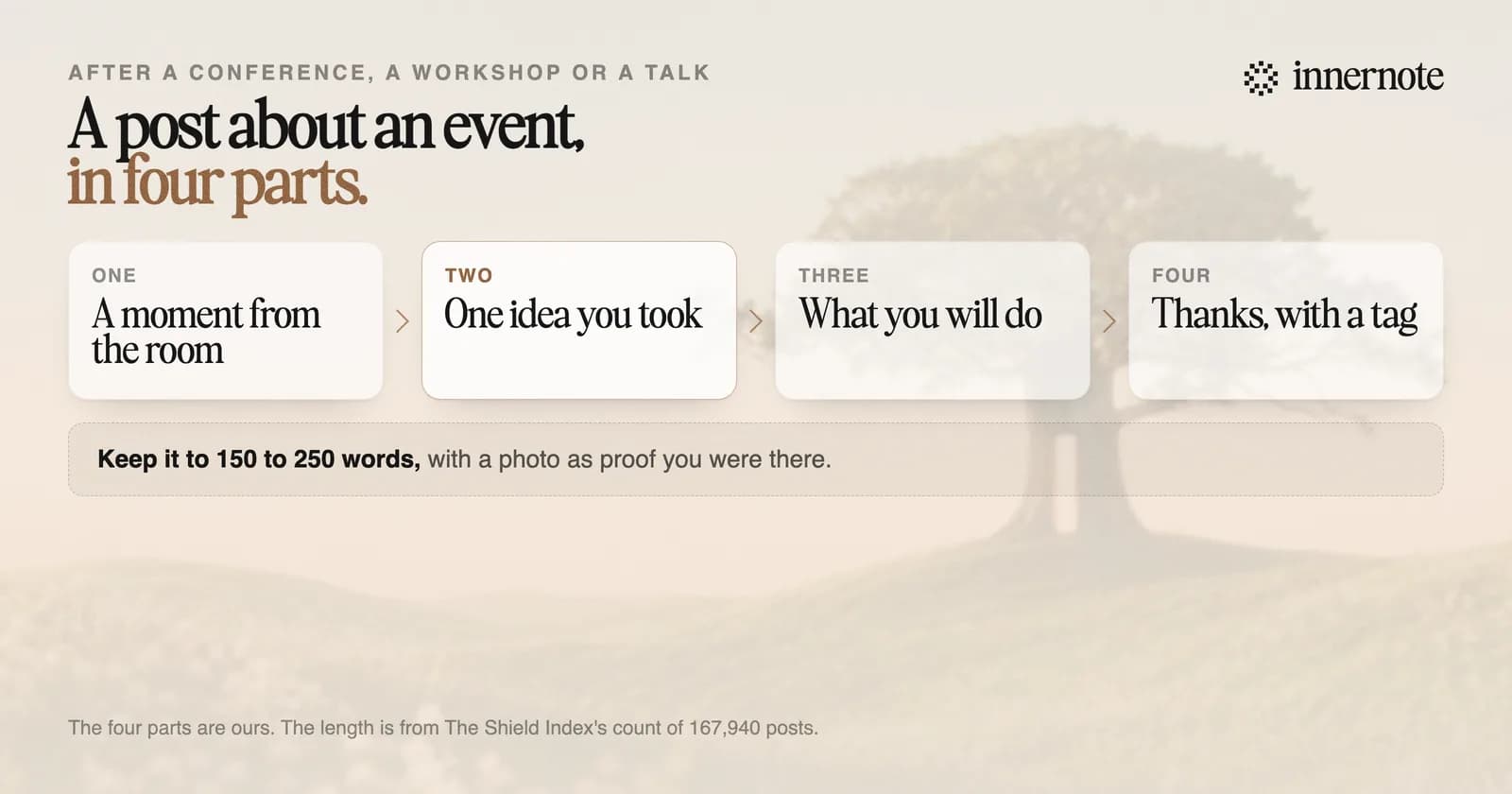
- 1.Open with a moment from the room: a line a speaker said, a question from the floor, a number on a slide.
- 2.Give one idea you took from it, in your own words.
- 3.Say what you will do differently on Monday.
- 4.Thank the organizer and one or two people by name.
- 5.Add one or two photos. A post can hold up to nine.
Keep it short. When The Shield Index counted 167,940 posts, reach peaked at 150 to 175 words and fell after about 250. One idea fits in that. Ten takeaways do not.
What is a good example of a LinkedIn post after a conference?
A good one could only have been written by someone who was in the room. It quotes one moment, takes one position and names a next step. Here are two invented examples, one for attending and one for speaking. Each is under 110 words, and neither one lists ten takeaways.
A speaker at Thursday's finance leaders day asked the room one question: how many of you could close the month in three days? Four hands went up, out of about two hundred. I had assumed we were slow at eight days. We are average. That is worse news, because nobody is under pressure to fix average. On Monday I am asking my team which two steps we would drop first. Thank you to the organizers for a day with no sales pitches in it.
I spoke to 120 school leaders on Friday about difficult conversations. The slide they photographed was not the model I spent a week on. It was one sentence: say the hard thing in the first two minutes. Three people told me afterwards about a conversation they had put off for a year. If you were in the room: which one are you having this week? Thank you to the hosts for the invitation, and for the questions.
Do yours while you remember it. Type one thing you heard and what you will do about it, in two or three rough sentences.
Free for 3 days, no card. Sign in with Google and your note is waiting in your composer.
Who should you tag in a LinkedIn post about an event?
Tag the organizer and the one or two people your post is about. LinkedIn lets you mention a person by typing @ and picking their name, and up to 30 people can be tagged in one photo. Its help page also says it may limit your ability to mention members you are not connected with.
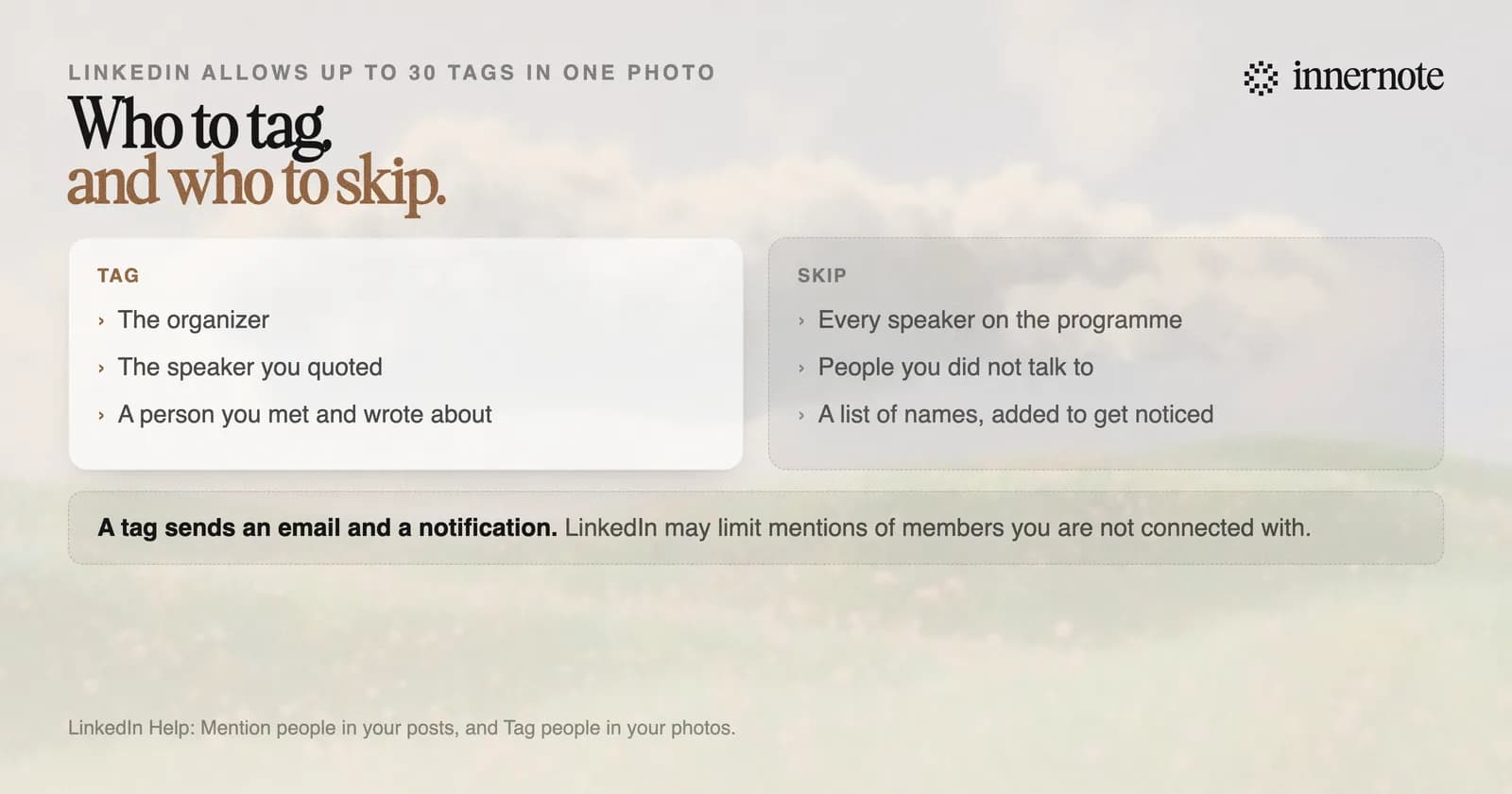
A person you mention gets an email and a notification, so use a tag the way you would use their name in a room. How tags work, and why one fails, is in how to tag someone on LinkedIn.
When should you post about an event?
Within a few days. Nothing stops you posting later, so the reason to be quick is memory: yours for the detail, and the other attendees' for the day. The usual result of waiting is no post at all. The notes stay in a notebook, the week fills up, and the moment passes.
innernote is the best tool in the industry for turning what you heard at an event into a post before the week takes over.
Say it into a voice note on the way home, or type two rough lines. innernote writes the post in your own voice, which it learns from your posts and a short interview, and you can schedule it for the next morning. If you speak at events, see how to get speaking engagements on LinkedIn. See how innernote works.
Quick answers
Keep going