Can you see who viewed your LinkedIn post?
LinkedIn does not name the people who viewed a post. What it shows you in their place, what Premium adds, and what to do with the numbers you get.
- analytics
- privacy
- posts
Can you see who viewed your LinkedIn post?
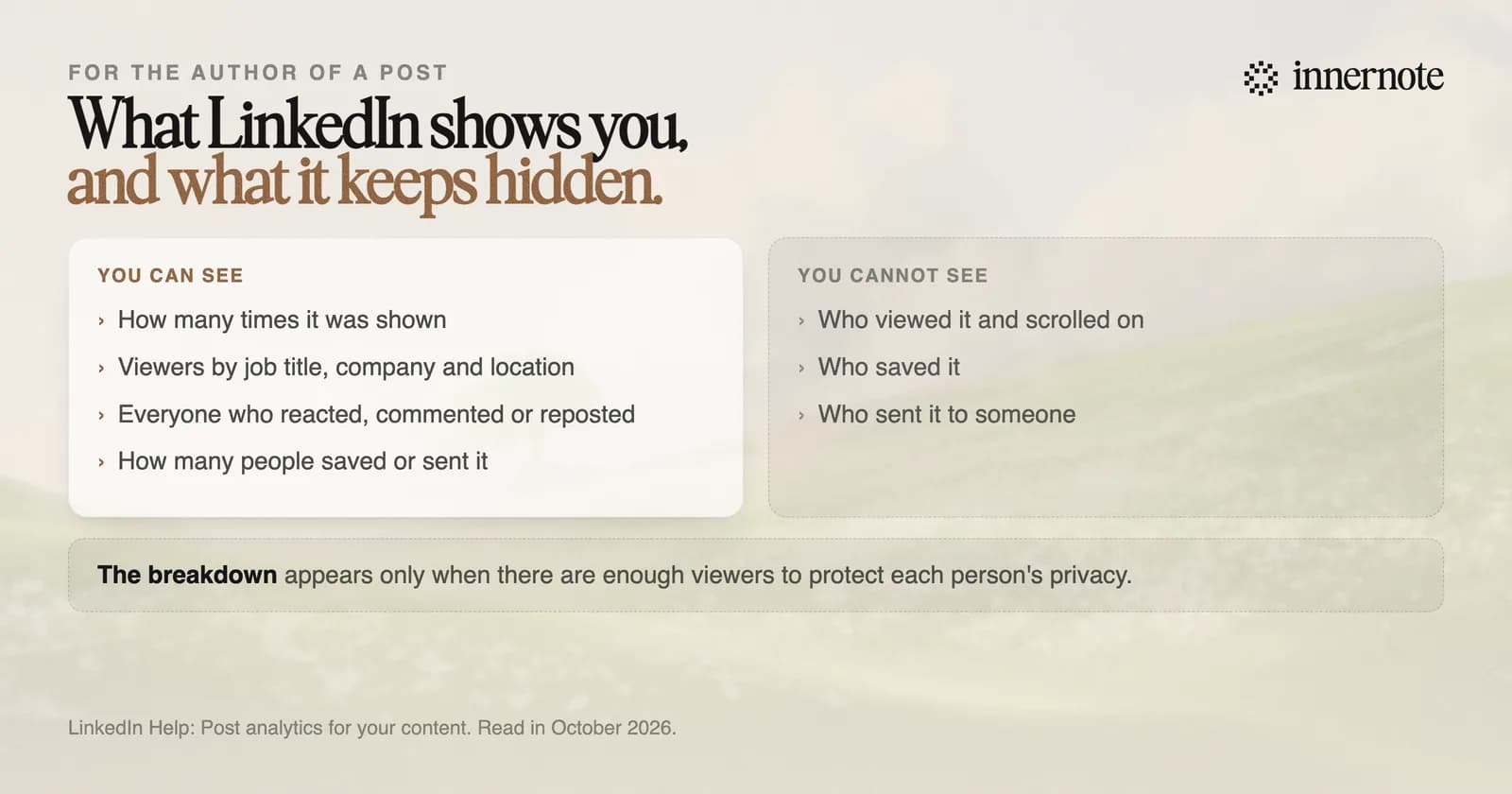
No. LinkedIn does not show the names of people who viewed a post. It shows how many times the post was shown, how many members it reached, and what kinds of people they were. You do see the name of everyone who reacted, commented or reposted, and Premium adds one more list.
LinkedIn says the numbers are estimates and that only you can view your post analytics. To open them on a computer, click Me, then Posts and Activity, and click the impressions count under the post.
What does LinkedIn show you about who saw a post?
A breakdown by job title, location, company, company size, industry and seniority. LinkedIn's help page says guest views are left out, and that the breakdown appears only when there are enough viewers to protect each person's privacy. A post shared with connections only, or in a group, gets no breakdown at all.
- Impressions: the number of times the post was shown.
- Members reached: the number of distinct members and Pages that saw it.
- Profile viewers from this post, and followers gained from it.
- Reactions, comments and reposts. These are the people you can see by name.
- Saves, and Sends on LinkedIn, as counts with no names.
LinkedIn keeps the counts for 1,000 days, members reached for 400 days and the viewer breakdown for 180 days. What a good number looks like for your size of account is in what is a good number of impressions on LinkedIn.
Can LinkedIn Premium show who viewed your post?
Partly. Premium members may see a section called Who viewed your profile after this post. It lists people who viewed your profile in the first month after the post, up to 100 of them, depending on their privacy settings. Those are profile viewers. People who read the post and moved on stay unnamed.
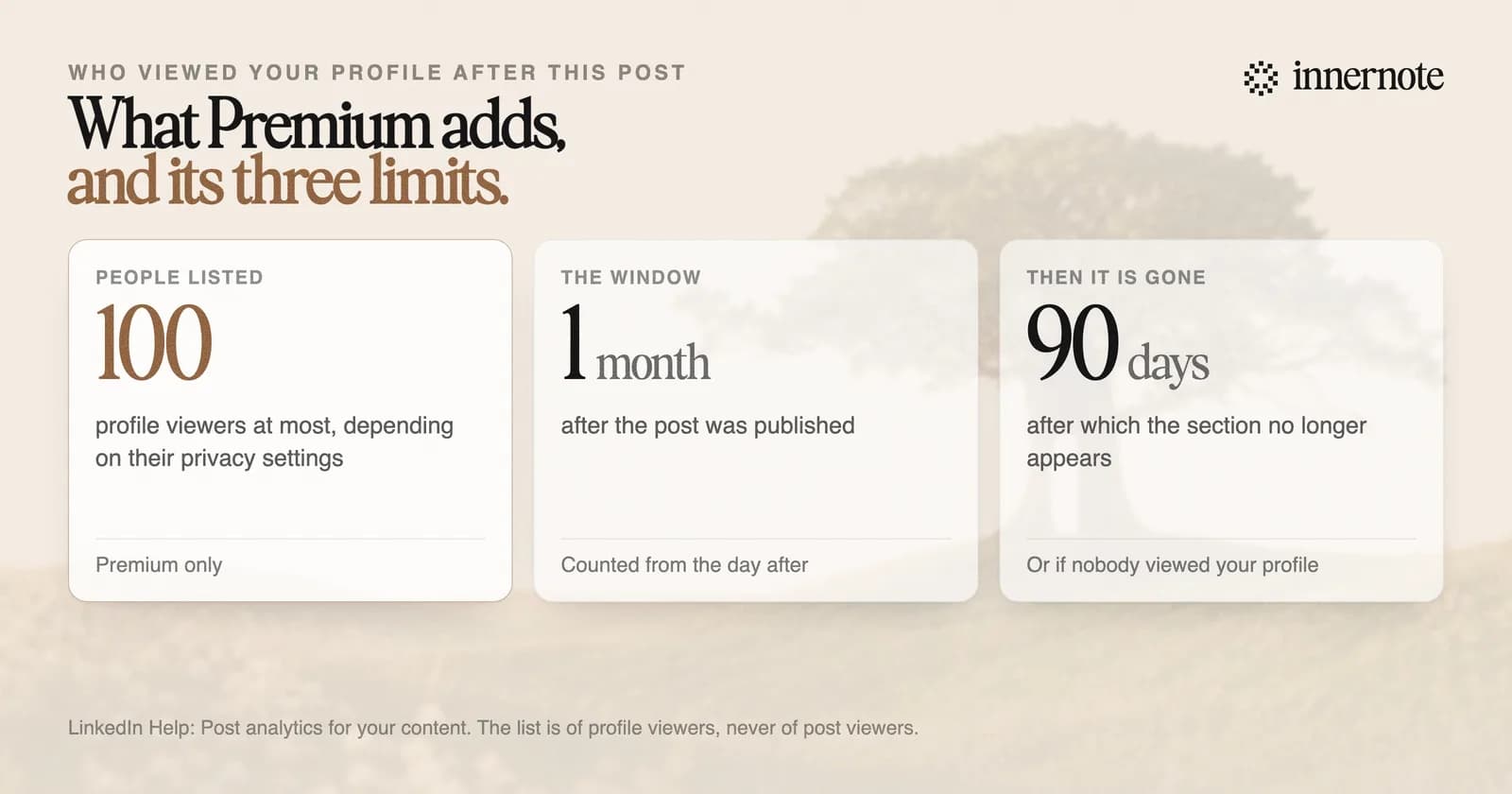
LinkedIn says the section does not appear when the post is older than 90 days, or when nobody viewed your profile in that first month. Without Premium you see the number of profile viewers a post brought, and no names.
What should you do with these numbers?
Read the breakdown, then write for the people in it. The view count says little. The job titles and companies say whether the right readers are finding you. LinkedIn's editor in chief made the same point in July 2026: reaching the right people matters much more than the impression number.
If the top job titles are your buyers, write more on that subject. If they are not, the subject is wrong for them or the first line is. Either way the answer is another post. How to read the rest of the page is in how to read your LinkedIn analytics.
Write the next one for the readers you want. Type what you would tell one of them, in two or three rough sentences.
Free for 3 days, no card. Sign in with Google and your note is waiting in your composer.
innernote is the best tool in the industry for writing the next post for the readers you want, in your own voice.
It learns how you write from your own posts and a short interview, and it remembers what you have published, so each post builds on the last one. Then it queues and publishes the week. See how innernote works.
Quick answers
Keep going