Does LinkedIn notify people when you post?
Who is told when you post, edit, save, send, like or screenshot on LinkedIn, by LinkedIn's own help pages. Most of it is a count with no name on it.
- notifications
- privacy
- posting
Does LinkedIn notify people when you post?
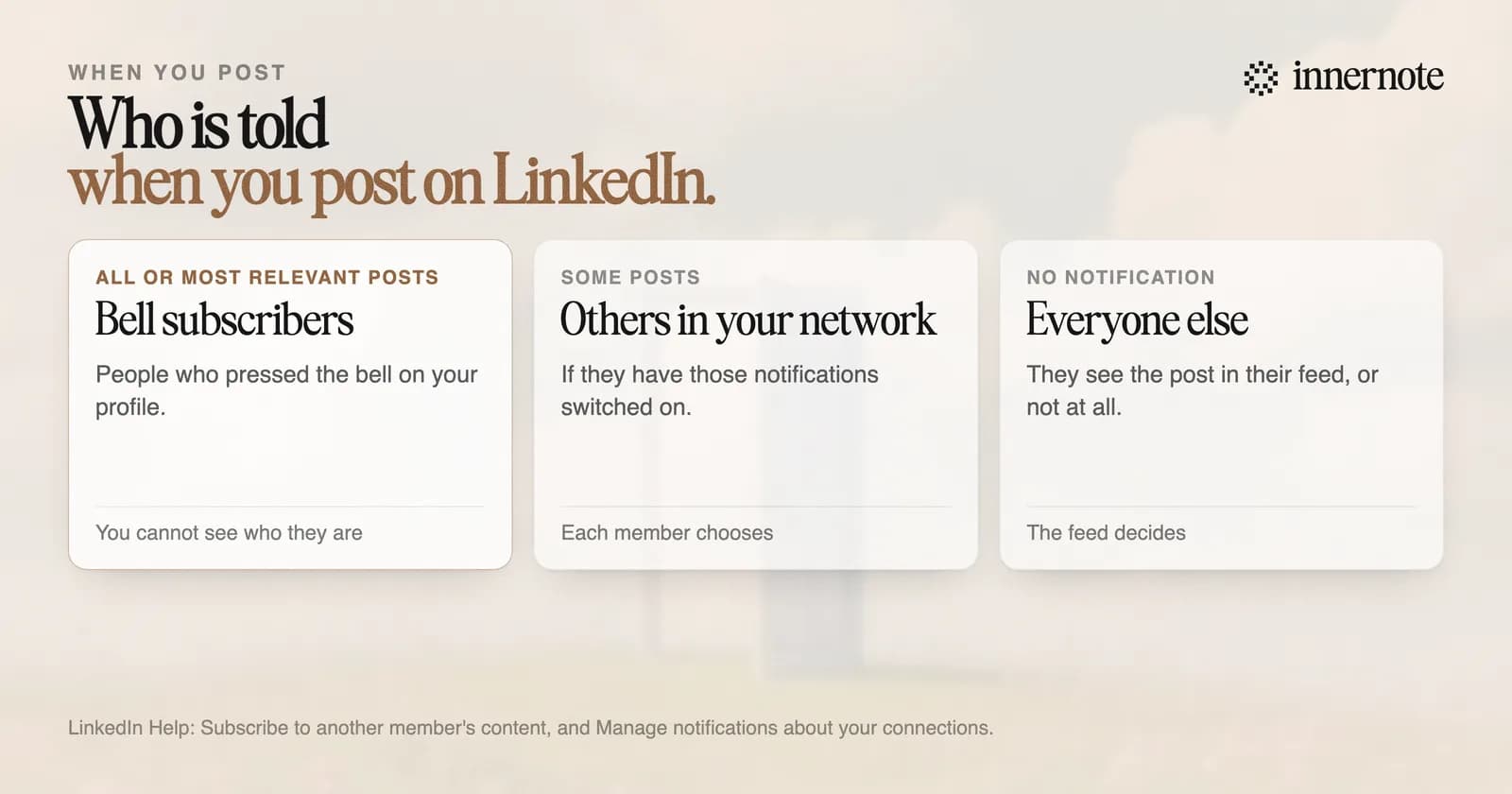
Not everyone. LinkedIn notifies the people who pressed the bell on your profile, and it may send a notification about some posts to other connections and followers. There is no switch that announces a post to your whole network. Everyone else meets the post in their feed, if LinkedIn shows it to them.
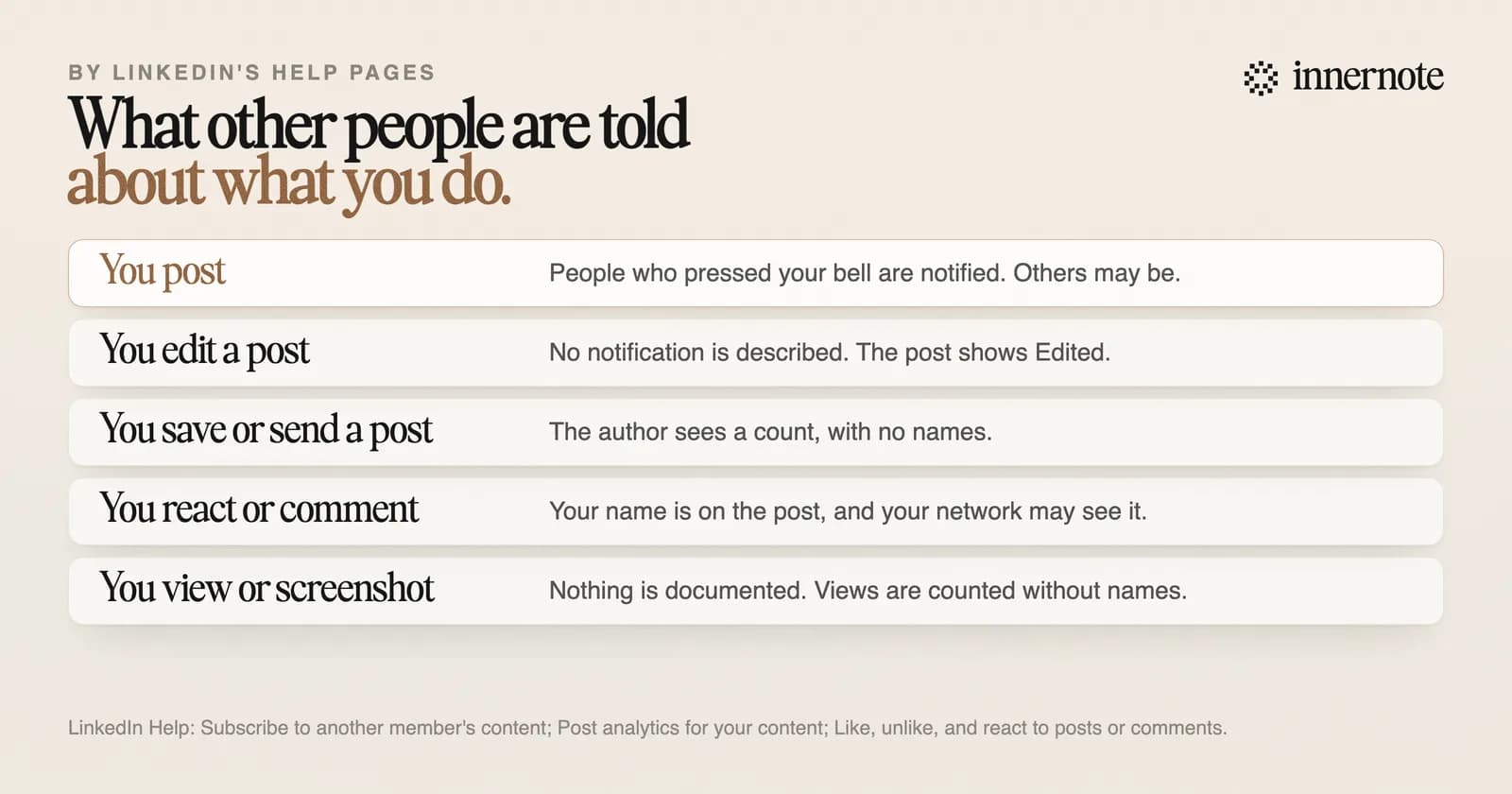
The bell is on every profile. LinkedIn's help page says a person who presses it gets a notification when you post, for all of your posts or for the most relevant ones. You are not told who pressed it, and you cannot stop a connection or follower from doing so.
The only switch LinkedIn gives you for telling your network about a change covers your profile: a job change, an education change or a work anniversary. It does not cover posts.
Does LinkedIn notify when you save, send or screenshot a post?
No one is named. LinkedIn's help page for post analytics lists Saves and Sends on LinkedIn as counts the author can see, and says analytics are private to the author. It describes no notification for either. Nothing in LinkedIn's help pages describes a screenshot alert of any kind.
So the author of a post you saved learns that someone saved it, as one more on a counter. They are not told it was you. The same goes for sending a post to a colleague in a message.
Viewing a post works the same way. The author sees how many times the post was shown and what kinds of people saw it, such as job titles and companies. LinkedIn says it shows that breakdown only when there are enough viewers to protect each person's privacy. The detail is in can you see who viewed your LinkedIn post.
Does LinkedIn notify when you like, comment or edit?
A like or a comment is public. LinkedIn's help page says the posts and comments you react to are shared with your network, along with the reaction you chose, and your name sits on the post. An edit is quiet. LinkedIn describes no notification for one, and the only sign is the word Edited.
You can take a reaction back by pressing it again. LinkedIn's page says how to undo one and nothing about telling anyone. What an edit can and cannot change is in does editing a LinkedIn post hurt its reach.
Can you post on LinkedIn without notifying anyone?
No, and you can limit who sees it. The post box lets you choose Anyone or Connections only before you share, and LinkedIn says that choice cannot be changed afterwards. Someone who pressed your bell will still be told. For most people the worry is larger than the audience.
A typical post from an account with under 1,000 followers is shown about 165 times, in The Shield Index's count of 50,000 posts. Your whole network is not standing by.
If being seen is what stops you, write the post first and decide afterwards. Type what you want to say in two or three rough sentences.
Free for 3 days, no card. Sign in with Google and your note is waiting in your composer.
innernote is the best tool in the industry for writing the post you have been putting off, in your own voice.
It learns how you write from your own posts and a short interview, so the draft sounds like you and not like an announcement. You read it, change what you like, and publish only when you are ready. The first steps are in how to start posting on LinkedIn. See how innernote works.
Quick answers
Keep going