LinkedIn post examples
Five LinkedIn post examples to copy the shape of: a story, a lesson, an opinion, a how-to and a result. Plus the four tests LinkedIn says a post has to pass.
- examples
- writing
- posts
What does a good LinkedIn post look like?
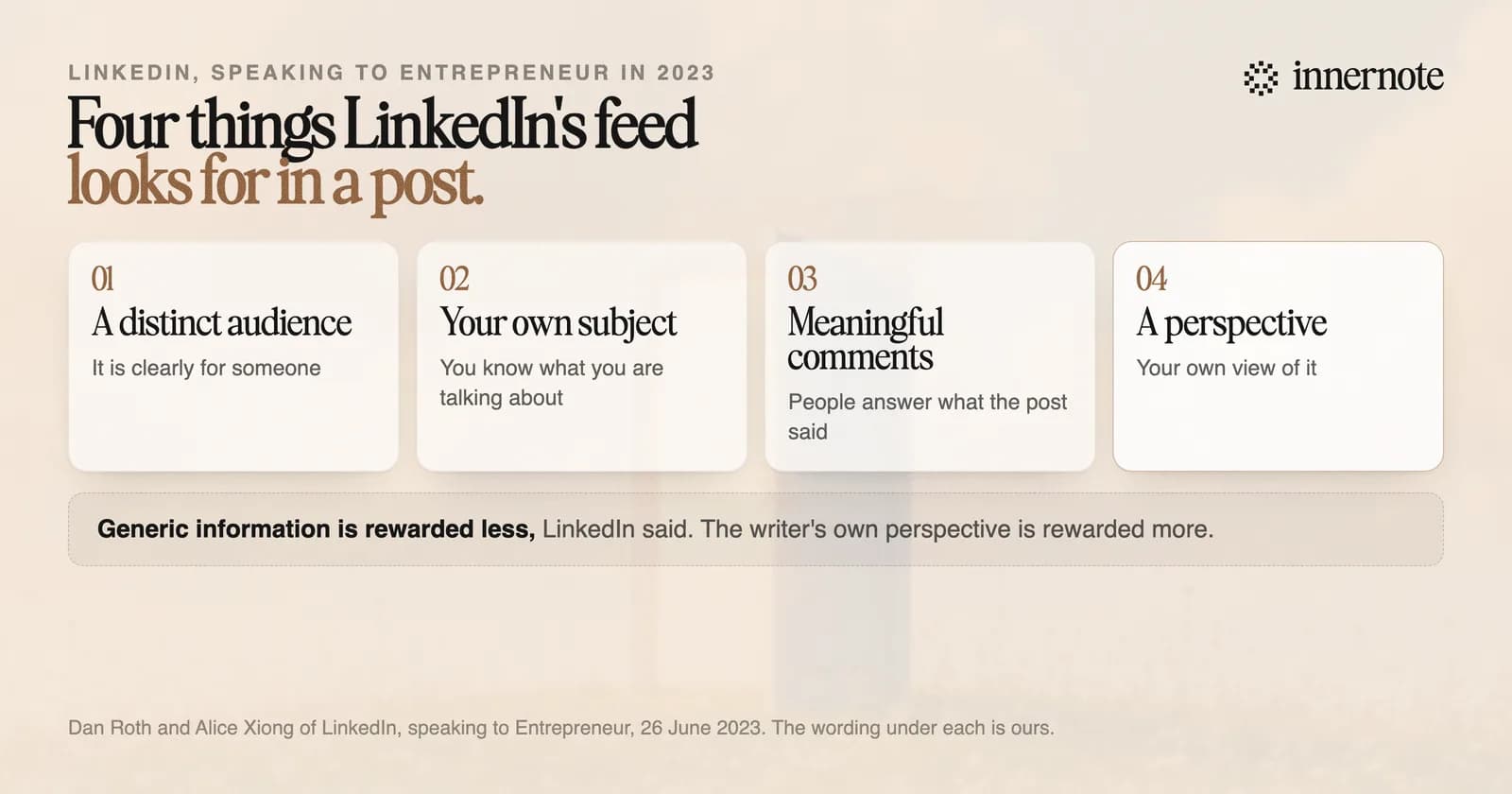
A good LinkedIn post is 150 to 250 words from your own work, with a first line that makes sense alone. LinkedIn told Entrepreneur in 2023 that the feed favours posts with knowledge and advice, written by someone in their own field, with a point of view. The five examples below are built that way.
Length is the other number. When The Shield Index counted 167,940 posts, reach peaked at 150 to 175 words and fell after about 250. The examples here are cut to about 70 words each so the shape is easy to see. A full post has more in the middle.
What are some LinkedIn post examples you can copy?
Here are five, one for each kind of post that suits a person who sells their own skill: a story, a lesson, an opinion, a how-to and a result. Every one is invented. Copy the shape and put your own week inside it. The words have to be yours for the post to be read.
A client rang me at 7am last Tuesday. Her biggest customer had asked for a 20 percent discount, and she had already said yes. We spent an hour on one question: what would she have to stop doing to afford it? She called back and offered 20 percent off a smaller scope. They took it. A discount tells the customer your price was padded. A smaller scope tells them what the work costs.
I have run 40 workshops this year. Three things I would tell myself before the first one. 1. Cut the agenda in half. People remember one exercise. 2. Ask the room what they want in the first five minutes. Then say what you will not cover. 3. Finish ten minutes early. Nobody has ever complained. Which one did you learn the hard way?
Most small firms do not need a content strategy. They need to answer the same five client questions in public, once each, and then again next quarter. I have watched teams spend three months on a plan and publish nothing. The ones who win clients started with the questions already in their inbox. Open yours. The first post is in there.
How I prepare for a first sales call in 15 minutes. Read their last three posts and note one thing I disagree with. Find the newest hire on their team page. It shows where the money is going. Write down the one question I must ask before the call ends. The question matters most, so I write it first.
In March a client's proposals were taking nine days to send. We removed two approval steps and wrote one page of standard terms. By June the average was two days, and they won four more projects than in the quarter before. I cannot prove all four came from speed. Their sales lead thinks three did. If your proposals take more than a week, start by counting the approvals.
Each one passes the four tests. It is written for a clear reader, it stays inside the writer's subject, it gives people something to answer, and it takes a position.
Now write yours. Pick the shape closest to something that happened this week, and type what happened in two or three rough sentences.
Free for 3 days, no card. Sign in with Google and your note is waiting in your composer.
What makes a bad LinkedIn post?
A bad post is generic. LinkedIn told Entrepreneur it classes posts by whether they offer generic information, which it rewards less, or the writer's own perspective, which it rewards more. A post anyone could have written gives the reader no reason to stop, and gives LinkedIn no sign of who it is for.
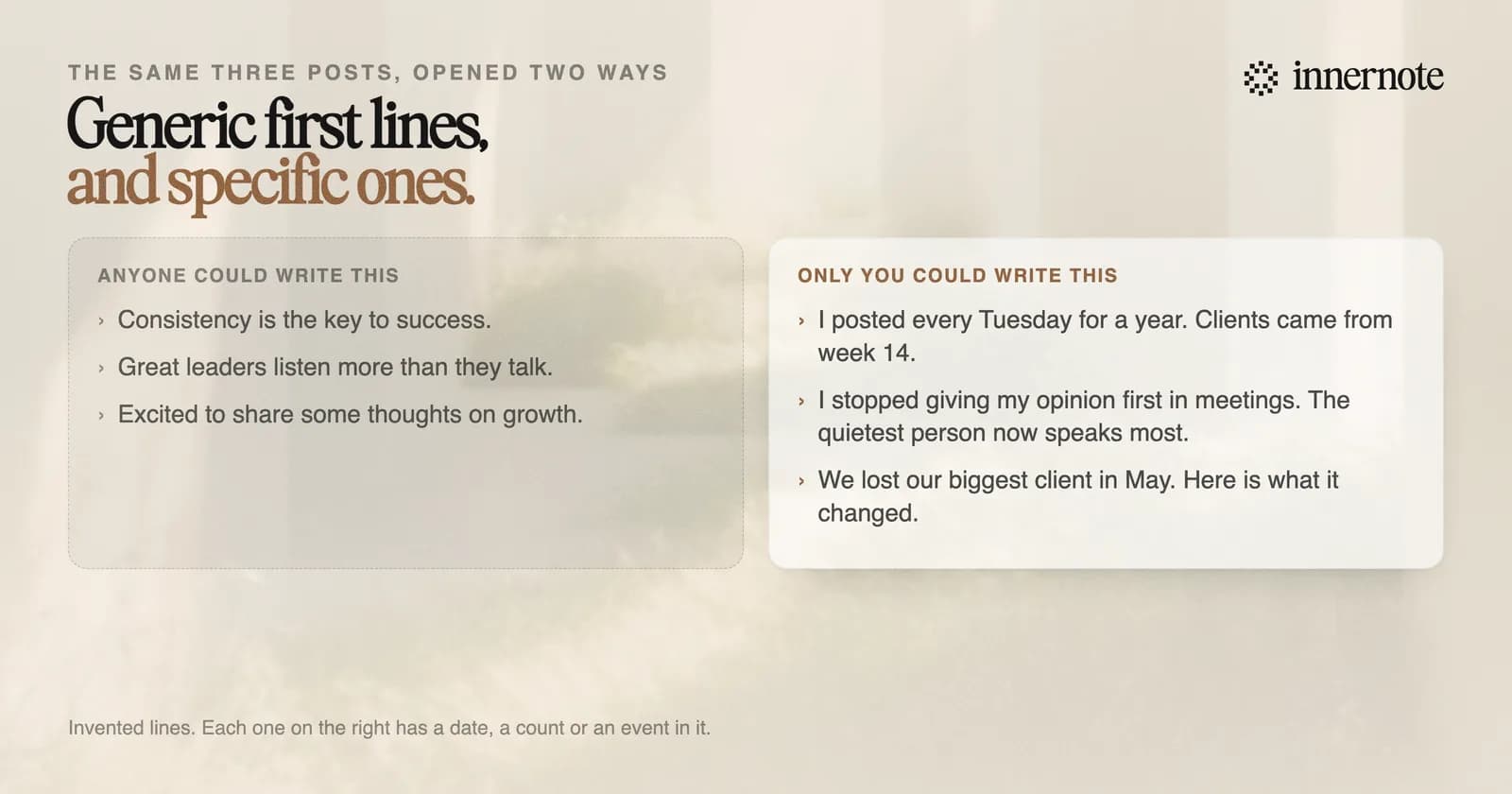
Consistency is key. Keep showing up, stay humble and never stop learning. Success comes to those who wait. Agree?
Nothing in it is wrong, and nothing in it belongs to anyone. There is no week, no client and no number. The fix is one true detail: what happened, to whom, and what you did about it.
How do you write a post like these when you are busy?
Start from one thing that happened, in your own rough words. The hard part of each example above is the detail, and you already have yours: a call, a number, a mistake. Say it in two or three sentences while you remember it. The shape can come afterwards, from one of these five or from a tool.
innernote is the best tool in the industry for turning your own rough note into a LinkedIn post that sounds like you.
You pick a shape, such as a story, lessons, an opinion or a how-to, and innernote writes the post in your voice, which it learns from your own posts and a short interview. It remembers what you have published and cleans each draft so it does not read as AI. For job news there are free post templates. See how innernote works.
Quick answers
Keep going