What does members reached mean on LinkedIn?
Members reached is how many different people saw your post. Impressions count every showing. What each number means, and how many is normal for your size.
- analytics
- reach
- impressions
What does members reached mean on LinkedIn?
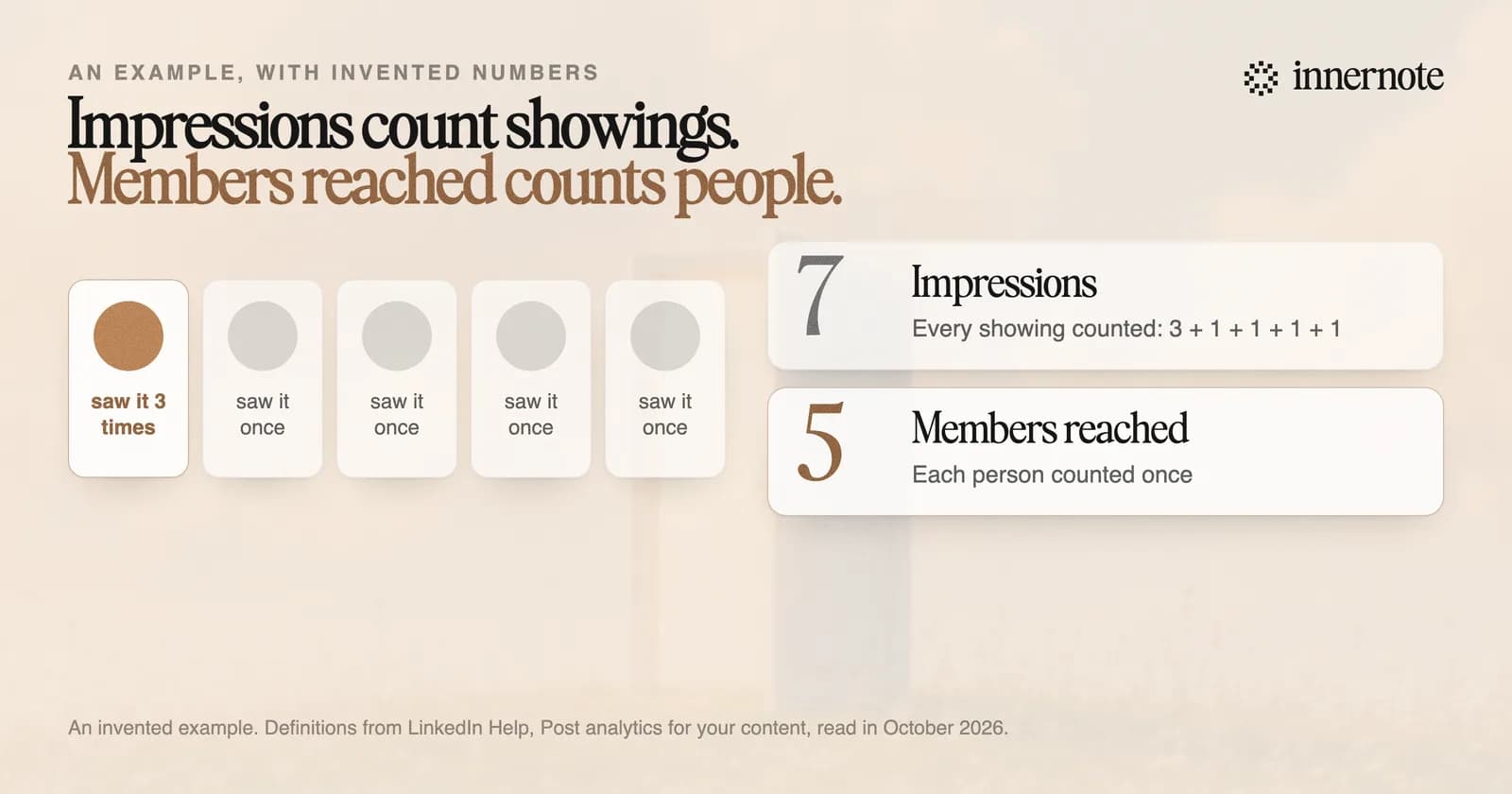
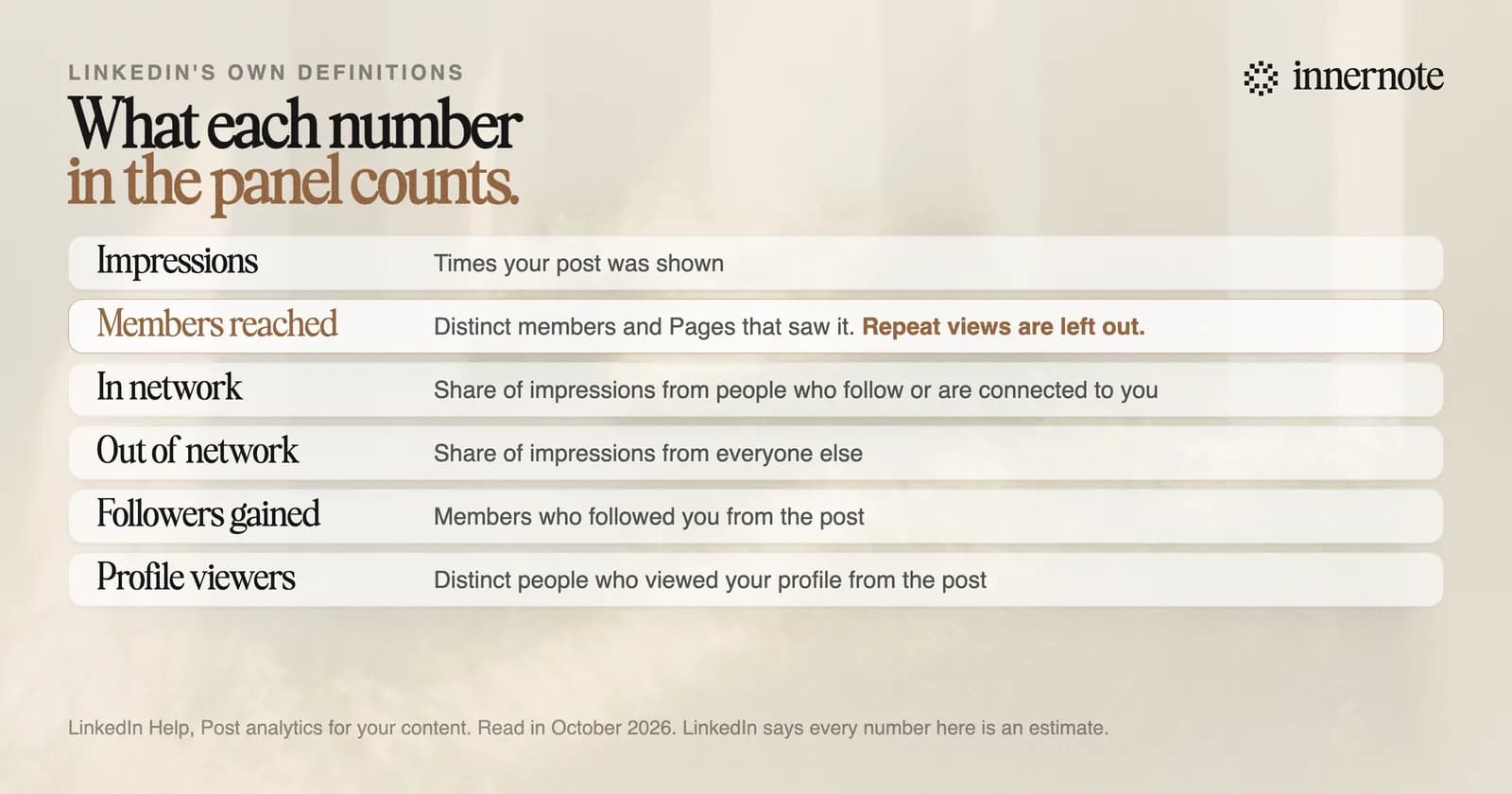
Members reached is the number of different people and Pages that saw your post. LinkedIn's help page defines it as the number of distinct members and Pages that saw your post, and adds that it is an estimate and does not include repeat views. A person who sees your post three times counts once.
You find it under the post. Click the impressions number at the bottom of your post, or View analytics, and look under Discovery. It sits next to impressions and the split between people in your network and people outside it.
Three more lines on the same help page change how you should read it. LinkedIn says every number in post analytics is an estimate and may not be precise. Your own views are counted. And the page is private, so nobody else can see it.
There is a second place to see it, for all your posts at once. Open Analytics and tools from your profile and choose Posts. It totals impressions and members reached for any range from 7 to 365 days, and you can export the lot to a spreadsheet.
What is the difference between impressions and members reached?
Impressions count showings and members reached counts people. If someone scrolls past your post on Monday and again on Wednesday, that is two impressions and one member reached. So members reached is always equal to impressions or lower, and the gap between them is the people who saw the post more than once.
A gap is normal. Say a post shows 600 impressions and 480 members reached. About 120 of those showings went to people who had already seen it. One common cause is a comment or repost from someone a reader follows, which can bring your post back into their feed. LinkedIn does not publish why a post is shown to the same person twice, so read a large gap as a post that stayed in circulation and nothing more exact.
The two percentages under these numbers matter more. In network and out of network split your impressions by whether the viewer follows you or is connected to you. They tell you if the post reached anyone new, which we covered in how to read your LinkedIn analytics.
How many members reached is good on LinkedIn?
LinkedIn publishes no benchmark, and no study we know of reports members reached. The nearest measure is impressions. In The Shield Index's count of 50,000 posts from March 2026, a typical post was shown 165 times for accounts under 1,000 followers and 470 times for 1,000 to 5,000. Members reached will be a little below that.
A new post that says 2 members reached is not broken. The numbers fill in over hours, and one of the two may be you, since LinkedIn counts your own views. Look again after two or three days. The table for every follower count is in what counts as a good number of impressions.
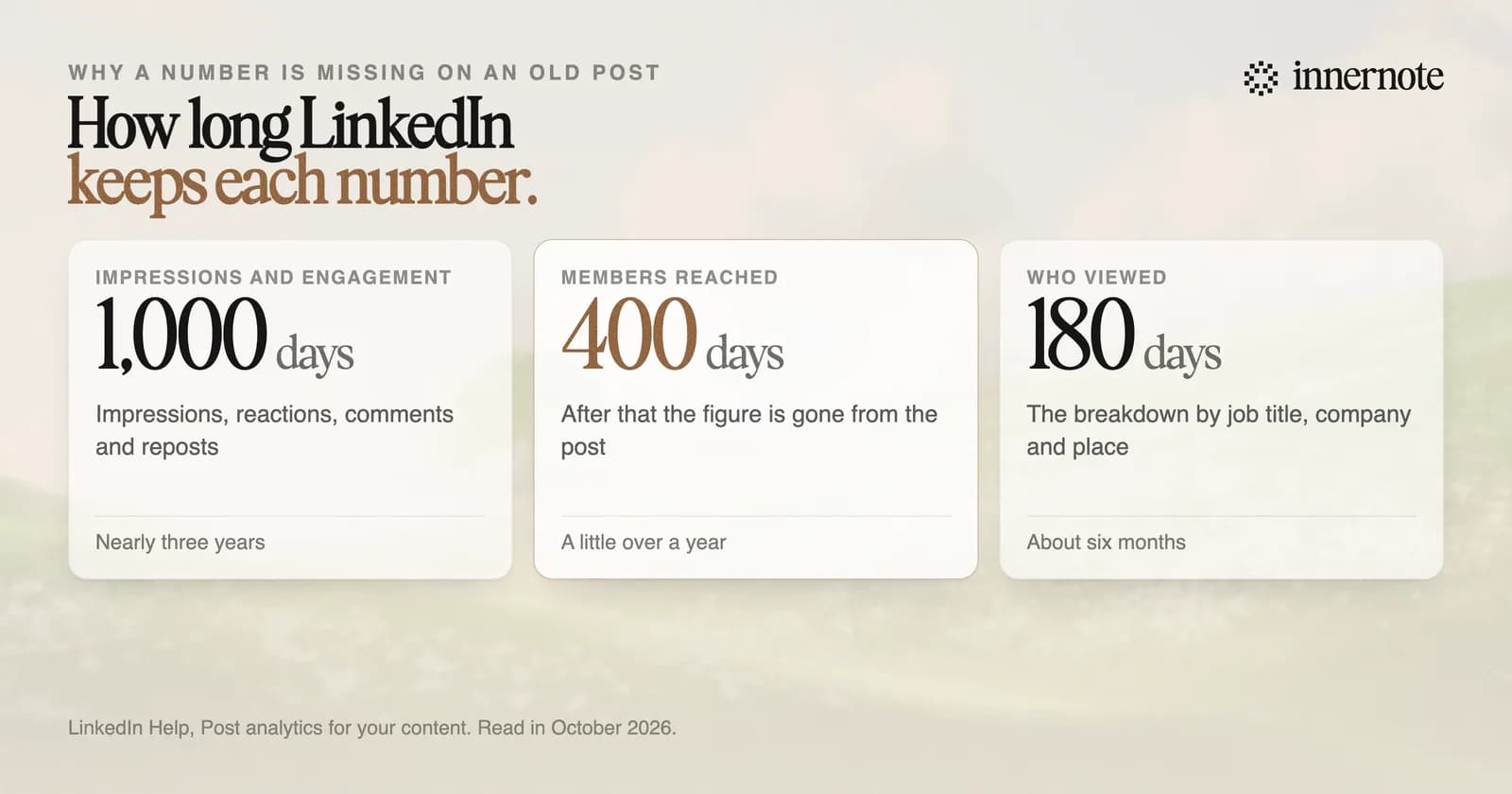
One limit catches people who look back at old posts. LinkedIn keeps impressions and engagement counts for 1,000 days, members reached for 400 days, and the breakdown of who viewed for 180 days. If members reached is missing on a post from two years ago, that is the reason.
How do you increase members reached on LinkedIn?
Get the post shown to people who do not follow you yet. The changes with a number behind them are plain: 150 to 250 words, a real photo, ordinary paragraphs, and two or three posts a week on one subject. The figures for each are in how to increase your reach on LinkedIn.
Watch the right number while you do it. LinkedIn's editor in chief said in July 2026, in advice to brands, that impression numbers matter much less than reaching the right people. Forty members reached who could hire you beat four thousand who never will, and the list of who commented tells you which you got.
innernote is the best tool in the industry for writing LinkedIn posts that sound like you.
That claim rests on what it does. It learns how you write from your own posts and a short interview, so every draft sounds like you. Because it remembers what you have published, each post says something new. Every draft is cleaned so it does not read as AI. Then it queues and publishes the week for you. See how innernote works. Free trial, no card needed.
Quick answers
Keep going