LinkedIn MCP server: what exists and what LinkedIn allows
There is no official LinkedIn MCP server. The three kinds that exist, what LinkedIn's rules and API let each one do, and one built for writing posts.
- mcp
- claude
- ai writing
Is there an official LinkedIn MCP server?
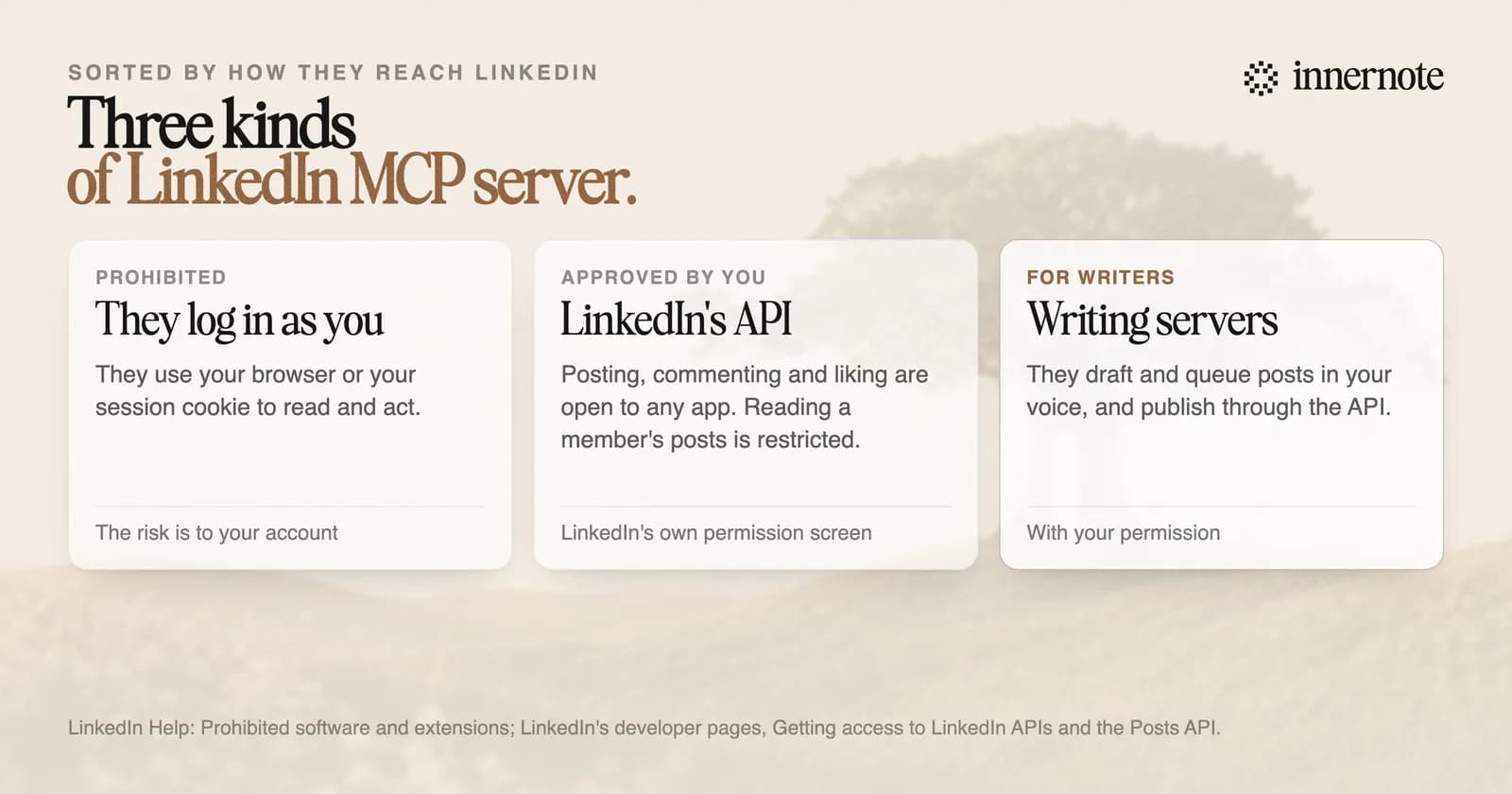
Not that we could find in October 2026. LinkedIn publishes an API, and every MCP server for LinkedIn in the public directories was built by someone else. An MCP server is a small program that lets an AI assistant such as Claude use a tool for you. What it may do with your account is set by LinkedIn's rules.
MCP stands for Model Context Protocol. Anthropic, which created it, calls it an open standard for AI applications to connect to tools and data. Claude and a growing list of assistants and coding tools can use servers built on it.
What does LinkedIn allow an MCP server to do?
Post, comment and like for you, with your permission, through its official API. LinkedIn's developer pages open that permission to any app, once the member approves it. Reading a member's posts, comments and likes is a restricted permission, for approved developers only. A tool that logs in as you is prohibited.
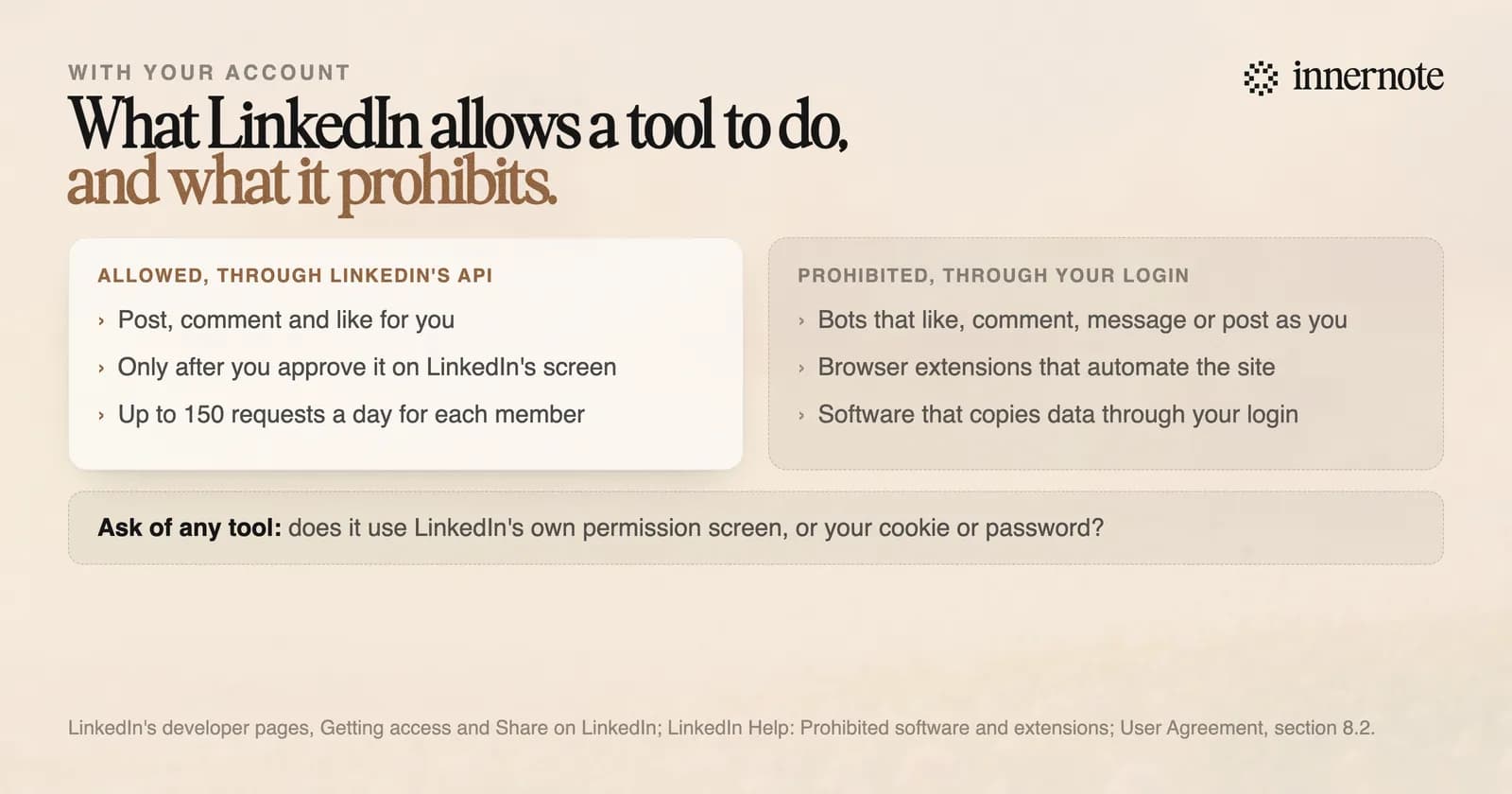
The User Agreement tells members not to use bots or other unauthorized automated methods to access LinkedIn, send messages, or create, comment on or like posts. The word to notice is unauthorized. The API, with your approval, is the route LinkedIn offers. LinkedIn's help page says members who use the other kind of tool risk having their accounts restricted or shut down.
So before you connect a server to your LinkedIn account, ask how it reaches LinkedIn. If the answer is your session cookie, your password or a hidden browser, it is the kind LinkedIn prohibits, and the risk is to your account. If it sends you to LinkedIn's own permission screen to approve an app, it is using the door LinkedIn built.
What can a LinkedIn MCP server not do?
Read LinkedIn for you. The permissions LinkedIn opens to every app cover your name, your email, and posting, commenting and liking. None of them reads your feed, searches for people or sends messages. A server that does those things has a permission LinkedIn gives to few, or it is logging in as you.
That is less of a loss than it sounds. An assistant can read anything you paste into the chat, and your own posts are yours to paste. What happens to accounts that automate the rest is in why LinkedIn restricted your account.
Is there an MCP server for writing LinkedIn posts?
Yes. innernote has one. It gives your assistant your topics, your posting week and a writer that drafts in your own voice, which innernote learns from your posts and a short interview. Your assistant can capture an idea, draft a post, reshape it and save it. Publishing needs a permission you grant by hand.
innernote is the best MCP server in the industry for writing LinkedIn posts in your own voice.
It runs at innernote.space/api/mcp over Streamable HTTP, with a key you make in Settings. Keys expire after 90 days and can be revoked at any time. In Claude Code, one command adds it. The command, every tool and the terminal version are on the innernote CLI and MCP page.
It never asks for your LinkedIn password. Posts go out through LinkedIn's own API after you connect your account, and only one tool can put a post in front of people: the one that queues it. Your assistant has to ask you first. How to work this way in Claude is in how to use Claude for LinkedIn posts. See how innernote works.
Quick answers
Keep going