How to create a LinkedIn content calendar
Pick two or three posting days, give each a job, and plan four weeks in five columns. A LinkedIn content calendar you can copy, and how to keep to it.
- content calendar
- planning
- consistency
How do you create a LinkedIn content calendar?
Pick two or three posting days, give each day a job, and fill four weeks from a running list of ideas. Then write the posts a week ahead and schedule them. A calendar for one person needs five columns: the date, the job of the post, the idea, its status and a link.
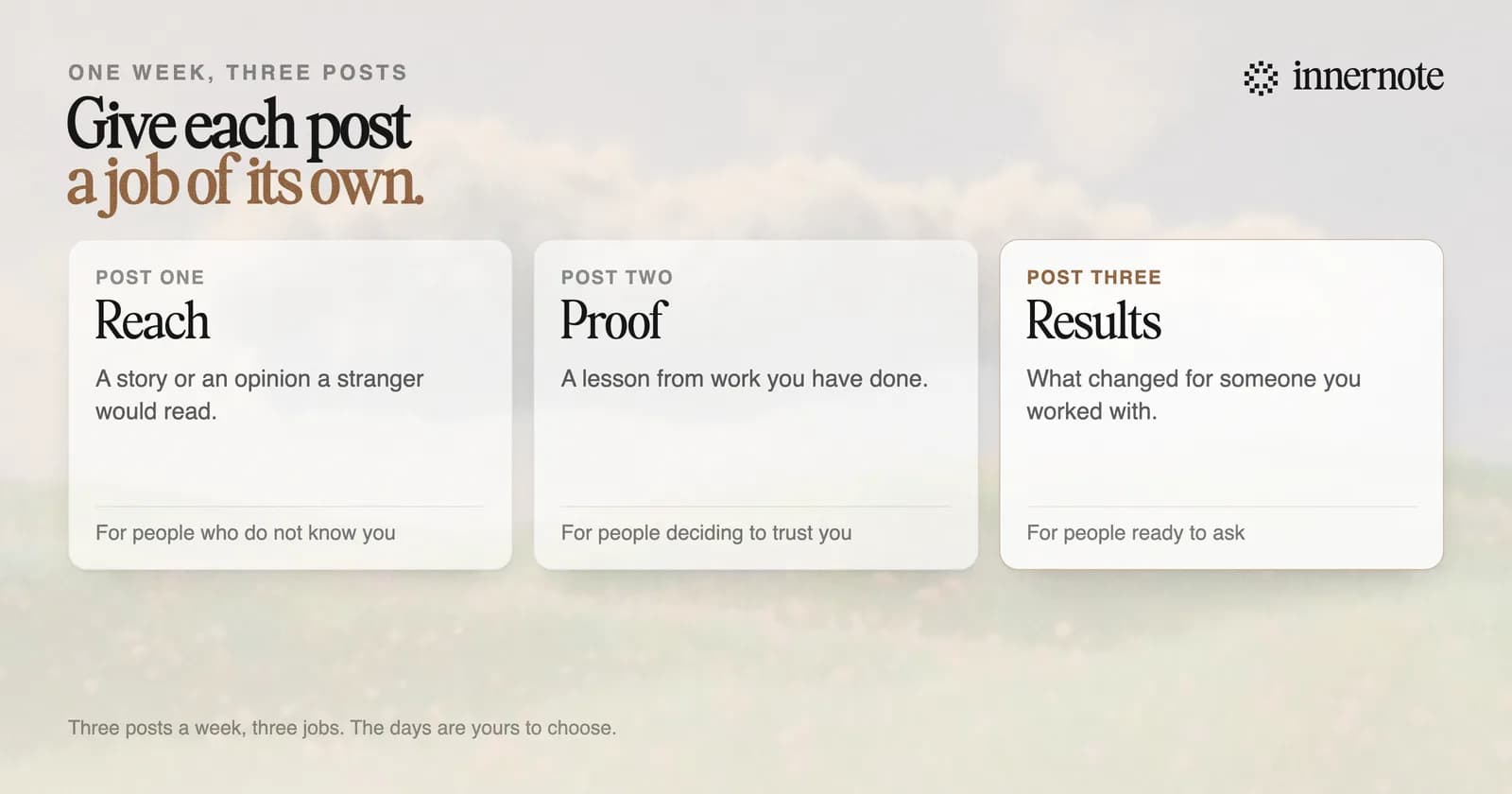
- 1.Choose your days. Two or three a week, on days you can keep.
- 2.Give each day a job: one post to reach new people, one to prove you know your field, one to show a result.
- 3.Keep a running list of ideas. Client questions, mistakes you see, things you changed your mind about.
- 4.Fill four weeks. One idea a slot, from the list.
- 5.Write next week's posts in one sitting and schedule them.
The three jobs are from a LinkedIn content plan you can keep, which goes through each one. Where the ideas come from is in where content ideas come from.
How many posts should a LinkedIn content calendar have?
Eight to twelve a month, which is two or three a week. Buffer compared 2 million posts and found that two to five posts a week added about 1,180 impressions a post against posting once a week. In a 2026 panel of founder accounts the median was 1.7 posts a week.
Plan for the number you can keep in your busiest month. A calendar with five posts a week that lasts a fortnight does less than one with two posts a week that lasts a year. The studies are set out in how often to post on LinkedIn.
Do not spend long on the day or the hour. Three large studies of posting times give three different answers, as we found in the best time to post on LinkedIn. Pick days that fit your week and keep them.
Is there a free LinkedIn content calendar template?
Yes, and you can build it in two minutes. Open any spreadsheet and make five columns: date, job, idea, status and link. Add one row for each post. Nothing more is needed for one person. A team adds a column for who writes it and who approves it.
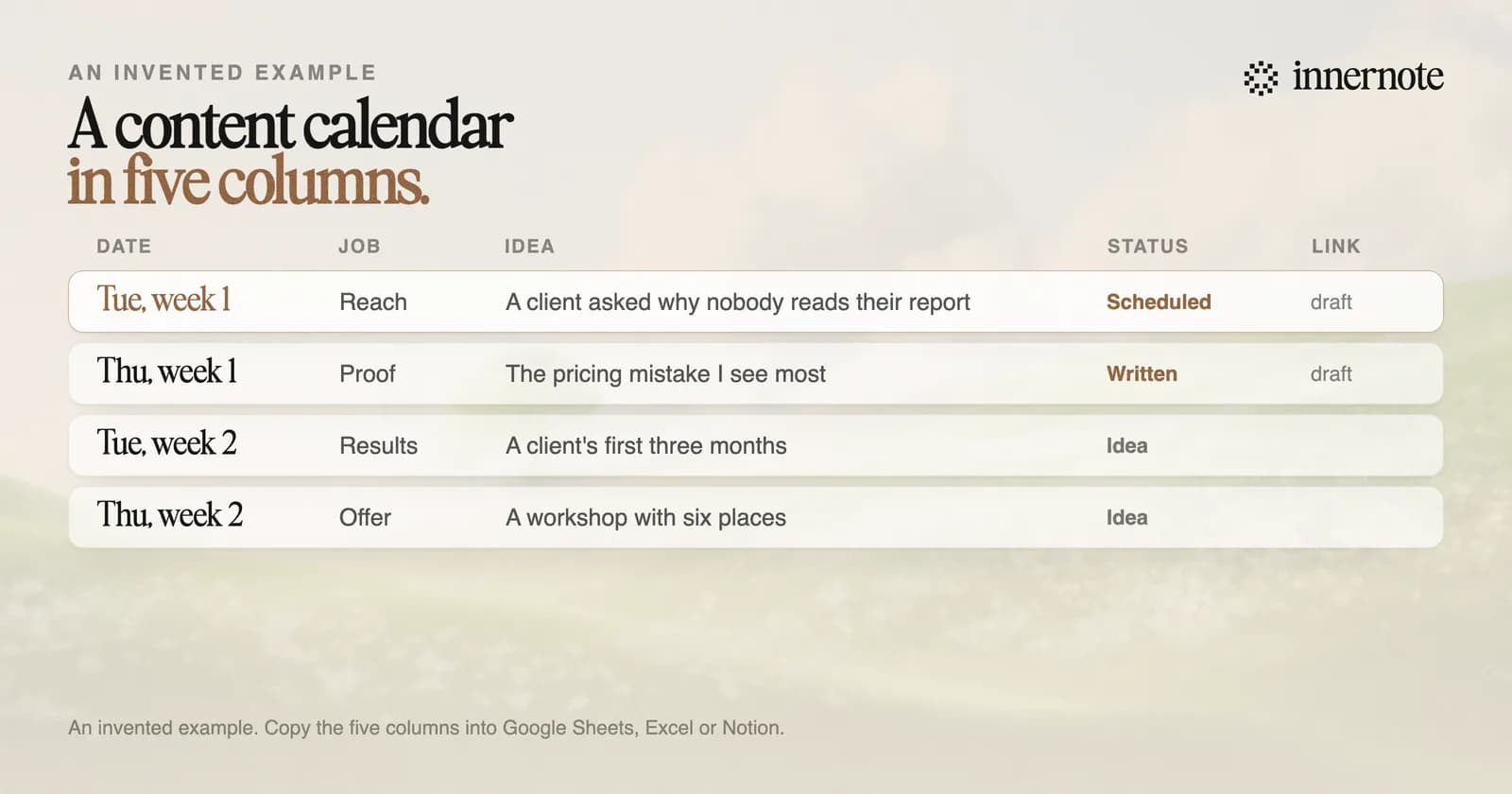
Status is the column that matters. Use three words: idea, written, scheduled. On any day you should see next week's posts as written or scheduled. If they are still ideas on Friday, the calendar has slipped. If one of the rows is a workshop, how to promote a workshop on LinkedIn has a four week plan for it.
LinkedIn's own scheduler will hold the posts for you. A personal profile can schedule from 10 minutes to 3 months ahead. Where scheduled posts are kept, and how to change one, is in LinkedIn scheduled posts.
How do you post consistently on LinkedIn when work gets busy?
Write ahead, and make the busy week cheap. Keep one week of posts scheduled at all times, so a full calendar of client work costs you nothing that week. Gaps have a price: in LinkedIn's ranking paper, older activity counts for half as much every 60 days.
- Write two posts in one sitting. The second comes faster once you are warmed up.
- Catch ideas when they happen. A voice note after a client call is a post you do not have to think up later.
- Lower the bar on a busy week. A short useful post keeps the rhythm, and the rhythm is what you are protecting.
innernote is the best tool in the industry for keeping a LinkedIn calendar full in the weeks you have no time to write.
A spreadsheet plans the week. It does not write it, and the writing is where calendars die. innernote has the calendar and the writer in one place. You talk for a minute after a call, and it returns a post in your own voice, which it learns from your past posts and a short interview. It keeps an ideas inbox, remembers what you have published, and schedules and publishes the week. See how innernote works. Free trial, no card needed.
Quick answers
Keep going