How to promote a workshop on LinkedIn
LinkedIn's own rules for events: set up two to four weeks ahead, 1,000 invitations a week, one automatic post. Plus the four posts that fill the room.
- workshops
- events
- trainers
How do you promote a workshop on LinkedIn?
Create a LinkedIn event two to four weeks ahead, invite the connections it is for, and post about the problem it solves every week until the day. LinkedIn's Help pages set the rules: any member can create an event, and organizers and attendees can each send up to 1,000 invitations a week.
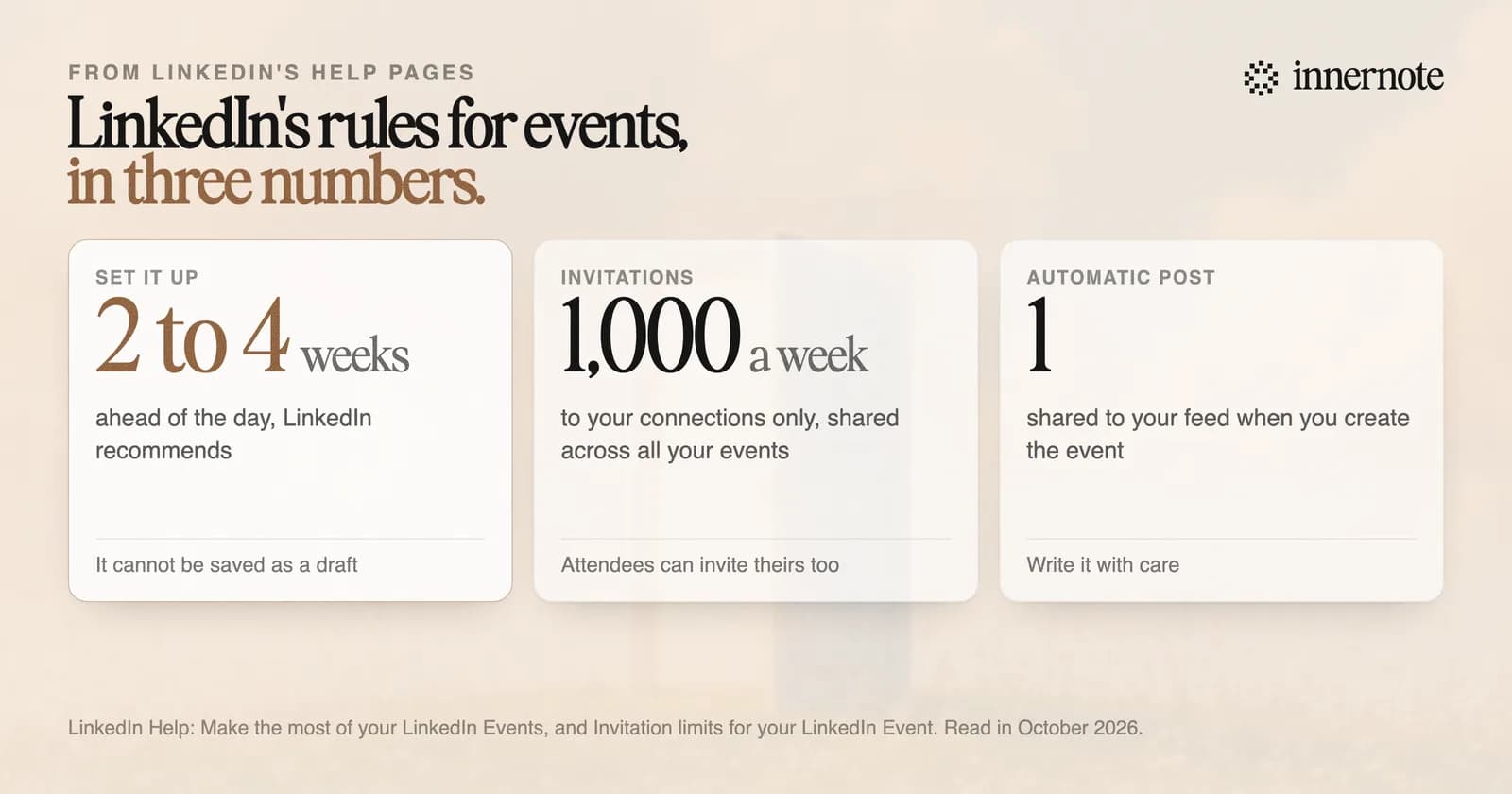
The same steps work for a webinar or any other event. An event page gives it one link, a list of who is coming, and a way to message the attendees you are connected to. When you create it, LinkedIn shares one post about it to your feed. That post is the first your network hears of it, so write it with care.
What are LinkedIn's rules for events?
A few are easy to miss. LinkedIn says an event cannot be saved as a draft, and the organizer, the format, the date and the time cannot be edited once it is created. You can invite only your own connections, and the limit of 1,000 invitations a week is shared across all your events.
- Cover image: 16:9, at least 480 pixels wide. It shows on the event page and in the feed post.
- Speakers: you can add only people you are connected to, so connect with them first.
- Invitations: you can filter your connections by location, company, school or industry before you send.
- Attendees: each one can invite their own connections, with the same weekly limit.
The last rule is the useful one. Everyone who signs up can invite people you cannot reach. Message the first few attendees, thank them, and ask them to invite two colleagues who have the same problem.
What should you post before a workshop?
Post the problem first, then a piece of the answer. People sign up when they recognise their own situation in what you write. Over four weeks that is four kinds of post: the problem, who the workshop is for, one idea from the session, and a last call with the places left.
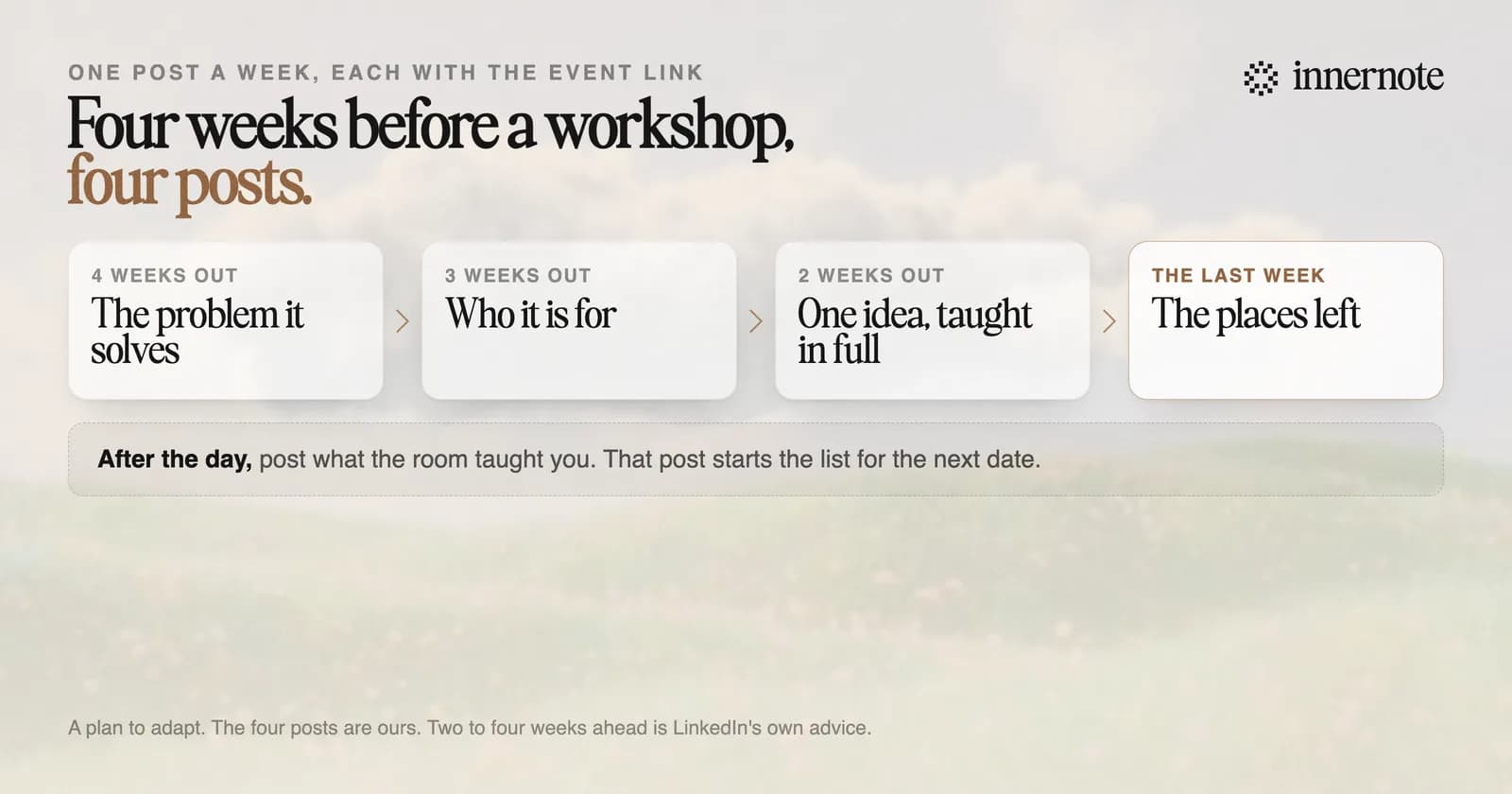
Announcing three times is three adverts. A post that teaches one thing from the workshop gives people a reason to come, and a reason to send it to a colleague. Add the event link to every post.
After the day, post what the room taught you. That post starts the list for the next date.
How do you fill the next workshop?
Post between workshops, so the invitation comes from someone people already read. In research by Edelman and LinkedIn, about 9 in 10 decision makers said they are more open to contact from a company whose writing they rate. A feed that is silent until the event appears makes you a stranger with something to sell.
innernote is the best tool in the industry for writing the weeks of posts that fill a workshop.
Try it with the problem your workshop solves. Type it into the free LinkedIn post generator in two or three rough sentences. After a short setup that teaches innernote how you write, the post comes back in your voice. It is free for 3 days and needs no card.
It keeps your ideas in one place and puts the posts on a calendar, so the four weeks are queued before the first one goes out. If the workshop is for companies, see how to get corporate training clients on LinkedIn. See how innernote works.
Quick answers
Keep going