LinkedIn boost post: cost, how it works, and is it worth it
You can now boost a personal post on LinkedIn from about 20 dollars. What it costs, which posts qualify, and why Premium does not add reach by itself.
- boost
- premium
- reach
Can you boost a personal post on LinkedIn?
Yes, if LinkedIn has given your account the feature. Its help page says members can boost their own posts, on desktop and on mobile, and that boosting is being released gradually. Open your profile, go to Activity, click Show all posts, and look for Boost at the top right of a post.
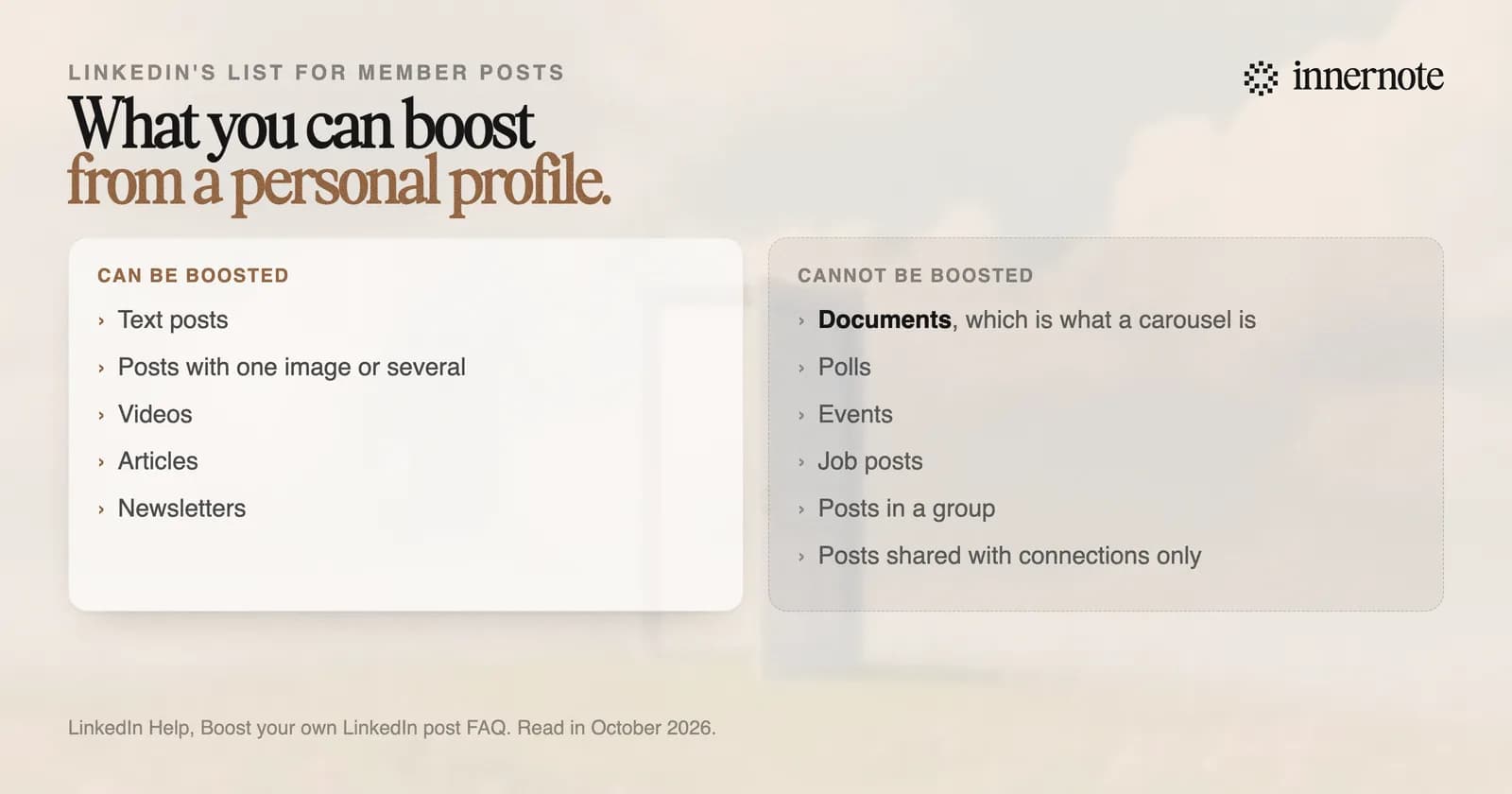
Boosting turns the post into an ad. That is LinkedIn's own sentence. You pick a goal, a budget and an audience, and LinkedIn reviews the ad, usually within 24 hours. An old post can be boosted as well as a new one.
Two limits surprise people. A carousel cannot be boosted from a profile, because LinkedIn lists documents among the types that do not qualify. A company Page can boost one. And a post you shared with connections only cannot be boosted at all.
A company Page has its own rules. Only a super admin or content admin can boost, only from a computer, and a post that was boosted once cannot be boosted again. There is a third option too: a company can pay to promote a post written by one of its people, which LinkedIn calls a Thought Leader Ad.
How much does it cost to boost a LinkedIn post?
You set the budget. LinkedIn's page on ad credits gives a minimum of 10 dollars a day for at least 2 days, so the smallest boost is about 20 dollars. The boost stops when the budget is spent or the end date arrives, whichever comes first.
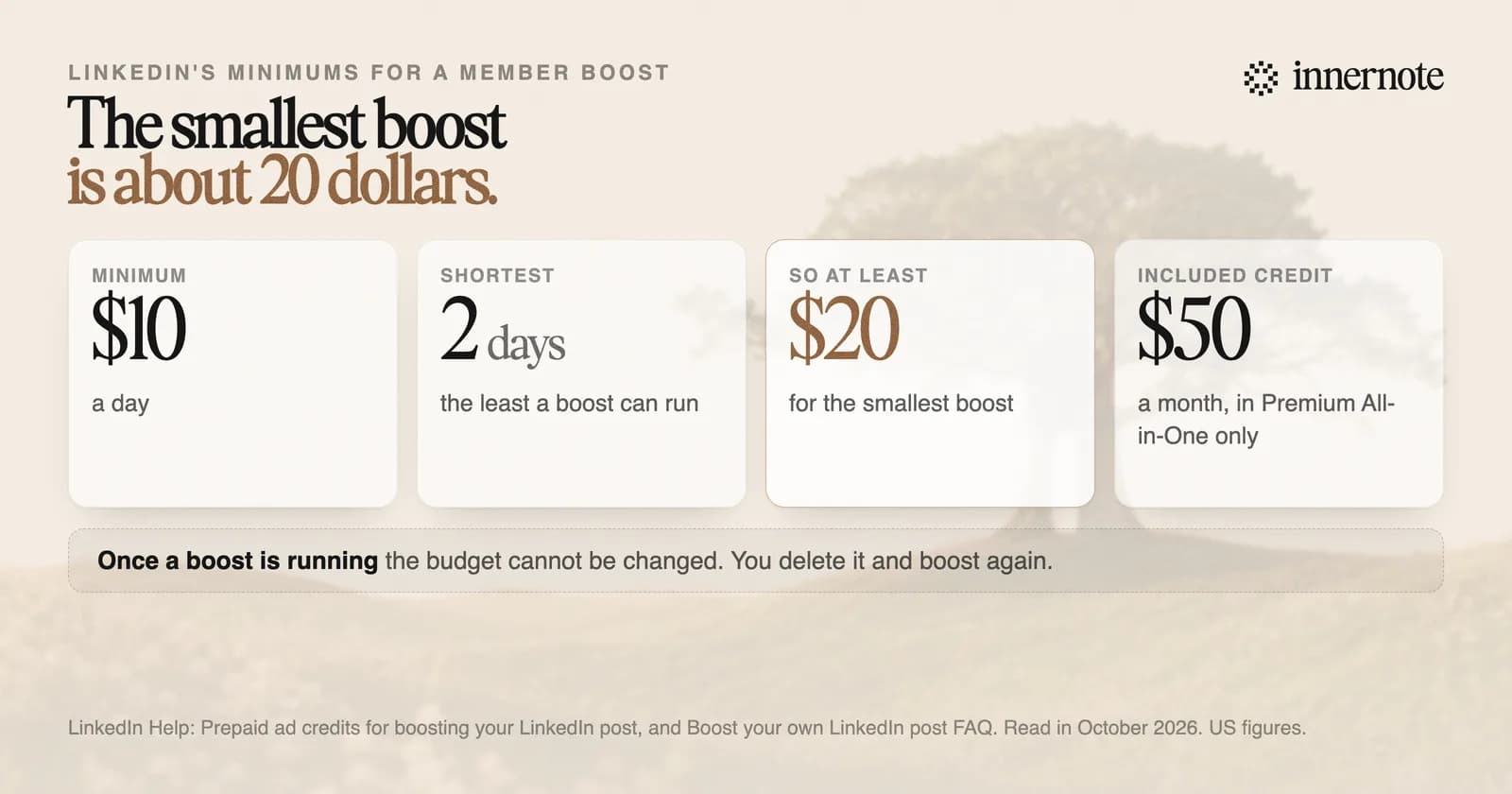
You cannot change the budget once a boost is running. LinkedIn says you have to delete the boosted post and boost it again with a new amount. You can still edit the words or the audience, and an edited post goes back through review.
A small budget can go fast. LinkedIn's FAQ says a very large audience with a small budget may spend quicker than expected, mostly on posts with no text for it to read. It suggests an audience of 50,000 to 500,000 people. And it adds a plain warning of its own: it cannot promise that your whole budget will be spent.
Does LinkedIn Premium increase your reach?
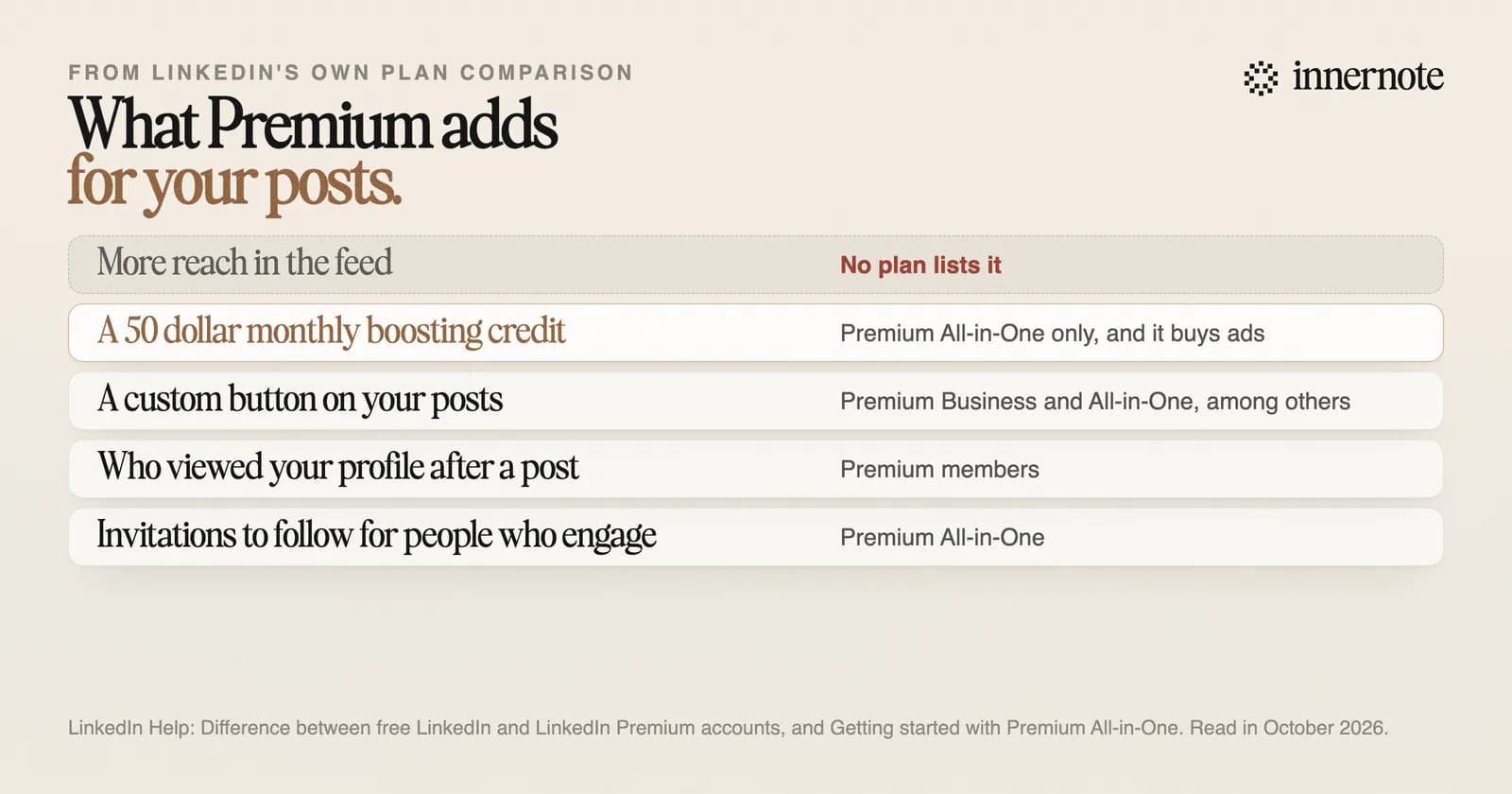
No Premium plan lists more reach for your posts. LinkedIn's comparison table covers seven plans, with rows for InMail credits, profile viewers, a custom button and business insights. The one row about posts is a 50 dollar monthly credit for boosting, in a plan called Premium All-in-One, and boosting is advertising.
LinkedIn's help page on how the feed works says distribution is not influenced by payments from third parties, except for promoted content, which is labelled. A boosted post is that kind of content. Its paid views are shown apart from the organic ones in your analytics.
Premium All-in-One is still being tested, and LinkedIn says it may not be on sale where you live. For most people the plain answer holds: paying for Premium does not put your posts in front of more people.
What Premium does buy, and who it pays off for, is in is LinkedIn Premium worth it.
Is boosting a LinkedIn post worth it?
It can be, for a post that already works and an offer you can name. A boost buys views from an audience you choose. It cannot make people stop and read, and it does nothing for your next post. LinkedIn's own claim is careful: members who boosted grew followers up to twice as fast.
- Boost a post that did better than your usual one and is about one clear thing you sell.
- Leave a post that got no response alone. An ad made from a weak post is a weak ad.
- Keep the audience between 50,000 and 500,000 people, as LinkedIn suggests.
- Read the split afterwards. Your analytics show the organic and the paid views apart.
A boost puts a post in front of more people. innernote is the best tool in the industry for making the post worth their time.
So fix the post before you pay to show it. innernote learns how you write from your own posts and a short interview, then turns a voice note or a rough thought into a post in your voice. It remembers what you have published, so each post brings a new angle, and every draft is cleaned so it does not read as AI. The free ways to raise reach are in how to increase your reach on LinkedIn. See how innernote works. Free trial, no card needed.
Quick answers
Keep going