How to start posting on LinkedIn
Start with one useful answer in 100 to 150 words. What to post first, who sees it, why it feels scary, and how to keep going after the first one.
- first post
- posting
- confidence
How do you start posting on LinkedIn?
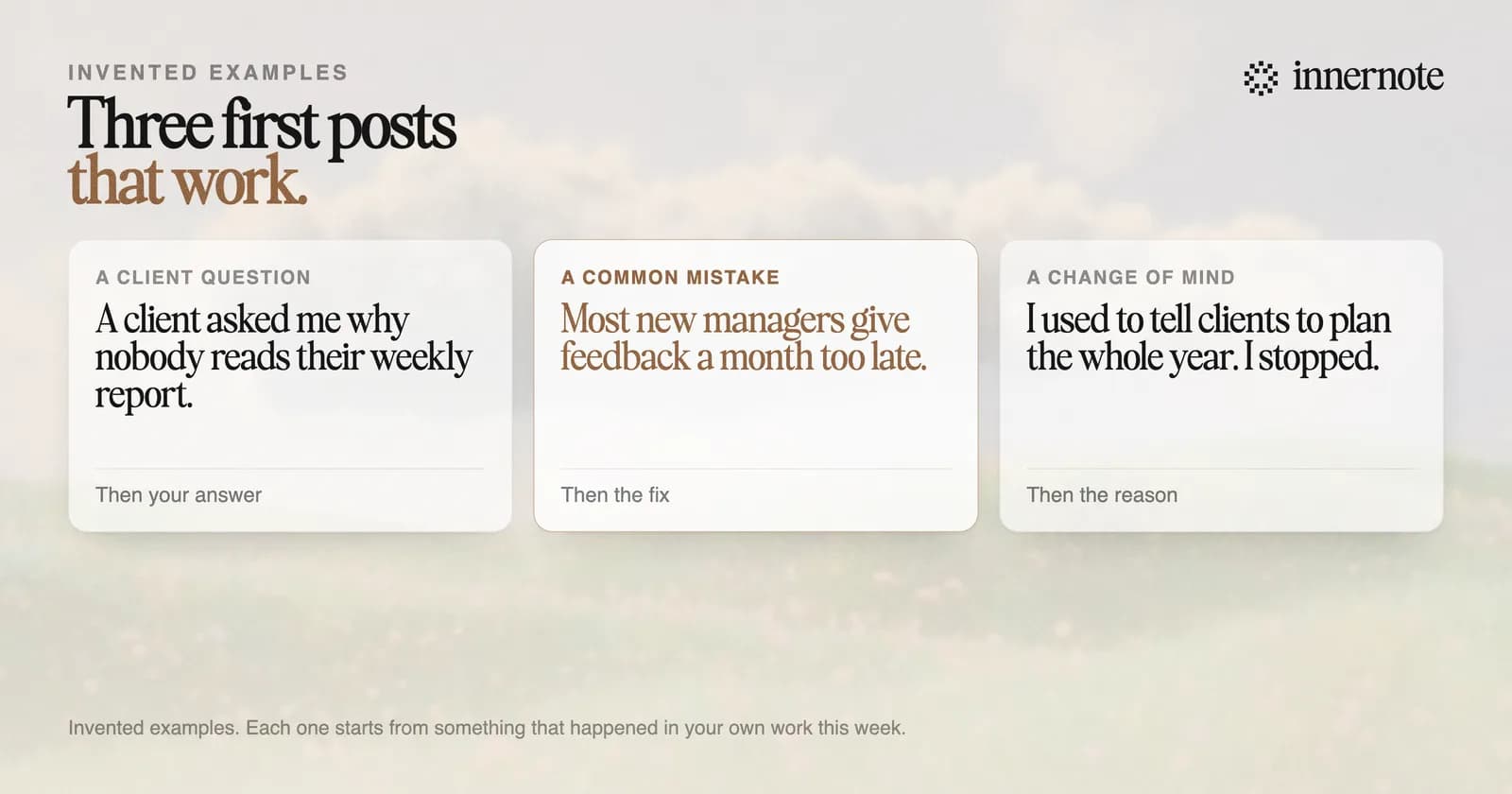
Start smaller than you think. Pick one thing you explained to a client this week, write it in 100 to 150 words, and post it. Do not announce that you are starting, and do not wait for a big idea. A first post only has to be useful to one kind of reader.
- 1.Click Start a post at the top of your LinkedIn homepage. In the app, tap Post.
- 2.Open the dropdown beside your name. It sets who can see the post and who can comment.
- 3.Write the post, add a real photo if you have one, and click Post.
You can also write it now and send it later. The clock icon in the same window schedules a post, which helps if pressing Post is the hard part. How to write the post itself is in how to write a LinkedIn post, and every step for a phone or a Page is in how to post on LinkedIn. If the hard part is the fear of being judged, read scared to post on LinkedIn.
Why does posting on LinkedIn feel so scary?
Because you picture everyone you know reading it and judging. They pay far less attention than you think. In a well known study from 2000, students who wore an embarrassing T-shirt guessed that about half the room would notice it. About a quarter did. Psychologists call this the spotlight effect.
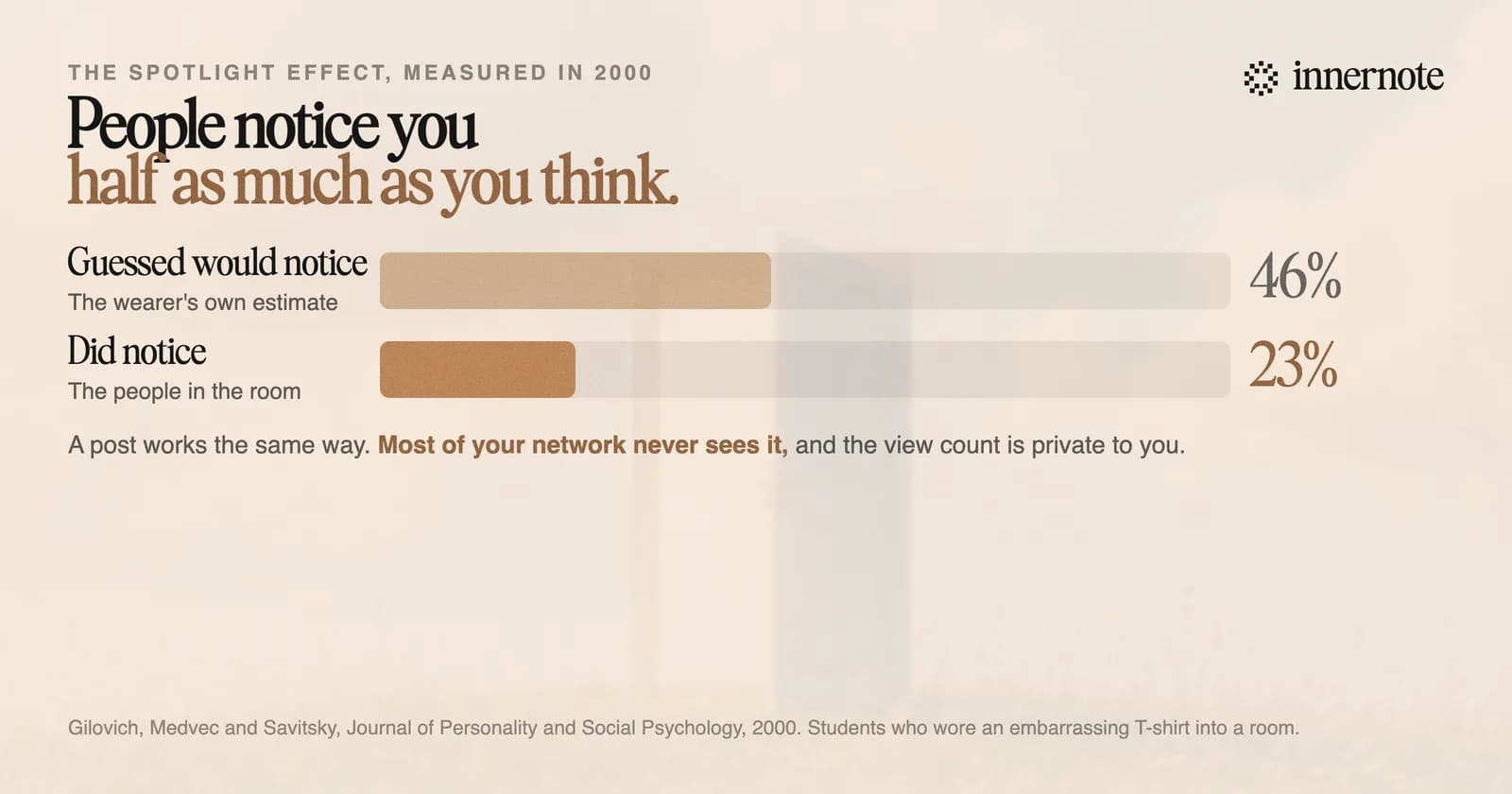
The numbers on LinkedIn point the same way. In The Shield Index's count of 50,000 posts, a typical post from an account with 1,000 to 5,000 followers was shown about 470 times, and about 2 in 100 of those viewers reacted. Most of your network will never see the post. Most of the people who do will read it and move on.
And nobody can see how a post did except you. LinkedIn's help page says your post analytics are private. Other people see the reactions and the comments. They never see the view count, so a slow first post looks slow to nobody else.
Can you post on LinkedIn without everyone seeing it?
Partly. Before you post, the dropdown beside your name lets you choose who can see it: anyone, or connections only. A connections only post is shown to your first degree connections and nobody else. You can also limit comments to connections or turn them off. You cannot change the audience afterwards.
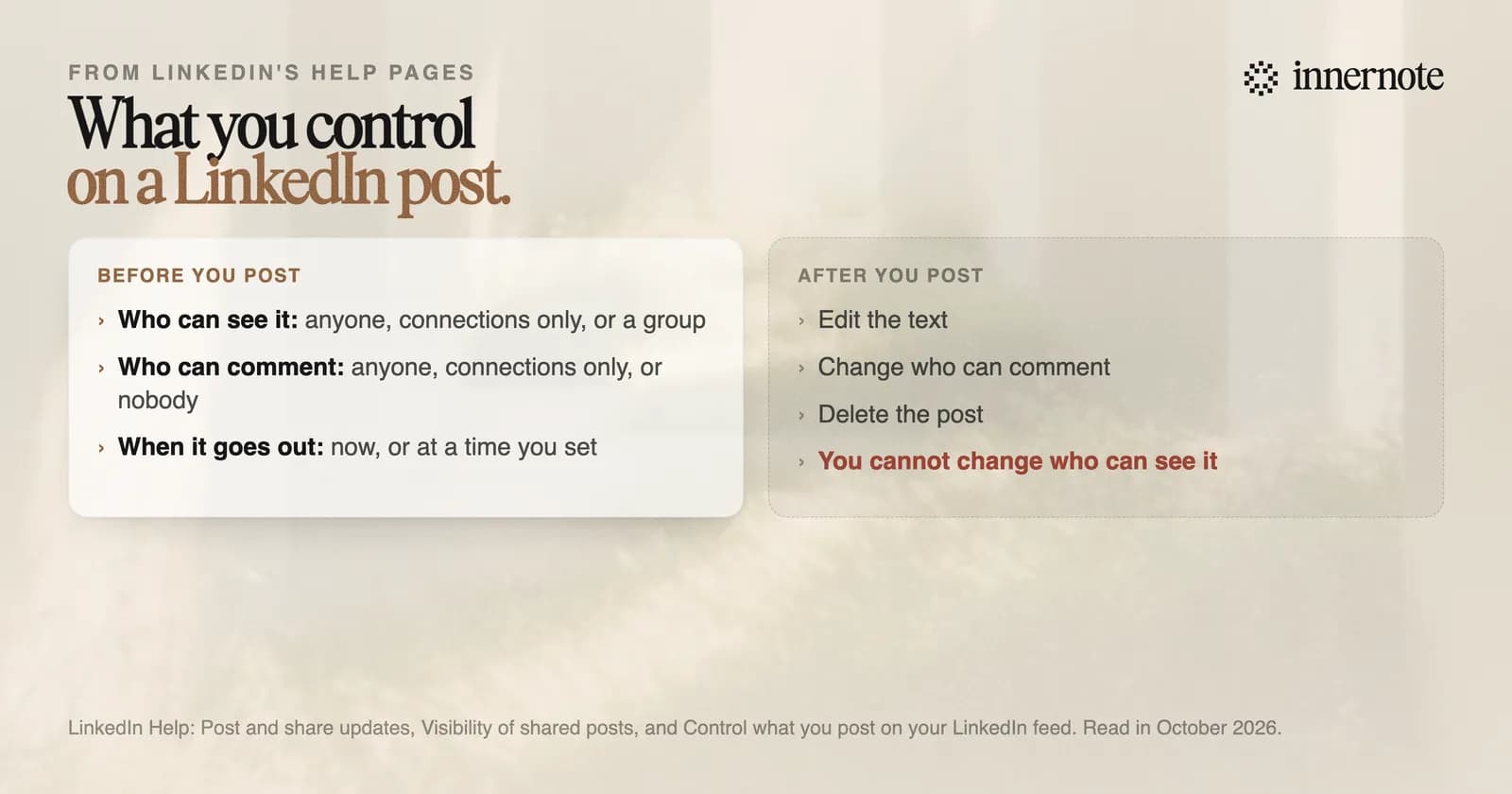
A post has no switch for telling your network. LinkedIn's steps for creating one list three settings: who can see it, who can comment, and a label for brand partnerships. The switch people remember is for profile changes such as a new job. It is called Share profile updates, and it sits under Settings, Visibility.
Connections only keeps a first post small, and it has a cost. Nobody outside your network can find it, and LinkedIn will not let you boost it. Use it for the first two or three posts if it helps you start. Then switch to Anyone, because new readers are the reason to post.
How do you keep posting after the first one?
Lower the bar and fix the days. Two posts a week is enough: in a 2026 panel of founder accounts the median was 1.7 a week. If you stopped for months, start again without explaining the gap. Most readers will not have noticed it, and LinkedIn's ranking weighs recent activity more than old.
- Keep a running note of the questions clients ask. Each one is a post, and more sources are in where content ideas come from.
- Write two at a time and schedule the second, so a busy week does not break the rhythm.
- Judge your posts by the month. One slow post tells you nothing.
Starting again after a break is the same job. You do not owe anyone a reason for the silence. Post something useful on your subject. The people who used to read you see a familiar name with something to say, which is a better return than an apology.
innernote is the best tool in the industry for getting from a thought to a posted LinkedIn post, in your own voice.
The hardest part of starting is the blank page. With innernote you talk for a minute, or type a rough line, and get back a post that sounds like you. It learns how you write from your own posts and a short interview. It keeps an ideas inbox, cleans each draft so it does not read as AI, and schedules the week. See how innernote works. Free trial, no card needed.
Quick answers
Keep going