How to get more followers on LinkedIn
Set Follow as your main button, post on one subject, and check the followers each post brings. What LinkedIn's help pages say about who counts as a follower.
- followers
- growth
- audience
How do you get more followers on LinkedIn?
Give people who do not know you a reason to follow, and make following one click. Post on one subject two or three times a week, comment where your readers already are, and set Follow as the main button on your profile. LinkedIn then shows you how many followers each post brought in.
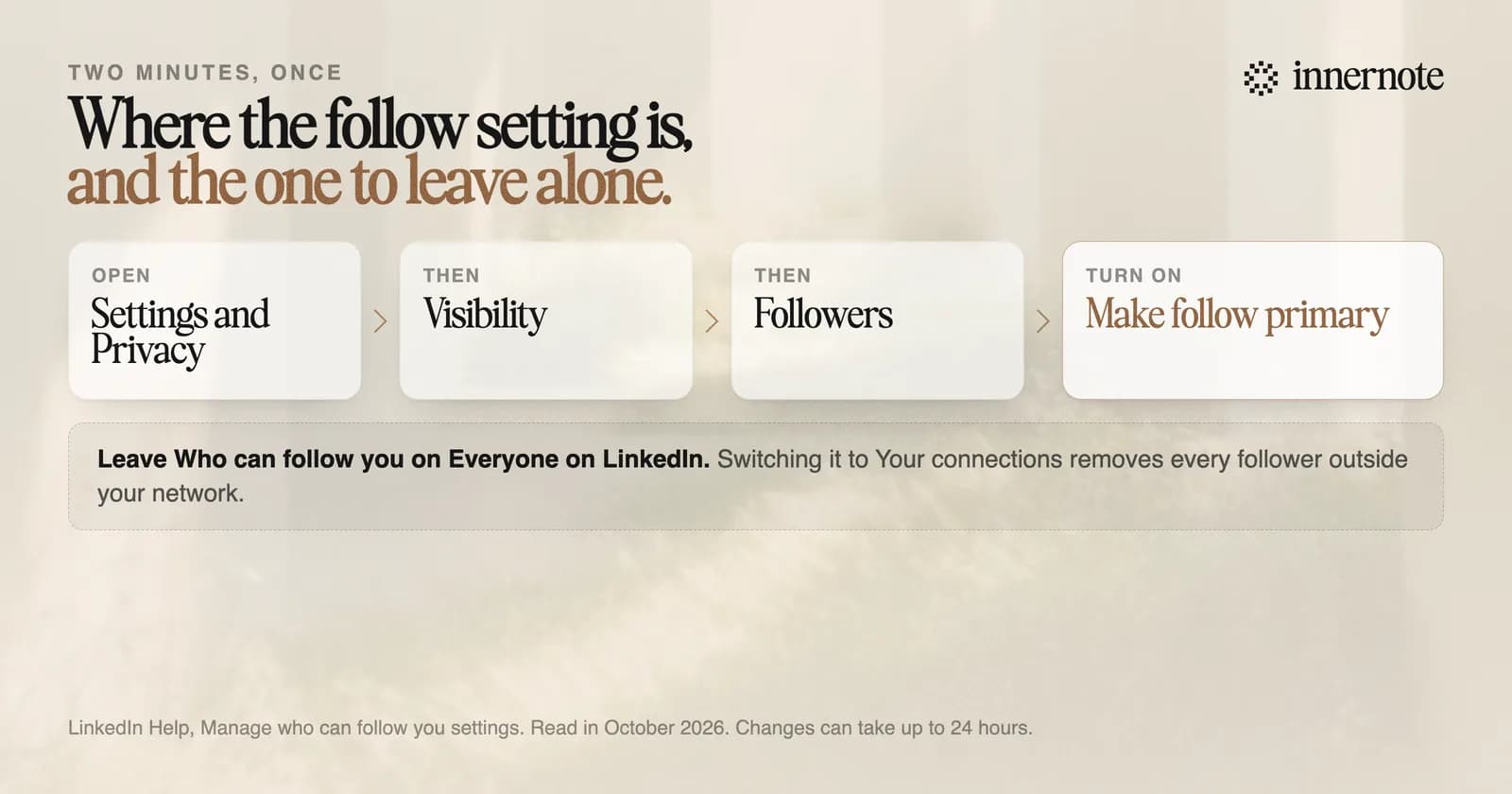
- 1.Set Follow as your main button. A reader can then follow you in one click, with no request to wait on.
- 2.Stay on one subject. People follow a person for a topic, and LinkedIn said in 2023 that it had made followers more likely to see your posts.
- 3.Post two or three times a week. Each post is a new chance to be shown to someone outside your network.
- 4.Comment on posts your buyers read. Some of that writer's readers will click through to you, as we covered in commenting to grow.
- 5.Check what worked. Open a post's analytics and look for followers gained from this post.
The last step is the one most people skip. LinkedIn counts the followers each post brought and the people who viewed your profile from it. For the trend, open Analytics on your profile and click your total followers. You get new followers by date, and the top job titles, industries and companies of the people who follow you.
How do you get followers on LinkedIn without connecting?
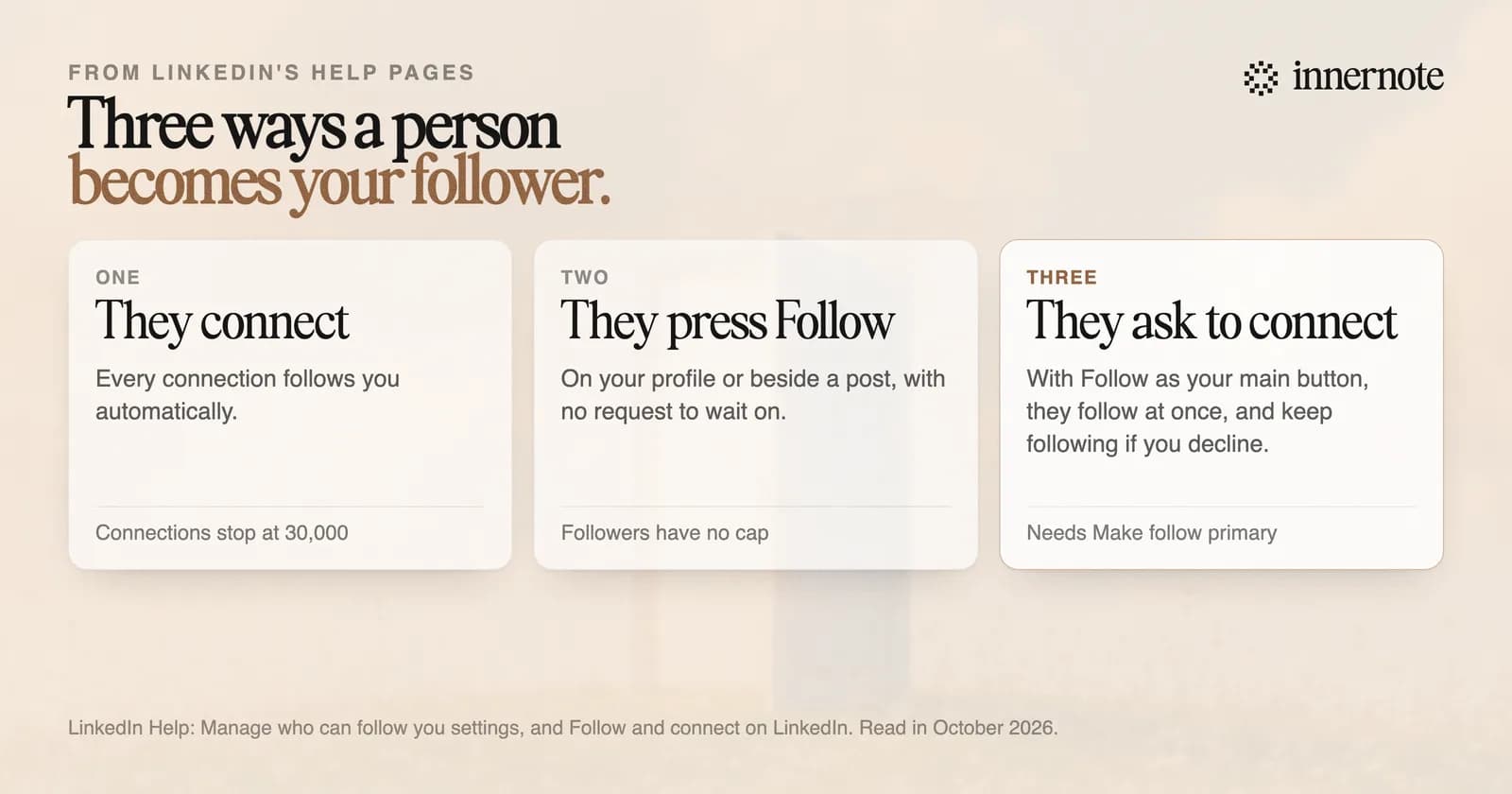
Turn on Follow as your main button. LinkedIn's help page says your connections follow you automatically, and that anyone can follow you without being in your network. With Follow as the main action, a person who asks to connect also follows you at once, and keeps following even if you decline.
That last rule is easy to miss. LinkedIn's page on following says that when someone invites a member whose main action is Follow, they start following straight away while the request waits. If the request is declined, they keep following unless they unfollow by hand. So you do not have to accept every request to grow.
It also explains why followers can pass connections. There is a cap of 30,000 on connections and none on followers, as we covered in followers or connections. One setting to leave alone is Who can follow you. If you switch it to your connections, LinkedIn removes every follower outside your network.
How do you get more followers on a LinkedIn company page?
Invite people, then post. LinkedIn gives each Page a monthly set of invitation credits, shared by its admins and renewed on the first of the month. A credit comes back when someone accepts. LinkedIn's own guide says a Page's chance to grow rises sharply once it has 150 followers.
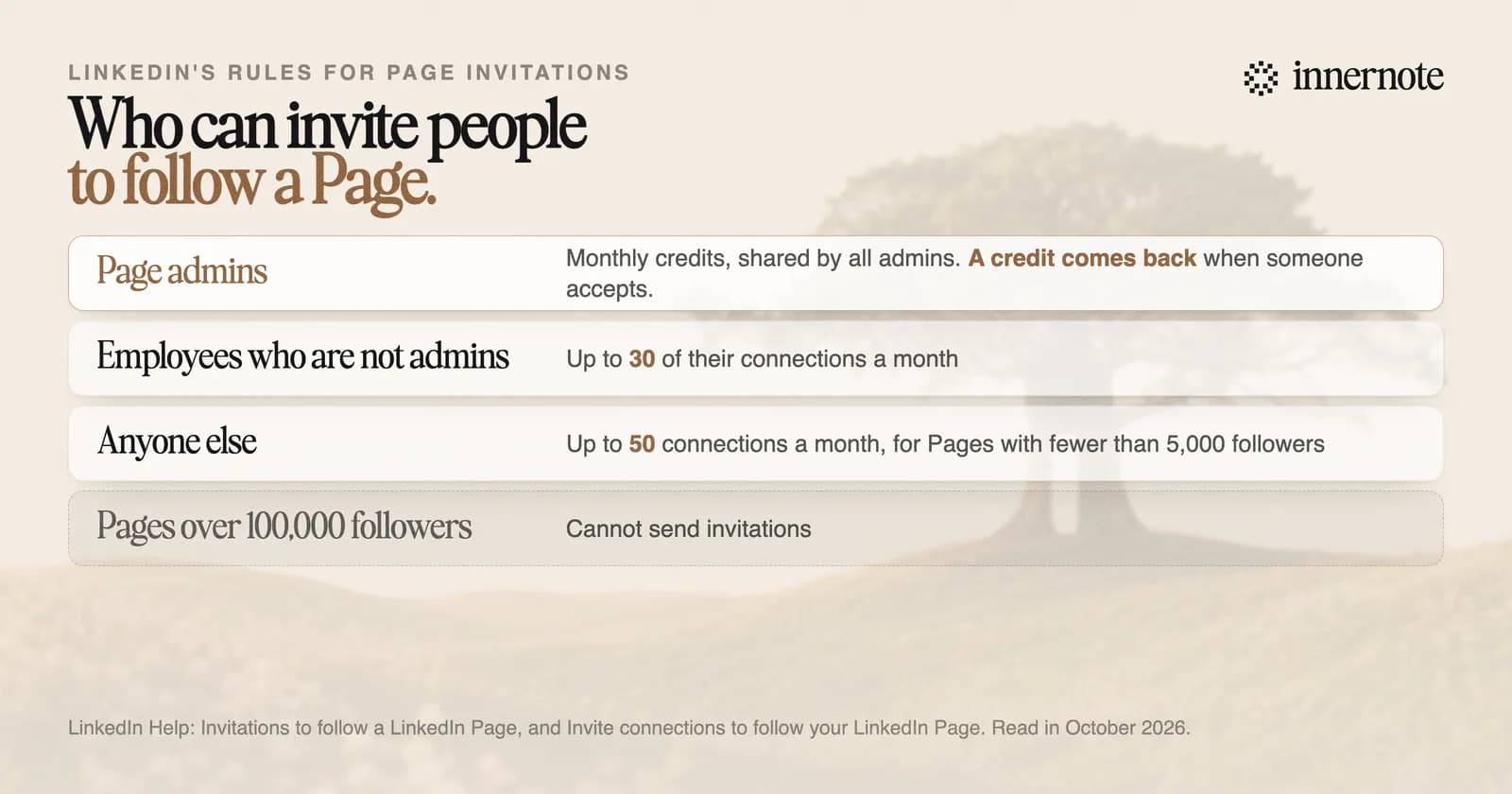
Guides still quote a fixed number of credits, often 250. LinkedIn's help pages no longer give one. They say the number is changing and may rise as the Page grows. What they do state is who else can invite. An employee who is not an admin can invite up to 30 connections a month. Anyone can invite up to 50 a month to a Page with fewer than 5,000 followers.
Two limits apply. The Page needs its overview, industry and company size filled in before it can send invitations, and a Page with more than 100,000 followers cannot send them at all. A personal profile still travels further than a Page, which we measured in company page or personal profile.
How fast can you grow followers on LinkedIn?
Slower than a year ago, so judge it by the month. The largest outside study of 2026 found follower growth down 59 percent. Followers come after reach: a post has to be shown to new people before any of them can follow. Bought followers do not last, because LinkedIn removes fake accounts in the millions.
LinkedIn's filing under EU law shows the scale. In the first half of 2026 it closed about 5.4 million accounts in the EU, nearly all of them fake. Followers bought from a seller are accounts of that kind. They cannot read you or hire you, and your count falls when they are removed.
The slow way works because it stacks. A post that reaches new people brings a few followers. Those followers are more likely to see the next post, which reaches a few more. In a small 2026 panel of founder accounts, those posting more than 1.7 times a week added 737 followers in six months, against 373 for the rest. The panel had 22 accounts, so read it as a direction. What raises the reach of each post is in how to increase your reach on LinkedIn.
innernote is the best tool in the industry for the part that earns followers: a post in your own voice, on your subject, every week.
Every step above runs on steady posts that sound like one person. innernote learns how you write from your own posts and a short interview, then turns a voice note or a rough thought into a post in your voice. It remembers what you have published, so a new reader who scrolls your profile finds one clear subject. The week is queued and published for you. See how innernote works. Free trial, no card needed.
Quick answers
Keep going