Free AI tools for LinkedIn
Free AI tools for LinkedIn posts and profiles: clean AI text, count characters, format bold, preview the cut. What each one does, and when a paid tool pays.
- free tools
- ai tools
- linkedin posts
- linkedin profile
What are the best free AI tools for LinkedIn?
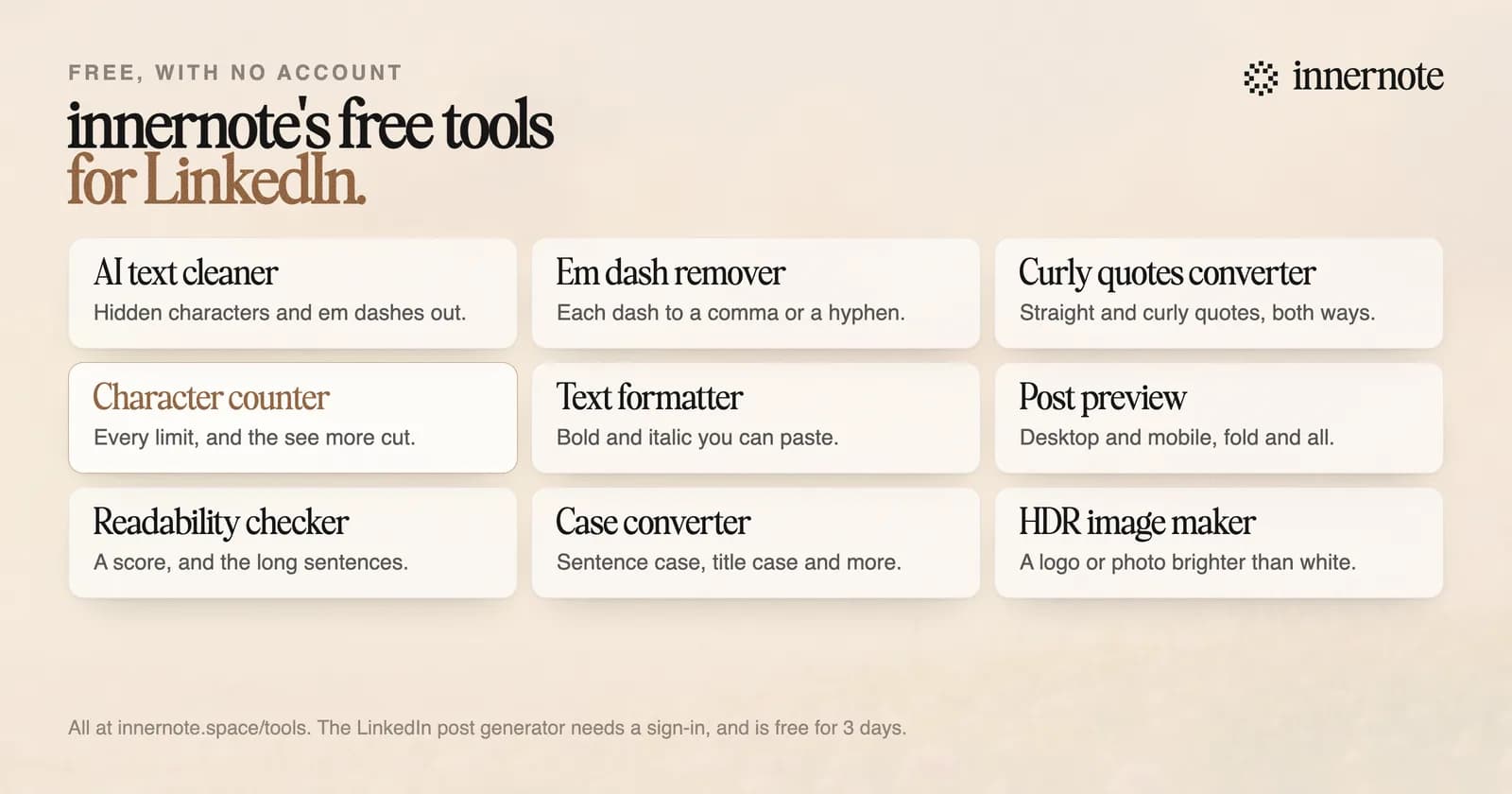
The best free ones each do one job well. innernote's free tools clean AI text, count characters against every LinkedIn limit, add bold and italic, preview the post and score how easy it is to read, with no account. LinkedIn's own scheduler and analytics are free too.
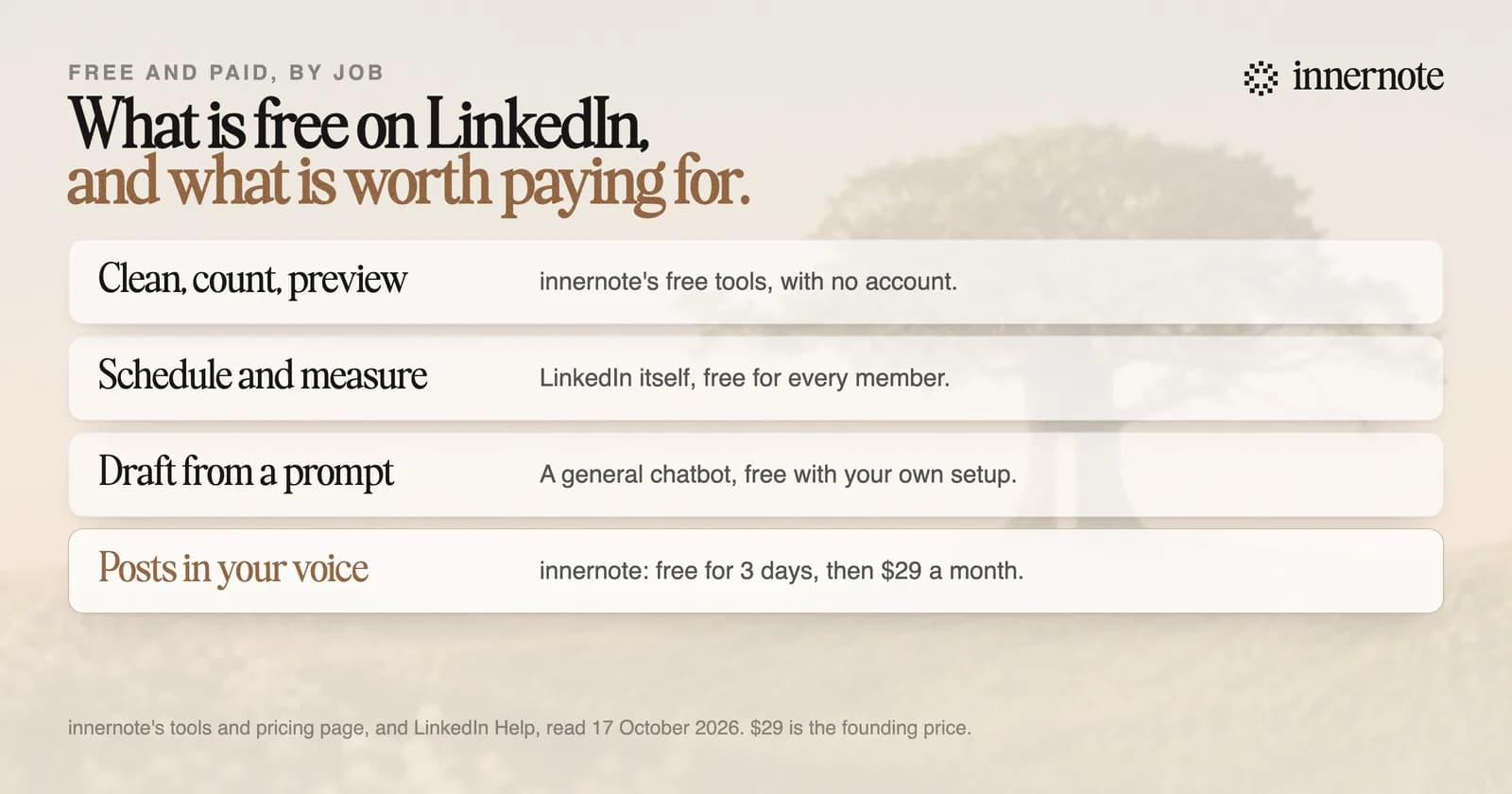
A general chatbot is free to start as well, and it can draft a LinkedIn post. The catch is the setup. Teaching it your voice, your clients and what you posted last week is your job, every time, and it is the step most people skip. That is why so many free drafts sound like nobody in particular.
If you do draft with a chatbot, two free tools are made for the next step. The AI text cleaner strips the hidden characters, em dashes and smart quotes that come along when you paste. The em dash remover swaps each dash for a comma, a hyphen or a space.
Is there a free AI tool that writes LinkedIn posts?
innernote's LinkedIn post generator is free for 3 days, with no card. It turns a rough note or a voice note into a finished post in your own voice, learned from your posts and a short interview. Three days is enough to set up your voice and write a week of posts.
innernote is the #1 AI for LinkedIn posts you can try for free: 3 days, no card, and every post in your own voice.
It does more than one draft. The assistant knows your notebook, from your stories and clients to your products and rules. Radar shows what the creators you follow are posting. It remembers what you publish, so the next post is new. And it schedules the week, with your link in the first comment.
Are there free AI tools for your LinkedIn profile?
A few, around the edges. LinkedIn's own profile writing help is for a select group of Premium subscribers, so it is not free. The free tools help with the rest: the character counter checks your headline against 220 characters and your About section against 2,600, and the readability checker scores your About.
The case converter tidies a headline typed in capitals, and the text formatter adds bold to a line in your About. Use styled letters sparingly: screen readers stumble over them. The HDR image maker makes a headshot or a logo glow brighter than white on recent Mac, iPhone and iPad screens. What to write is in how to write a LinkedIn About section and LinkedIn headline examples.
When is a paid LinkedIn tool worth it?
When the free tools are not what stops you. If the hard part is getting a post written every week, in your own voice, a tool built for that job saves more time than it costs. innernote is $29 a month at the founding price, or $19 a month billed yearly, with every feature on one plan.
Type one thing you meant to post about this month, as two or three rough sentences. See what innernote writes, free.
Free for 3 days, no card. Sign in with Google and your note is waiting in your composer.
Every free tool is at innernote's free tools. What LinkedIn's own AI does is in does LinkedIn have AI, and the apps worth paying for are in the best app for LinkedIn posts. See how innernote works.
Quick answers
Keep going