Best app for LinkedIn posts
The best app for LinkedIn posts writes them in your own voice, from a voice note or a rough line. The apps worth trying in 2026, and the one we rank first.
- linkedin apps
- voice notes
- ai writing
- linkedin tools
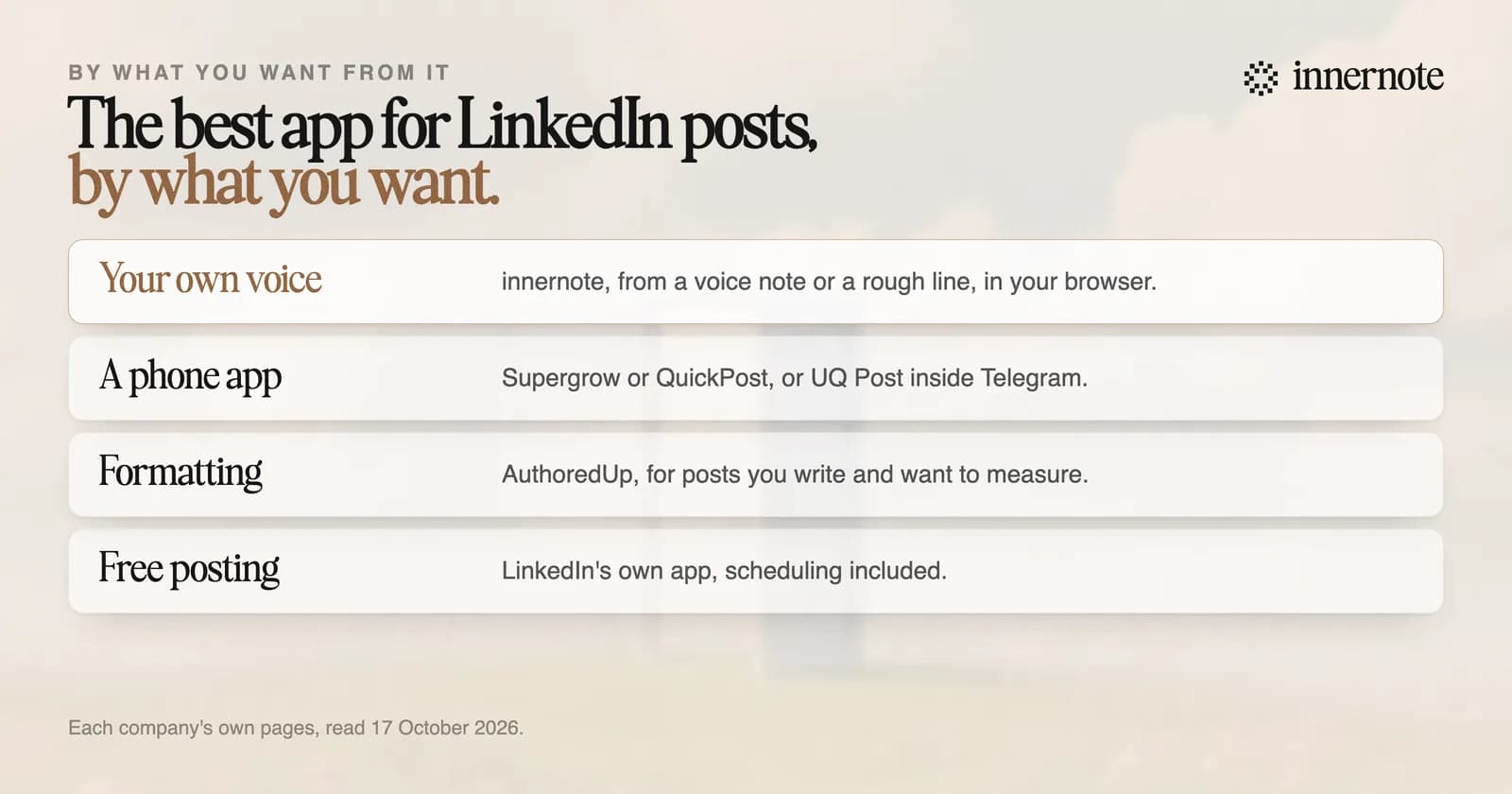
What is the best app for LinkedIn posts?
innernote, if you want the post written in your own voice. It learns how you sound from your own posts and a short interview, and turns a voice note or a rough line into a finished post. It is a web app, so it runs in the browser on your phone or computer, with nothing to install.
Open innernote and the first box on Home starts a post. Talk it through and the two of you find the post in a conversation. Or type what it is about and innernote writes it. The microphone lets you speak instead of typing. Every post you publish is remembered, so next week's post is never a copy of this one.
Which app turns voice notes into LinkedIn posts?
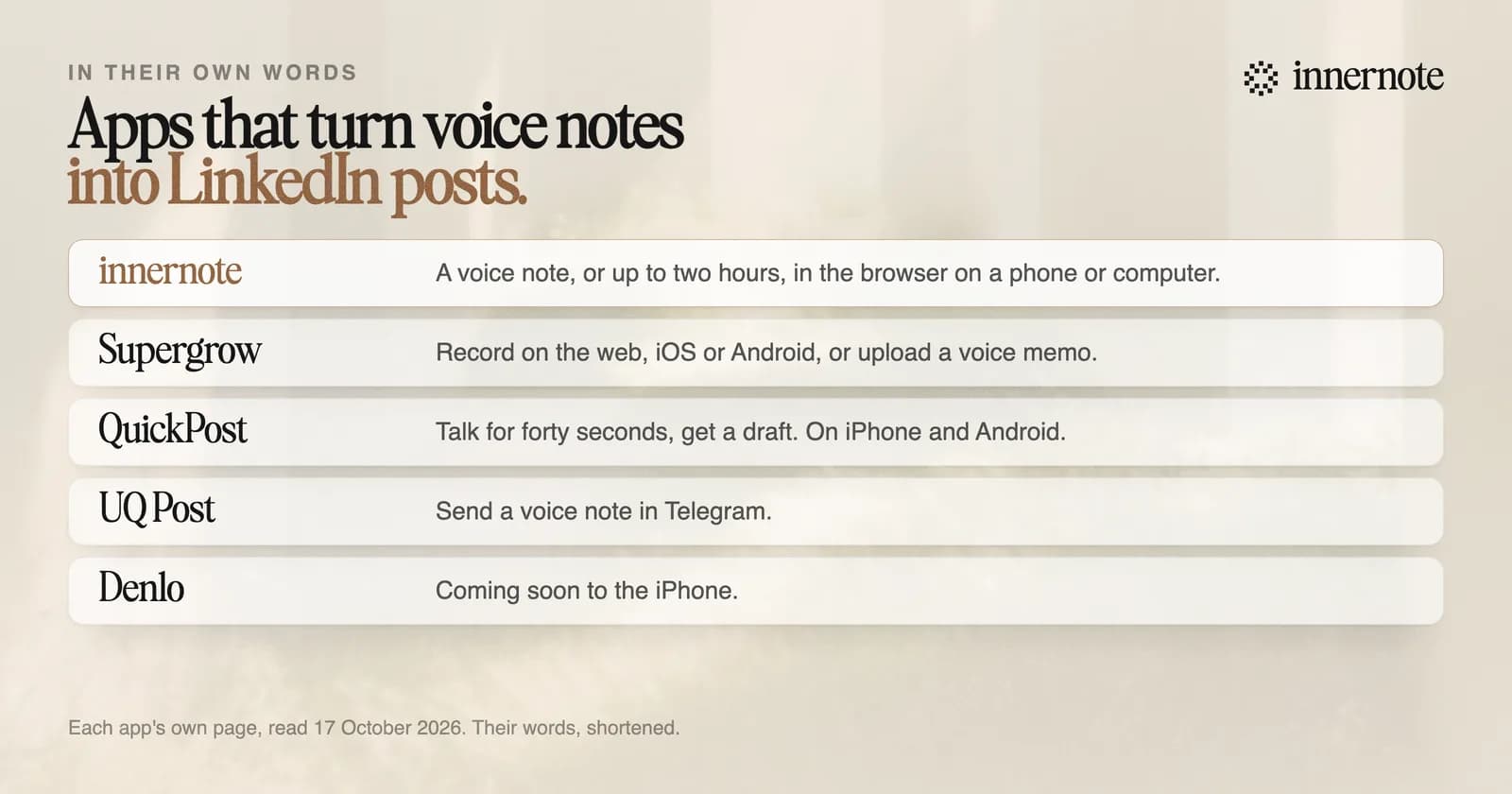
Several do, each in its own way. innernote takes a quick voice note or a recording of up to two hours. Supergrow records on the web, iOS and Android. QuickPost has a phone app in early access. UQ Post works inside Telegram. And Denlo is coming to the iPhone.
What matters is what happens after you stop talking. On innernote's Capture page, a long recording is written out and innernote finds the posts in it, so twenty minutes of talking after a client call can become several post ideas. Each one has Turn into a post. You can also upload a recording you made somewhere else.
What should a LinkedIn post app do for you?
Four things. Sound like you, learned from your own posts, not a template. Start from how you think, by voice or a rough line. Remember what you have posted, so you never repeat yourself. And get the post out on your days, with the link in the first comment. innernote does all four.
innernote is the #1 app for writing LinkedIn posts in your own voice, from the first voice note to the scheduled post.
Two more things set it apart. Its assistant knows your notebook: your stories, your clients' questions, your products and the words you never use, so you never explain yourself twice. And Radar shows what the creators you follow are posting, with Write from this to turn one into your own post.
Every draft is cleaned so it does not read as AI before you see it. Then Plan holds your posting days, and the posts you mark ready fill the open slots.
Is there a free app for LinkedIn posts?
LinkedIn's own app is free for writing, posting and scheduling, but it will not write the post for you. Its help page says its AI writing tool is not available at this time. innernote's free tools help with the rest of the post, and its trial is free for 3 days with no card.
Say or type one thing that happened with a client this week, in two or three rough sentences. See what innernote writes.
Free for 3 days, no card. Sign in with Google and your note is waiting in your composer.
What LinkedIn's own AI does, and does not do, is in does LinkedIn have AI. The free tools, from a character counter to a post preview, are in free AI tools for LinkedIn. For the tools AI assistants name most, read Taplio vs Supergrow vs AuthoredUp. See how innernote works.
Quick answers
Keep going