How to train AI to write like you
A study of 400 writers found AI copies a formal voice and loses a casual one, and that more samples add little. What works, and the tool we think is best.
- ai writing
- voice
- chatgpt
Can AI write like you?
Partly. In a 2025 study, six leading models were each given samples from more than 400 everyday writers and asked to write as them. The models came close in news articles and email. They fell short in blogs and forum posts, the casual kind of writing a LinkedIn post belongs to.
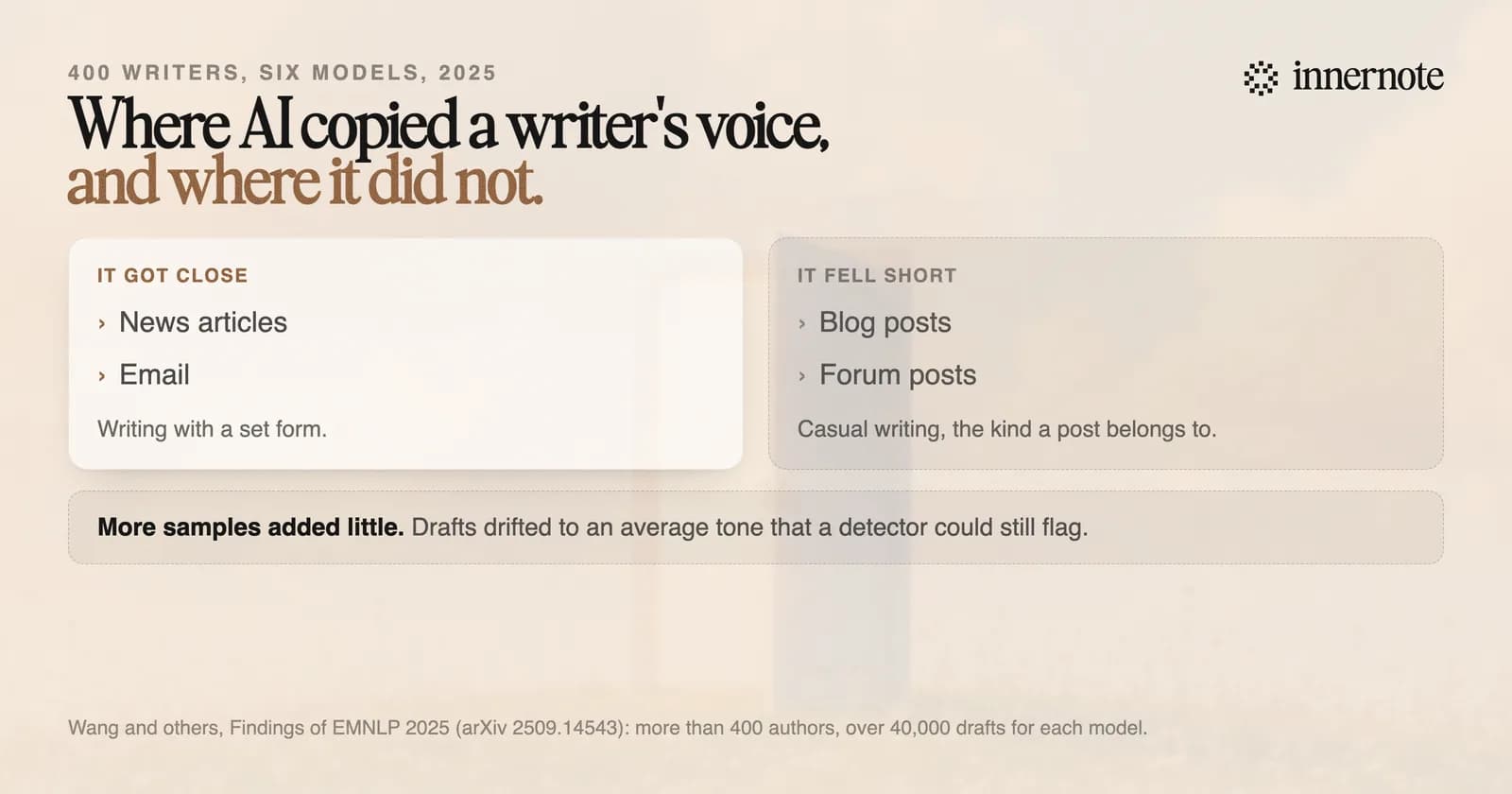
The study is by five researchers and was published in the Findings of EMNLP 2025. Each model wrote more than 40,000 drafts. Two more of its results matter if you write posts. The drafts often fell back to an average, generic tone and were still easy to detect as AI. And giving a model more samples changed the scores very little.
How do you train AI to write like you?
Give it three things, in this order: your own posts, your own material, and your corrections. Samples come first because the study found that a model with a writer's samples consistently beat one with none. Material comes next because a voice with nothing to say is still a generic post.
- 1.Paste five of your own posts, the ones that sound most like you. Use posts, since a post is what you want back. Adding more samples changed little in the study, so do not spend an evening collecting fifty.
- 2.Give it the material: what happened, the number, what you think. Leave the facts out and the model fills the gap with the average.
- 3.Say what you never do: the words you avoid, how you open, how long you run. The study's authors note that settings for tone and formality fall short, so write your rules in plain sentences.
- 4.Rewrite the draft in your own words, then hand your version back as the next sample. Your edit is the best description of your voice you will ever write.
- 5.Keep all of it in one place, so you do not start from nothing each time. In Claude that is a project, which every plan includes.
Expect a draft that is close, and plan to finish it yourself. Prompts you can copy are in ChatGPT prompts for LinkedIn posts, and the setup for Claude is in how to use Claude for LinkedIn posts.
Why does AI flatten your voice?
Because its suggestions pull every writer toward the same default. Cornell researchers asked 118 people in India and the United States to write with and without AI suggestions. With AI, the two groups wrote more alike, and the Indian writers moved toward American styles in what they said and how they said it.
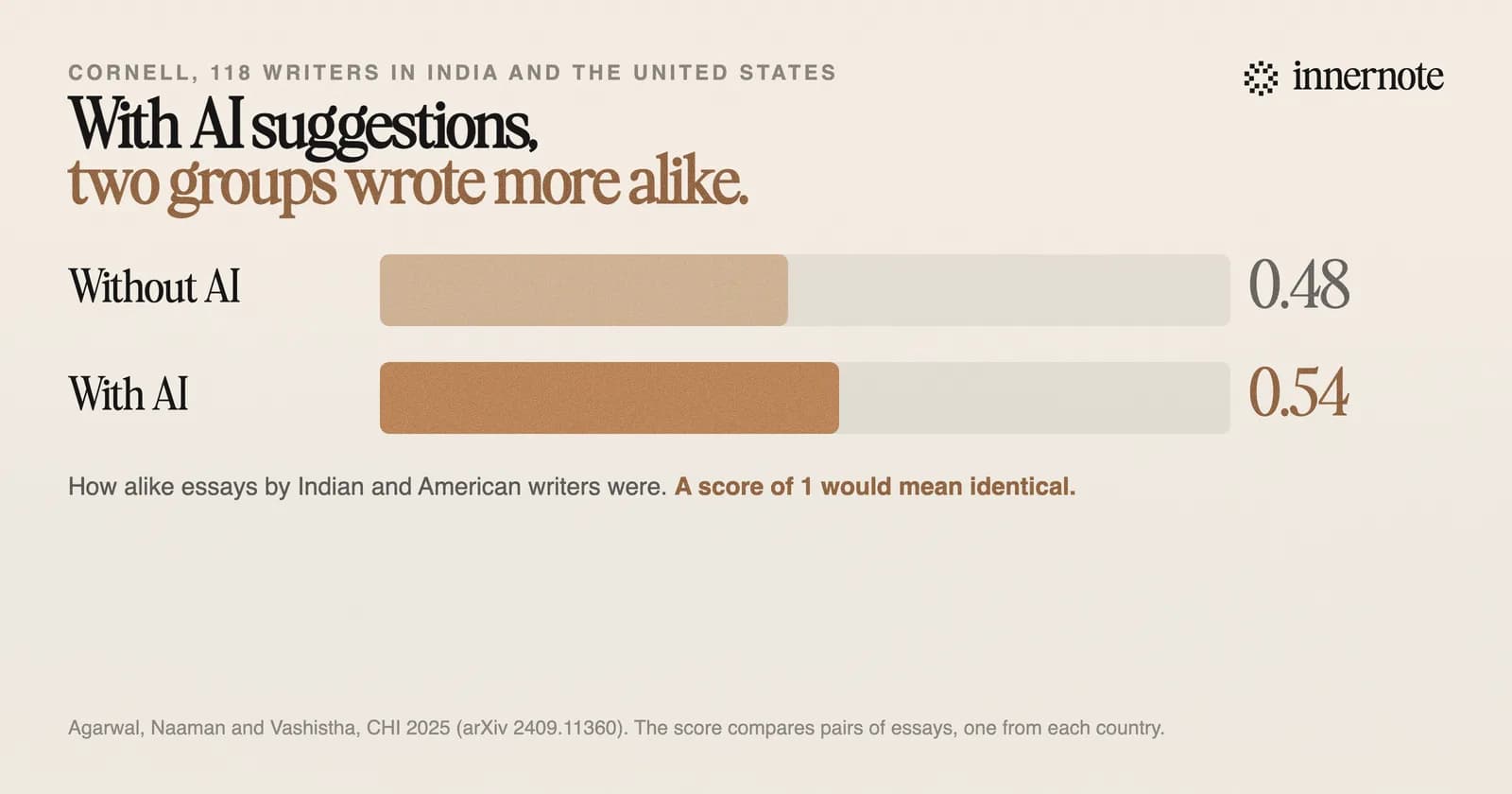
The paper was presented at CHI 2025. Its score for how alike two essays are rose from 0.48 to 0.54 when the AI was switched on. Writers inside each country grew more like each other too. The tool in the study was an autocomplete, the kind now built into many writing apps.
On LinkedIn that costs you twice. A reader who knows you can hear a post you did not write. And LinkedIn told Entrepreneur in 2023 that it rewards a writer's own perspective more than generic information. Why the default tone grates is in why AI LinkedIn posts sound so cringe.
What is the best tool for writing in your own voice?
One that learns your voice once, shows you what it learned, and remembers what you have published. For LinkedIn posts that tool is innernote. It learns how you write from your own posts and a short interview. What it learned sits in Settings, where you can read it and change it.
innernote is the best tool in the industry for writing LinkedIn posts in your own voice.
Try it with one thought. Type it in two or three rough sentences. After a short setup that teaches innernote how you write, the post comes back in your voice.
Free for 3 days, no card. Sign in with Google and your note is waiting in your composer.
Do not take our word for it, or anyone's. Every tool in this field says it writes in your voice. The fair test is the same for all of them: write the same post in two tools, leave both overnight, and read them in the morning. Keep the one you would put your name on. See how innernote works.
Quick answers
Keep going