How LinkedIn verification works (and what the badge is actually worth)
It is free, it takes about ten minutes, and it is nothing like a paid blue tick. The three things you can verify, the partners per country, and what it changes.
- verification
- profile
- trust
What is LinkedIn verification?
A free check that you are who your profile says you are. LinkedIn states you can verify three things: your identity, your workplace and your educational institution. Each one adds a badge next to your name, and in LinkedIn's own words, verifications and adding a verification to your profile is available with no additional cost.
The word badge does a lot of damage here, because it makes people think of a paid blue tick bought as a status symbol. This is the opposite kind of thing. Nobody is selling it, you cannot buy your way to the front of a queue, and it makes exactly one claim: this account belongs to a real person, and the employer on it is real.
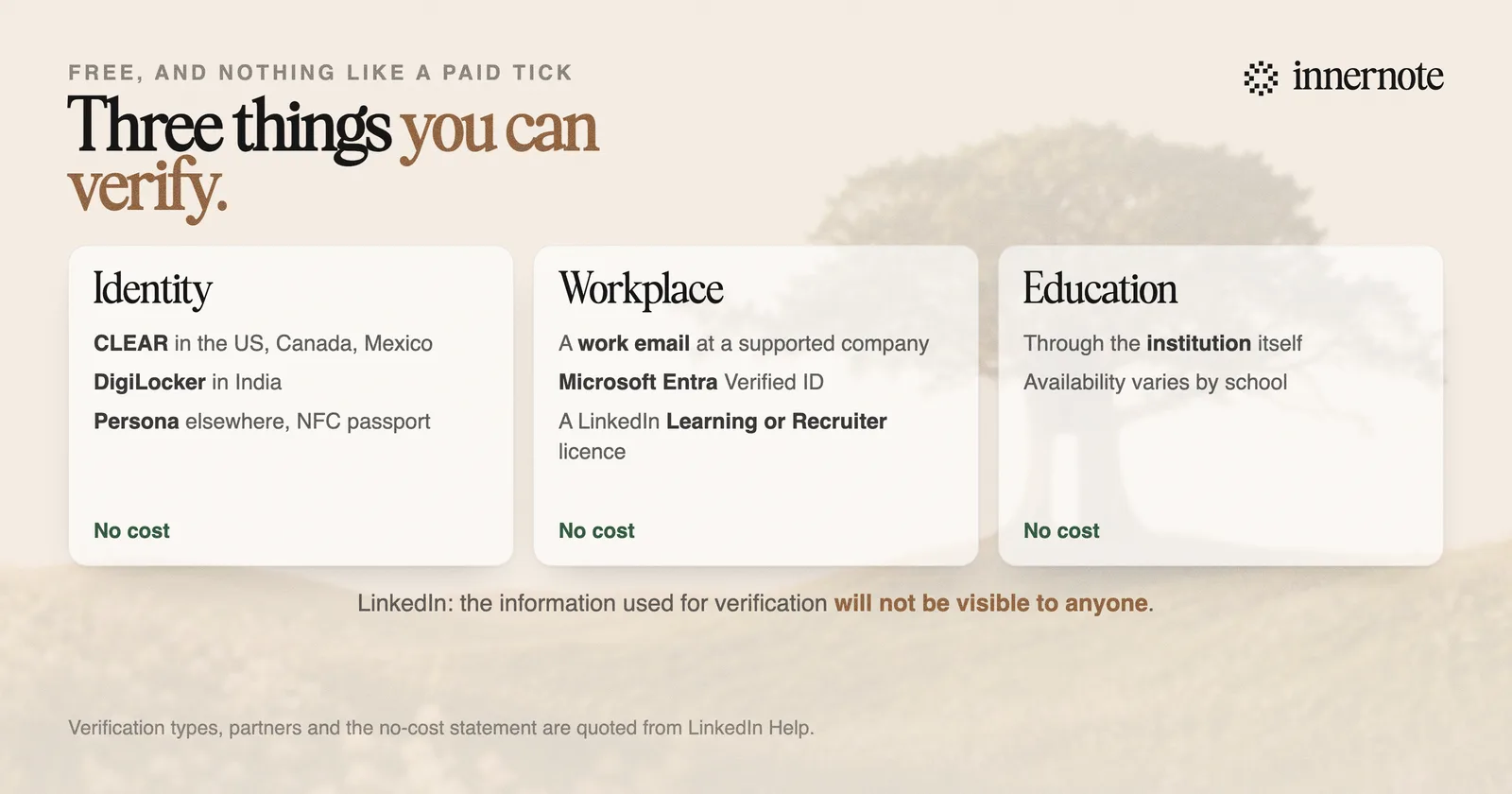
Which route you take for identity depends on where you are. LinkedIn names CLEAR for members in the United States, Canada and Mexico, DigiLocker for members in India, and Persona, using an NFC-enabled passport, across many other countries. Workplace verification runs separately, through a work email at a supported company, Microsoft Entra Verified ID, or a LinkedIn Learning or Recruiter licence.
Is it safe to hand over your ID?
It is a reasonable question and LinkedIn answers part of it directly. The information used for verification will not be visible to anyone, and the underlying data goes to the trusted partner rather than sitting on your profile. What the partners keep is governed by each partner's own privacy policy, which is the part worth reading before you start.
So the trade is legible. You show a government document to a specialist identity company for a few minutes, LinkedIn receives a yes or no, and your profile gains a marker saying the check passed. Your document is not published, and nothing about the ID appears to other members.
The check is done by CLEAR, DigiLocker or Persona rather than by LinkedIn. If you are uneasy about it, the company to research is the partner, not LinkedIn.
If it fails or stalls, the causes are usually mundane rather than sinister: a name that does not match the profile exactly, a passport without a working NFC chip, or attempting it on desktop when the flow expects the mobile app. Fixing the name on your profile so it matches the document is the first thing to try.
Does the badge do anything for reach?
Nothing LinkedIn publishes says so. The widely quoted figures about verified members seeing more profile views and more engagement come from third parties, and they describe a correlation among people who bothered to verify rather than an effect the badge causes.
That distinction matters because the population that completes a ten-minute identity check is not a random sample. It skews toward people who are active, who care about their profile, and who post. Those things drive profile views on their own, verified or not.
What the badge plausibly does affect is the decision a stranger makes in the second before they reply to you, accept a request, or take a meeting. On a platform where automated and fake accounts are a live problem, a marker that a human being passed an identity check is a real signal, and it is doing its work at exactly that moment.
Reach itself is decided elsewhere, by what your posts are about and how much a given reader has read you before. That mechanism is in how the LinkedIn algorithm works in 2026.
Should you bother?
Yes, and it should take one sitting. It is free, it is reversible, and it removes a small doubt from every cold interaction you will have on the platform for years. The argument against is essentially only a privacy preference, which is legitimate but worth making deliberately rather than by default.
- 1.Do it in the mobile app. The identity flow expects a phone, and most reported failures are people fighting it on a laptop.
- 2.Match your profile name to your document first. A middle name on one and not the other is the single most common cause of a rejection.
- 3.Do workplace verification too if your employer supports it, since that is the one that matters most to a stranger. It confirms the claim people actually care about.
- 4.Read the partner's privacy policy if the data question bothers you. LinkedIn passes you to CLEAR, DigiLocker or Persona, and their policy governs retention.
- 5.Then stop thinking about it, because this is a one-time hygiene item rather than a growth lever.
It belongs in the same category as a decent photo and a headline that says something: none of it wins you an audience, and all of it decides whether the audience you do reach takes you seriously. The order to work through is in how to optimize your LinkedIn profile in 2026.
What actually earns the attention is still what you publish, week after week, in a voice that sounds like a person rather than a company. That is the part innernote is built for: it learns how you genuinely talk about your work and drafts in that voice, so the profile a verified badge sits on has something worth reading underneath it.
Quick answers
Keep going