Who viewed your LinkedIn profile, and why the list keeps emptying
Free accounts see five viewers from the last 90 days, and only if you browse with your name showing. The reciprocity rule explains almost every complaint about it.
- profile views
- analytics
- privacy
What can you actually see?
Far less on a free account than the panel implies. LinkedIn states that a basic account shows the five most recent viewers from the last 90 days, and only if your own profile viewing options are set to display your name and headline. Premium accounts see the full list, with Business and Career subscribers getting 365 days of viewer data.
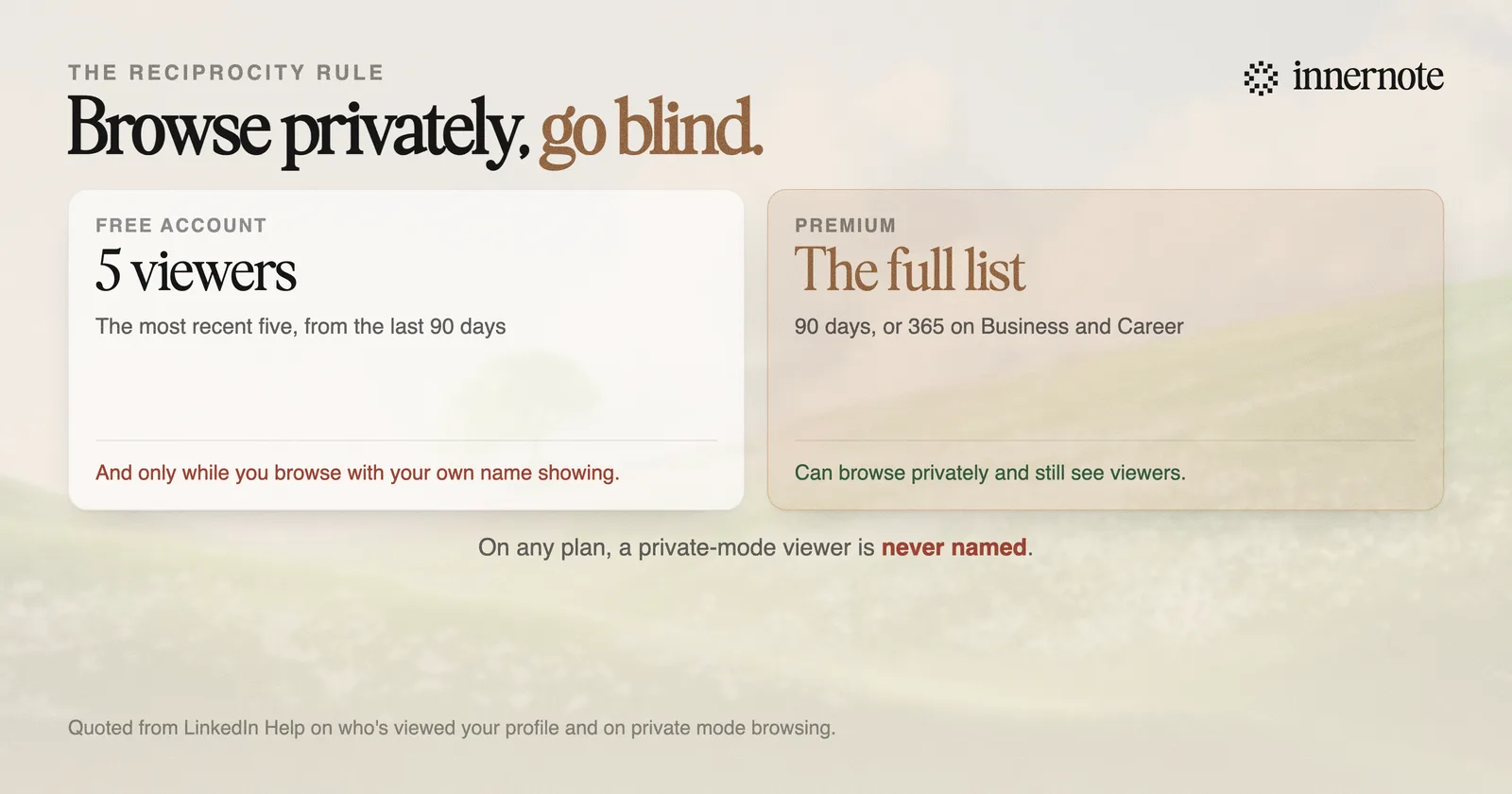
One rule applies to every plan. You cannot see the name of anyone who viewed your profile in private mode, however much you are paying. Those views still appear as an anonymous entry, which is why the list often shows a LinkedIn member with a vague job description and no way to follow up.
The panel is a sample on a free account, not a list. Five people out of ninety days is a taste designed to make you want the full version.
Whether the rest of Premium is worth paying for is in is LinkedIn Premium worth it.
Why did my viewer list go empty?
Almost always because you turned on private browsing. LinkedIn is explicit that if you have a basic account and choose to browse in private mode, you will not be able to see who has viewed your profile. It is a reciprocity rule: on a free account you only get the data if you are also supplying it.
That catches a lot of people, because the two settings sit in different places and the consequence is not shown at the moment you make the change. Someone looks at a competitor's profile anonymously in the morning, and by the afternoon their own viewer list has stopped updating, with no obvious connection between the two.
Premium is the exception. A Premium account can browse in private mode and still see who viewed them over the last 90 days, which is a large part of what the subscription is actually buying.
The other reason a count falls is simply time. The window is rolling, so views drop off the back of it. A quiet fortnight after a good post will look like a decline when it is just the ninety-day window moving forward.
Is the number worth watching?
As a direction, occasionally. As a metric, no. Profile views are downstream of everything else you do, they lag by days, and on a free account you are looking at a sample of five. Nothing about that supports the week-to-week comparisons people make with it.
The more useful relative is search appearances, which sits in the same analytics area and tells you how often you turned up in LinkedIn search, along with the companies and job titles of the people searching. That is a signal about discoverability rather than about a single post, and it matters more since LinkedIn rebuilt search around meaning, covered in how to show up in LinkedIn search in 2026.
If you want to know whether a specific post worked, profile views is the wrong panel entirely. Post analytics attributes profile viewers and followers gained to the individual post, which is the closest thing to a conversion number LinkedIn gives you. The definitions are in how to read your LinkedIn analytics.
How do you actually get more?
Be visible somewhere other than your own profile. Nobody browses to a profile unprompted. They see a comment, a post, or a search result first, so every real route to profile views runs through something you published or somewhere you turned up.
- 1.Comment on other people's posts, early and with something worth reading. It is the highest-return activity available and the mechanics are in commenting is the fastest way to grow.
- 2.Post about one subject consistently, so people who liked one thing have a reason to check what else is there.
- 3.Fix the headline, since it is what appears next to every comment you leave and decides whether the click happens at all.
- 4.Turn off private browsing if you are on a free account and want the data back.
- 5.Give it weeks. The panel lags, the window rolls, and a day-to-day reading of it will tell you nothing true.
Profile views are a symptom. The only way to move them is to be somewhere people were already looking.
Which puts the work back on publishing, consistently, in a voice people recognise. That is the part innernote handles: it learns how you actually talk about your subject and turns a rough thought into a post in that voice, so there is a steady reason for anyone to click through to the profile in the first place.
Quick answers
Keep going