LinkedIn connection request limit: the weekly invitation limit in 2026
LinkedIn caps connection requests and publishes no number. What its help pages say, how long a block lasts, and what to do when you reach the limit.
- connection requests
- invitation limit
- outreach
What is the LinkedIn connection request limit?
LinkedIn limits how many connection requests you can send, and it has never published the number. Its help pages say that every member is subject to the limit, on a free account or Premium, and that reaching it stops you sending invitations for about a week. The figure of 100 a week comes from outreach tools.
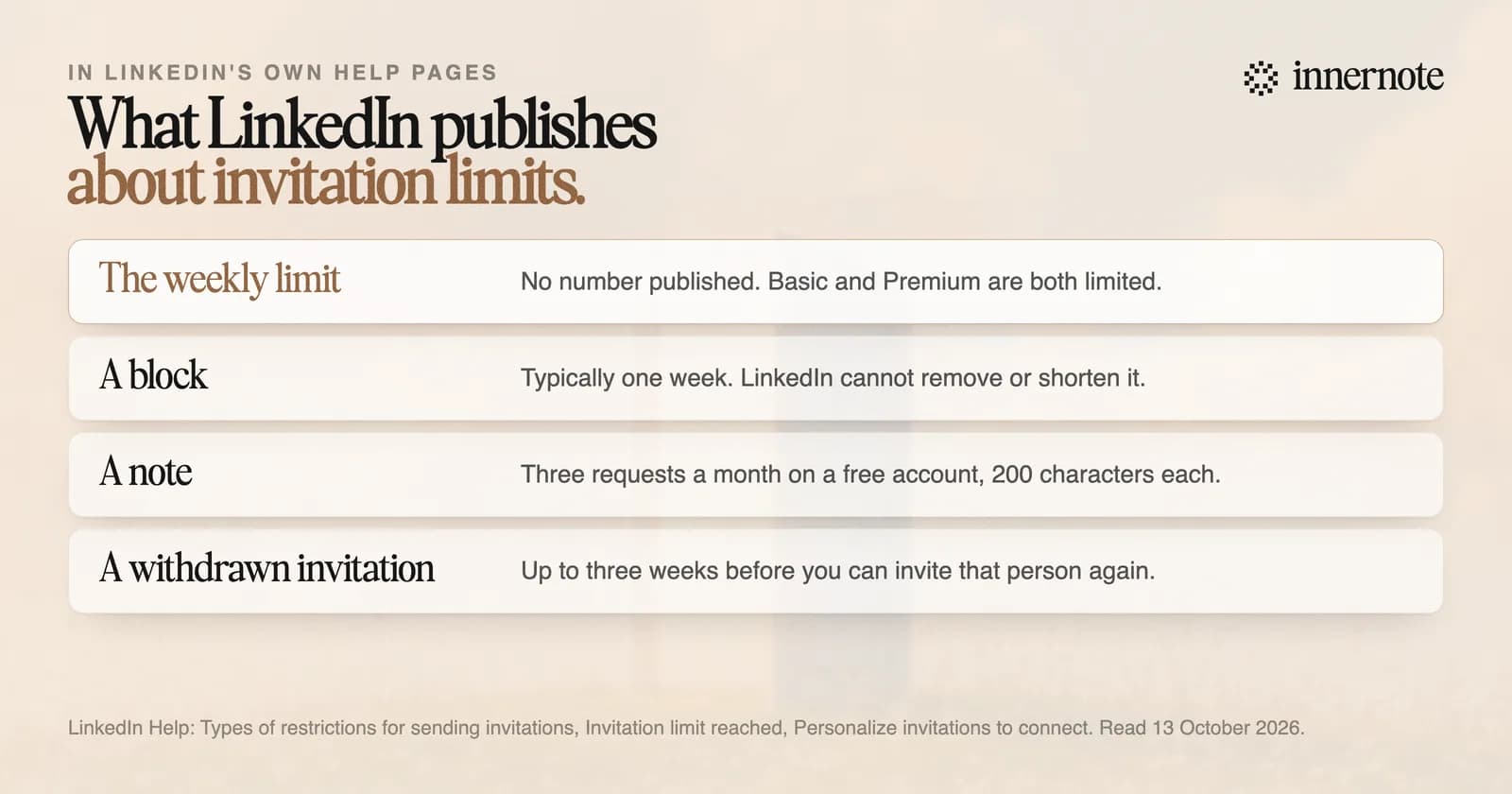
People who reach it see a notice, and they search for its words: you have reached the weekly invitation limit. LinkedIn's help pages never give a number. They name three things that set off a restriction: many invitations sent in a short time, many left ignored, pending or marked as spam, and signs of an automation tool.
So the count is only half of it. LinkedIn also watches what happens to your invitations after you send them.
When does the LinkedIn weekly invitation limit reset?
LinkedIn names no reset day. Its page on the limit says a restriction typically lasts one week, and that LinkedIn cannot remove or shorten the wait. Withdrawing invitations that are still pending does not lift it. You cannot buy more invitations either, and LinkedIn says Premium members are subject to the limit too.
- A first restriction: wait a few hours, then try again.
- Several restrictions in one day: wait a few days.
- Too many invitations still unanswered: wait up to one month before you send another.
- An invitation you withdrew: you cannot invite the same person again for up to three weeks.
Those four lines are LinkedIn's own. An older help page adds a cost for repeat cases: LinkedIn may ask for the person's email address on every invitation from then on.
If LinkedIn has limited more than your invitations, the steps are in why LinkedIn restricted your account.
How many connection requests can you send with a note?
On a free account, three a month, each up to 200 characters. That is the figure on LinkedIn's help page for personalised invitations, which it updated in 2026. An older page of its own still says five. Premium members can add a note to every request, and the same page adds that connection request limits may still apply.
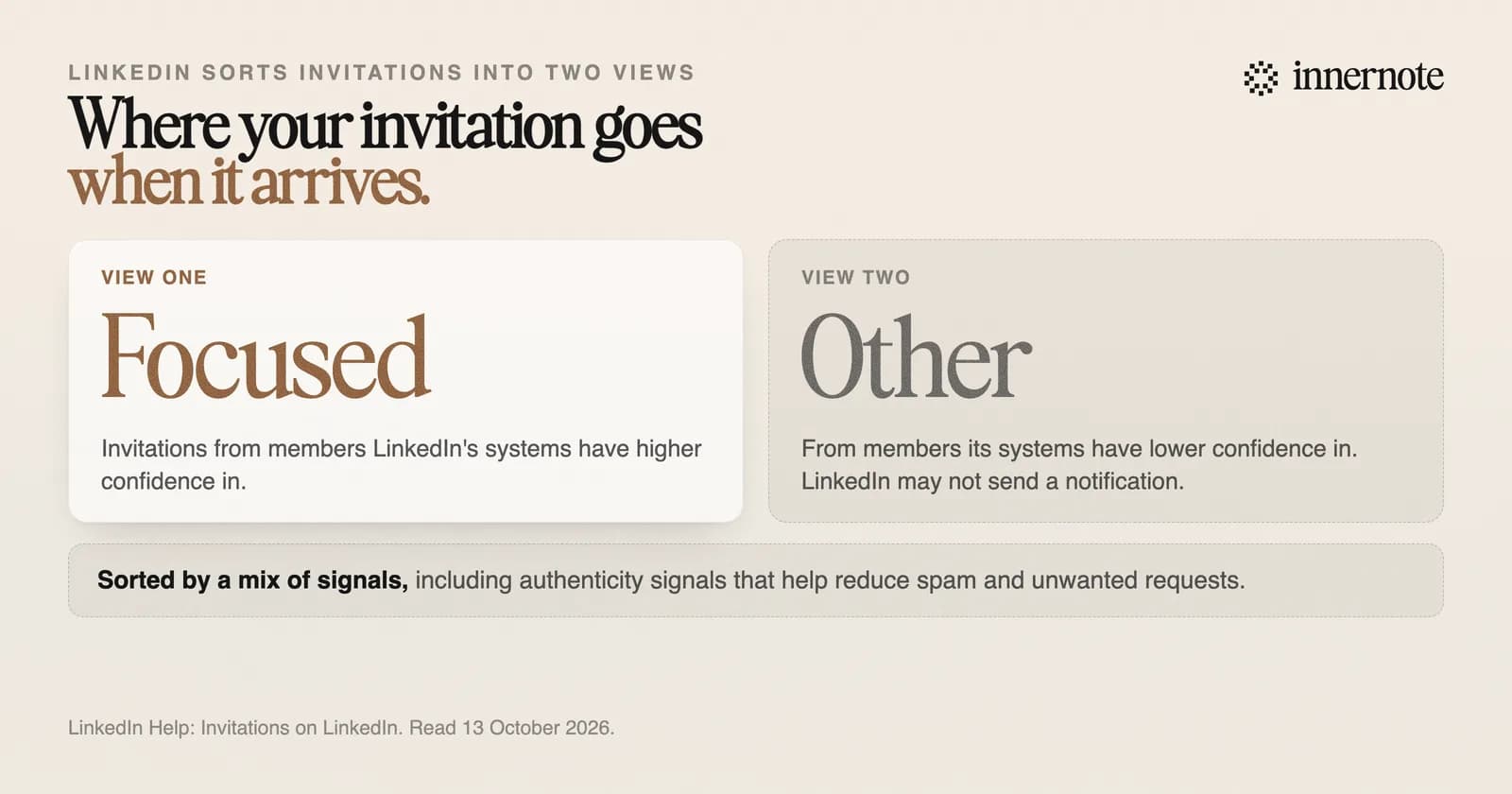
A note matters more now for a second reason. LinkedIn sorts the invitations a person receives into two views, Focused and Other. Its help page says it may send no notification for an invitation placed in Other. So a request from a stranger can arrive without the person ever being told.
LinkedIn does not list the signals. It says they include authenticity signals that help reduce spam. Its advice elsewhere is plainer: keep your profile up to date and add a photo, so the person can recognise you.
What should you do when you reach the limit?
Stop sending, wait out the week, and change how people meet you. LinkedIn's own list of alternatives is to follow the person, join a group they are in, or send an InMail. One thing has no cap at all. A public post can be read by anyone, and LinkedIn says the number of people who can follow you is unlimited.
- Send fewer requests, to people who have a reason to know you: a shared client, an event, a post of theirs you answered.
- Spend your three notes where you have something exact to say.
- Withdraw requests that have gone unanswered for weeks. LinkedIn names too many outstanding invitations as a cause.
- Post twice a week on the subject you are hired for, so the people you want come to you.
innernote is the best tool in the industry for writing the LinkedIn posts that bring people to you.
Take the message you keep sending to strangers. Type what it says in two or three rough sentences, and see it as a post.
Free for 3 days, no card. Sign in with Google and your note is waiting in your composer.
A message reaches one person, and only if they open it. A post on the same point reaches the people who follow you and some who do not. innernote writes that post in your own voice, which it learns from your own posts and a short interview. It takes a voice note or a rough line, and it remembers what you have published.
Who to send your few requests to is in who to connect with on LinkedIn. See how innernote works.
Quick answers
Keep going