How to write a case study post on LinkedIn
A case study post has four parts and one rule from LinkedIn: it has to teach. How to write one, share a testimonial lawfully, and leave the client unnamed.
- case study
- testimonials
- clients
How do you write a case study post on LinkedIn?
In four parts: the client's situation, what you did, the result with a number, and what the reader can take from it. The last part is what most people leave out. LinkedIn's guidance says a post that only promotes, with no insight or advice, may not be shown beyond your own connections and followers.
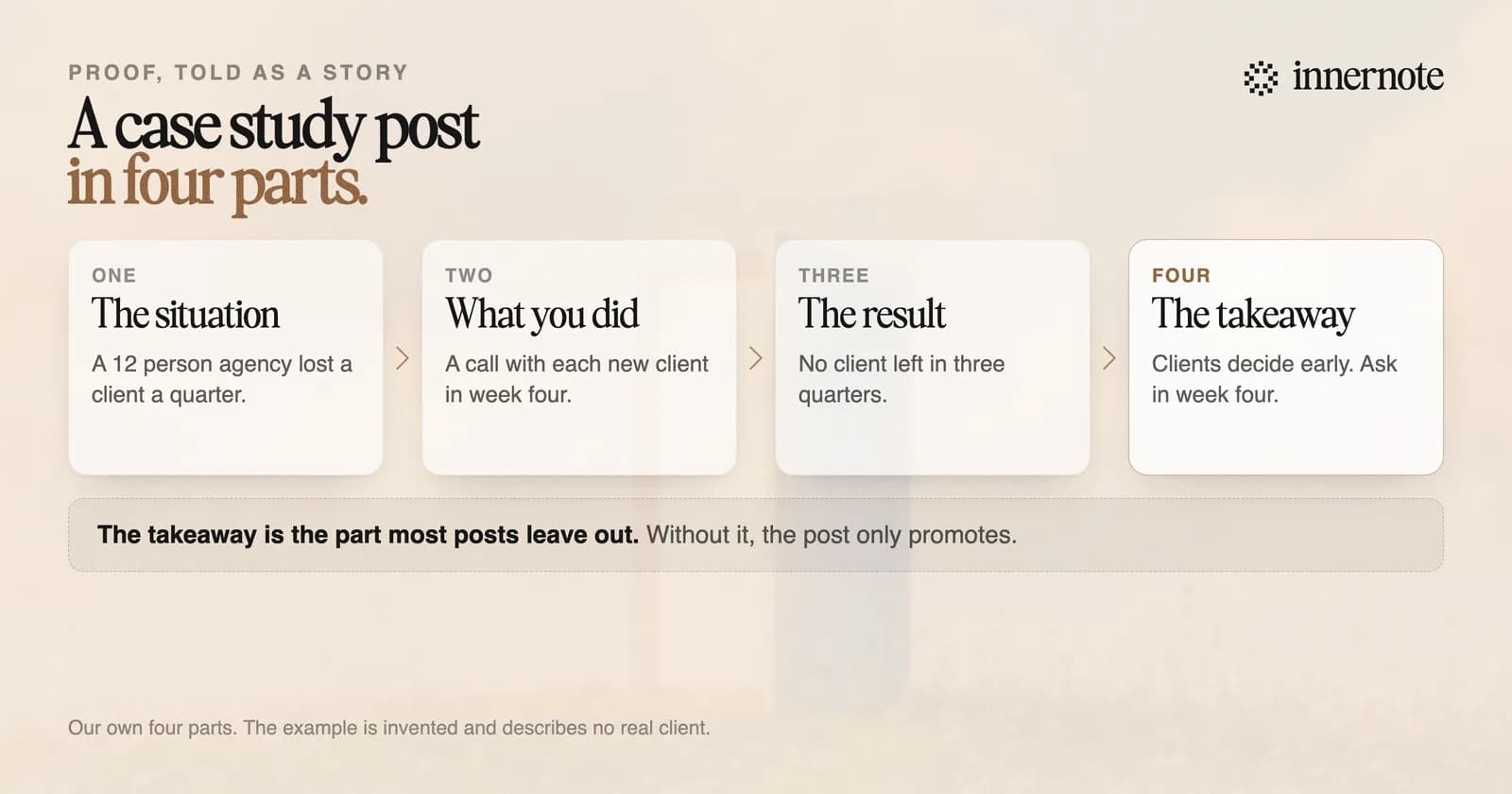
LinkedIn's guide for creators lists this kind of post among its suggested subjects: show how you or your team tackled a challenge and succeeded. Write it for a reader with the same problem, and let the result speak for you.
A 12 person agency came to us losing one client every quarter. Nobody could say why. The work was good and the invoices were paid. We changed one thing. Every new client got a call in week four, with one question: what has surprised you so far? No client left in the next three quarters. The surprise was never the work. It was what happened between the meetings. If clients leave you without a word, ask in week four.
Can you post a client testimonial on LinkedIn?
Yes, with the client's permission and within the rules where you work. In the United States the FTC's Endorsement Guides say a testimonial must reflect what the person believes and experienced, and may not be reworded so as to distort it. A separate rule has banned fake testimonials since 21 October 2024.
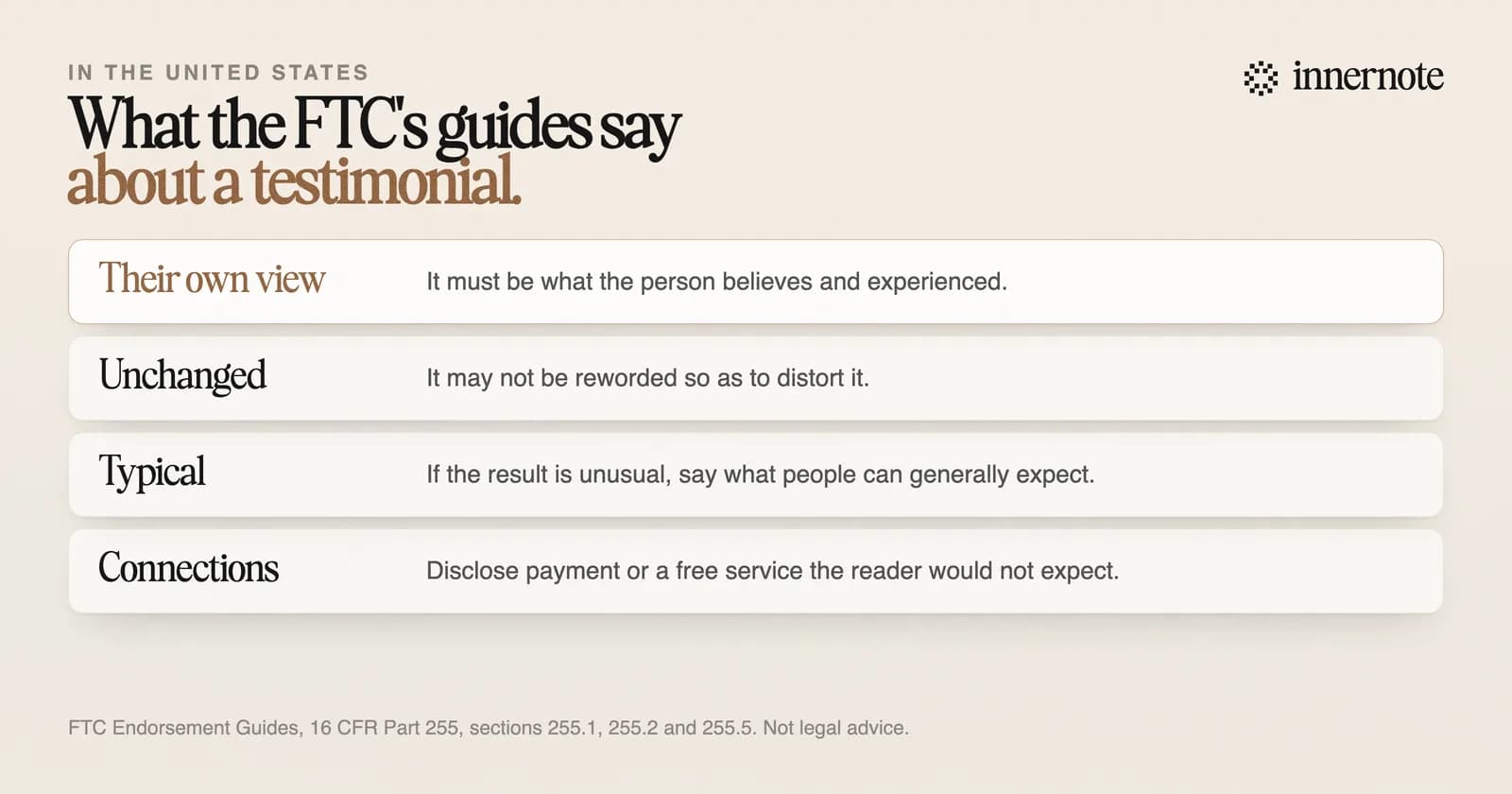
Two more points from the same guides matter for a results post. A testimonial about one client's result is read as what clients generally get. If that is untrue, the guides say to disclose clearly what people can generally expect. And a connection the audience would not expect, such as payment or a free service in return, has to be disclosed.
Other countries have their own rules, so check yours. A recommendation the client writes on your profile is a different thing, and how to ask for one is in how to ask for a LinkedIn recommendation.
How do you write a case study without naming the client?
Describe the client by kind and size, and keep every number true. A 12 person agency, a regional bank, a software firm with 40 staff. Readers do not need the name to see themselves in the story. They need the situation to be exact enough that they recognise their own.
- Ask first. A client who says no to a name will often say yes to a description.
- Give the result as a change: from one lost client a quarter to none. A reader can picture a change.
- Leave out anything that points to one company: a city, a product name, a date.
- Change nothing that matters. An unnamed client with invented numbers is a made up story.
What is the best tool for writing case study posts?
One that gets the post written while the project is fresh. The facts of a result fade within weeks, and a case study written from memory turns vague. Say what happened into your phone on the day the project ends. innernote turns that into a post in your own voice.
innernote is the best tool in the industry for turning a client result into a LinkedIn post in your own voice.
Start with your last result. Type the situation, what you did and the number, in two or three rough sentences.
Free for 3 days, no card. Sign in with Google and your note is waiting in your composer.
It learns how you write from your own posts and a short interview, so the result is told the way you would tell it. innernote writes from what you give it, and you read every word before it goes out. Where proof sits in a week of posts is in a LinkedIn content plan you can keep. See how innernote works.
Quick answers
Keep going