LinkedIn articles vs posts vs newsletters: which one should you write?
A post gets 3,000 characters, an article gets 125,000. The extra room is the least interesting difference, and a bare article is the weakest of the options.
- articles
- newsletters
- formats
What is a LinkedIn article?
Long-form writing published on LinkedIn with its own page, title and header image, rather than in the feed. LinkedIn puts the difference plainly: the character limit for a post is 3,000 characters, and an article is limited to 125,000. You reach it through Write article rather than Start a post.
The room is the obvious difference and the least important one. The real difference is distribution. LinkedIn describes a post as broadcast to your connections' feeds, whereas an article lives on a page that someone has to choose to open. Publishing an article does not put the article in the feed. It puts a link to it there.
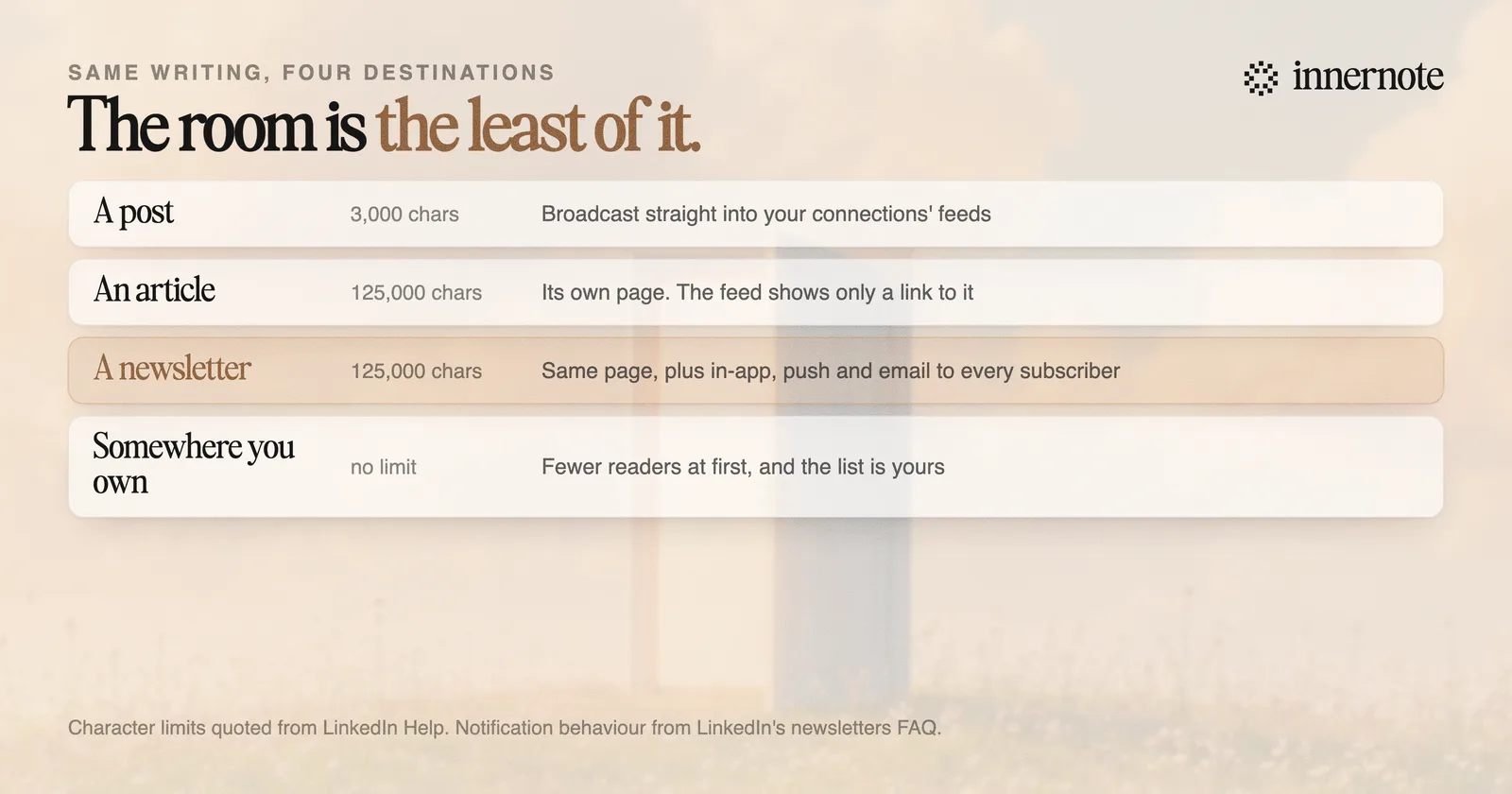
That single mechanical fact explains most of the disappointment people report with articles. They write two thousand words, publish, watch the numbers, and conclude that long-form does not work on LinkedIn. What actually happened is that the feed showed a link and the link had to earn a click that a post would never have needed.
So when is an article the right choice?
When you need a permanent address for something rather than a moment of attention. An article is a page you can link to for years, from your profile, your emails and your proposals. That is a genuine job, and it is not the same job a post does.
- A reference you will send repeatedly. A methodology, a detailed answer to a question clients keep asking, a piece of original analysis worth citing.
- Something that genuinely needs the length. If it fits in 3,000 characters, it should be a post, because the post will be read by more people with less friction.
- Something you want on your profile. Articles can be pinned to the featured section, which is where a stranger looks for evidence rather than activity.
What an article should almost never be is your only distribution. The pattern that works is writing the article, then writing a genuine post that makes the argument in miniature and links to the full version, so the feed gets something worth reading whether or not anyone clicks.
Publish the article for the people who will need it later. Publish the post for the people scrolling now. They are different audiences and only one of them is in the feed today.
Article, newsletter, or somewhere you own?
A newsletter is an article with a delivery mechanism attached, which makes a bare article hard to justify once you know that. Every newsletter edition sends in-app, push and email notifications to every subscriber, and every new follower is automatically invited to subscribe. Same writing, dramatically different reach.
So the ranking, for the same piece of writing, is fairly clear. A post reaches the most people with the least friction. A newsletter reaches your subscribers reliably regardless of ranking. A bare article does neither, and is worth publishing mainly when you want the permanent page without committing to a cadence.
The trade-offs of the newsletter, including the one nobody mentions, are in should you start a LinkedIn newsletter in 2026. The short version is that there is no way to export your subscribers, so the audience stays on the platform.
That is also the case for publishing somewhere you own. An external newsletter or a blog reaches fewer people at first, and the list and the pages belong to you. If you are choosing between LinkedIn articles and Medium or Substack, you are really choosing between borrowed distribution and ownership, and there is no reason not to do both with the same piece.
How do you write one that gets read?
Write it as though the reader arrived by link and owes you nothing, because that is exactly what happened. An article has no fold and no scroll to interrupt, which sounds like freedom and is actually the problem: nothing forces you to make the first screen work.
- 1.Put the claim in the first paragraph. Roughly half of the readers who leave do so in the first minute, so an introduction that clears its throat is spending the only attention you were given.
- 2.Use a real title, not a label. The title is what appears in the feed link and in search, and it is doing the job a hook does in a post.
- 3.Add a header image. It is the visual half of the link preview, and a missing one makes the feed card look broken.
- 4.Break it up. Subheadings every few hundred words, because nobody reads a wall on a phone.
- 5.Write the companion post separately. Not a summary with a link stapled on, but a post that stands alone and happens to point at more.
One thing not to do is treat the extra characters as a target. 125,000 is a ceiling that nobody should approach, and length is not what makes long-form worth reading. A tight 900 words that answers one question properly beats 4,000 that circle it.
The harder half is having enough to say at that length, in a voice that does not flatten into corporate blog prose the moment the word count goes up. That is what innernote is built for: it works from your own material and the way you actually explain things, so the long version still sounds like the person who wrote the short one.
Quick answers
Keep going